mirror of
https://github.com/grafana/grafana.git
synced 2026-01-07 22:41:10 +08:00
Compare commits
26 Commits
v6.1.3
...
v6.0.0-bet
| Author | SHA1 | Date | |
|---|---|---|---|

|
19192fc0b5 | ||
|
|
57977c9db6 | ||

|
82cf6b951a | ||

|
56f75e9e9d | ||

|
a32d5ed16a | ||
|
|
84bd280c7a | ||

|
1ce7ef7ae0 | ||
|
|
9d5529c453 | ||

|
0fd59e72b0 | ||
|
|
6fc3c6a7ed | ||
|
|
5091e06e4c | ||
|
|
b229b16259 | ||
|
|
d45fc0cadd | ||
|
|
3a36c750dd | ||
|
|
6da26aa3cd | ||
|
|
652ea3c08e | ||
|
|
acb329f2f1 | ||
|
|
d757c74442 | ||

|
688a8e286d | ||

|
d924d3f6c9 | ||
|
|
754be5a66e | ||

|
9e457077c6 | ||
|
|
c3e5a2c968 | ||

|
dcb3a344d2 | ||
|
|
1a2b5cd3cc | ||
|
|
6a71b199ca |
@@ -1,4 +0,0 @@
|
||||
>1%,
|
||||
Chrome > 20
|
||||
last 4 versions,
|
||||
Firefox ESR
|
||||
@@ -35,7 +35,7 @@ jobs:
|
||||
- run: cat devenv/docker/blocks/mysql_tests/setup.sql | mysql -h 127.0.0.1 -P 3306 -u root -prootpass
|
||||
- run:
|
||||
name: mysql integration tests
|
||||
command: './scripts/circle-test-mysql.sh'
|
||||
command: 'GRAFANA_TEST_DB=mysql go test ./pkg/services/sqlstore/... ./pkg/tsdb/mysql/... '
|
||||
|
||||
postgres-integration-test:
|
||||
docker:
|
||||
@@ -54,21 +54,7 @@ jobs:
|
||||
- run: 'PGPASSWORD=grafanatest psql -p 5432 -h 127.0.0.1 -U grafanatest -d grafanatest -f devenv/docker/blocks/postgres_tests/setup.sql'
|
||||
- run:
|
||||
name: postgres integration tests
|
||||
command: './scripts/circle-test-postgres.sh'
|
||||
|
||||
cache-server-test:
|
||||
docker:
|
||||
- image: circleci/golang:1.11.5
|
||||
- image: circleci/redis:4-alpine
|
||||
- image: memcached
|
||||
working_directory: /go/src/github.com/grafana/grafana
|
||||
steps:
|
||||
- checkout
|
||||
- run: dockerize -wait tcp://127.0.0.1:11211 -timeout 120s
|
||||
- run: dockerize -wait tcp://127.0.0.1:6379 -timeout 120s
|
||||
- run:
|
||||
name: cache server tests
|
||||
command: './scripts/circle-test-cache-servers.sh'
|
||||
command: 'GRAFANA_TEST_DB=postgres go test ./pkg/services/sqlstore/... ./pkg/tsdb/postgres/...'
|
||||
|
||||
codespell:
|
||||
docker:
|
||||
@@ -130,7 +116,7 @@ jobs:
|
||||
|
||||
build-all:
|
||||
docker:
|
||||
- image: grafana/build-container:1.2.4
|
||||
- image: grafana/build-container:1.2.3
|
||||
working_directory: /go/src/github.com/grafana/grafana
|
||||
steps:
|
||||
- checkout
|
||||
@@ -167,14 +153,14 @@ jobs:
|
||||
- persist_to_workspace:
|
||||
root: .
|
||||
paths:
|
||||
- dist/*
|
||||
- dist/grafana*
|
||||
- scripts/*.sh
|
||||
- scripts/build/release_publisher/release_publisher
|
||||
- scripts/build/publish.sh
|
||||
|
||||
build:
|
||||
docker:
|
||||
- image: grafana/build-container:1.2.4
|
||||
- image: grafana/build-container:1.2.3
|
||||
working_directory: /go/src/github.com/grafana/grafana
|
||||
steps:
|
||||
- checkout
|
||||
@@ -196,7 +182,7 @@ jobs:
|
||||
- persist_to_workspace:
|
||||
root: .
|
||||
paths:
|
||||
- dist/*
|
||||
- dist/grafana*
|
||||
|
||||
grafana-docker-master:
|
||||
machine:
|
||||
@@ -243,7 +229,7 @@ jobs:
|
||||
|
||||
build-enterprise:
|
||||
docker:
|
||||
- image: grafana/build-container:1.2.4
|
||||
- image: grafana/build-container:1.2.3
|
||||
working_directory: /go/src/github.com/grafana/grafana
|
||||
steps:
|
||||
- checkout
|
||||
@@ -271,11 +257,11 @@ jobs:
|
||||
- persist_to_workspace:
|
||||
root: .
|
||||
paths:
|
||||
- enterprise-dist/*
|
||||
- enterprise-dist/grafana-enterprise*
|
||||
|
||||
build-all-enterprise:
|
||||
docker:
|
||||
- image: grafana/build-container:1.2.4
|
||||
- image: grafana/build-container:1.2.3
|
||||
working_directory: /go/src/github.com/grafana/grafana
|
||||
steps:
|
||||
- checkout
|
||||
@@ -318,11 +304,11 @@ jobs:
|
||||
- persist_to_workspace:
|
||||
root: .
|
||||
paths:
|
||||
- enterprise-dist/*
|
||||
- enterprise-dist/grafana-enterprise*
|
||||
|
||||
deploy-enterprise-master:
|
||||
docker:
|
||||
- image: grafana/grafana-ci-deploy:1.2.2
|
||||
- image: grafana/grafana-ci-deploy:1.2.0
|
||||
steps:
|
||||
- attach_workspace:
|
||||
at: .
|
||||
@@ -340,14 +326,12 @@ jobs:
|
||||
command: '/opt/google-cloud-sdk/bin/gsutil cp ./enterprise-dist/* gs://$GCP_BUCKET_NAME/enterprise/master'
|
||||
- run:
|
||||
name: Deploy to grafana.com
|
||||
command: |
|
||||
cd enterprise-dist
|
||||
../scripts/build/release_publisher/release_publisher -apikey ${GRAFANA_COM_API_KEY} -enterprise -version "v$(cat grafana.version)" --nightly
|
||||
command: 'cd enterprise-dist && ../scripts/build/release_publisher/release_publisher -apikey ${GRAFANA_COM_API_KEY} -enterprise -from-local'
|
||||
|
||||
|
||||
deploy-enterprise-release:
|
||||
docker:
|
||||
- image: grafana/grafana-ci-deploy:1.2.2
|
||||
- image: grafana/grafana-ci-deploy:1.2.0
|
||||
steps:
|
||||
- checkout
|
||||
- attach_workspace:
|
||||
@@ -380,7 +364,7 @@ jobs:
|
||||
|
||||
deploy-master:
|
||||
docker:
|
||||
- image: grafana/grafana-ci-deploy:1.2.2
|
||||
- image: grafana/grafana-ci-deploy:1.2.0
|
||||
steps:
|
||||
- attach_workspace:
|
||||
at: .
|
||||
@@ -407,11 +391,11 @@ jobs:
|
||||
command: |
|
||||
rm dist/grafana-master-$(echo "${CIRCLE_SHA1}" | cut -b1-7).linux-x64.tar.gz
|
||||
rm dist/*latest*
|
||||
cd dist && ../scripts/build/release_publisher/release_publisher -apikey ${GRAFANA_COM_API_KEY} -version "v$(cat grafana.version)" --nightly
|
||||
cd dist && ../scripts/build/release_publisher/release_publisher -apikey ${GRAFANA_COM_API_KEY} -from-local
|
||||
|
||||
deploy-release:
|
||||
docker:
|
||||
- image: grafana/grafana-ci-deploy:1.2.2
|
||||
- image: grafana/grafana-ci-deploy:1.2.0
|
||||
steps:
|
||||
- checkout
|
||||
- attach_workspace:
|
||||
@@ -441,15 +425,6 @@ jobs:
|
||||
name: Update RPM repository
|
||||
command: './scripts/build/update_repo/update-rpm.sh "oss" "$GPG_KEY_PASSWORD" "$CIRCLE_TAG" "dist"'
|
||||
|
||||
store-build-artifacts:
|
||||
docker:
|
||||
- image: circleci/node:8
|
||||
steps:
|
||||
- attach_workspace:
|
||||
at: .
|
||||
- store_artifacts:
|
||||
path: ./dist
|
||||
|
||||
workflows:
|
||||
version: 2
|
||||
build-master:
|
||||
@@ -570,8 +545,6 @@ workflows:
|
||||
filters: *filter-not-release-or-master
|
||||
- postgres-integration-test:
|
||||
filters: *filter-not-release-or-master
|
||||
- cache-server-test:
|
||||
filters: *filter-not-release-or-master
|
||||
- grafana-docker-pr:
|
||||
requires:
|
||||
- build
|
||||
@@ -581,16 +554,4 @@ workflows:
|
||||
- gometalinter
|
||||
- mysql-integration-test
|
||||
- postgres-integration-test
|
||||
- cache-server-test
|
||||
filters: *filter-not-release-or-master
|
||||
- store-build-artifacts:
|
||||
requires:
|
||||
- build
|
||||
- test-backend
|
||||
- test-frontend
|
||||
- codespell
|
||||
- gometalinter
|
||||
- mysql-integration-test
|
||||
- postgres-integration-test
|
||||
- cache-server-test
|
||||
filters: *filter-not-release-or-master
|
||||
|
||||
16
.github/ISSUE_TEMPLATE.md
vendored
Normal file
16
.github/ISSUE_TEMPLATE.md
vendored
Normal file
@@ -0,0 +1,16 @@
|
||||
Read before posting:
|
||||
|
||||
- Questions should be posted to https://community.grafana.com. Please search there and here on GitHub for similar issues before creating a new issue.
|
||||
- Checkout FAQ: https://community.grafana.com/c/howto/faq
|
||||
- Checkout How to troubleshoot metric query issues: https://community.grafana.com/t/how-to-troubleshoot-metric-query-issues/50
|
||||
|
||||
Please include this information:
|
||||
### What Grafana version are you using?
|
||||
### What datasource are you using?
|
||||
### What OS are you running grafana on?
|
||||
### What did you do?
|
||||
### What was the expected result?
|
||||
### What happened instead?
|
||||
### If related to metric query / data viz:
|
||||
### Include raw network request & response: get by opening Chrome Dev Tools (F12, Ctrl+Shift+I on windows, Cmd+Opt+I on Mac), go the network tab.
|
||||
|
||||
27
.github/ISSUE_TEMPLATE/1-bug_report.md
vendored
27
.github/ISSUE_TEMPLATE/1-bug_report.md
vendored
@@ -1,27 +0,0 @@
|
||||
---
|
||||
name: Bug report
|
||||
about: Report a bug you found when using Grafana
|
||||
labels: 'type: bug'
|
||||
---
|
||||
|
||||
<!--
|
||||
Please use this template while reporting a bug and provide as much info as possible.
|
||||
Questions should be posted to https://community.grafana.com
|
||||
Use query inspector to troubleshoot issues: https://community.grafana.com/t/using-grafanas-query-inspector-to-troubleshoot-issues/2630
|
||||
-->
|
||||
|
||||
**What happened**:
|
||||
|
||||
**What you expected to happen**:
|
||||
|
||||
**How to reproduce it (as minimally and precisely as possible)**:
|
||||
|
||||
**Anything else we need to know?**:
|
||||
|
||||
**Environment**:
|
||||
- Grafana version:
|
||||
- Data source type & version:
|
||||
- OS Grafana is installed on:
|
||||
- User OS & Browser:
|
||||
- Grafana plugins:
|
||||
- Others:
|
||||
11
.github/ISSUE_TEMPLATE/2-feature_request.md
vendored
11
.github/ISSUE_TEMPLATE/2-feature_request.md
vendored
@@ -1,11 +0,0 @@
|
||||
---
|
||||
name: Enhancement request
|
||||
about: Suggest an enhancement or new feature for the Grafana project
|
||||
labels: 'type: feature request'
|
||||
---
|
||||
|
||||
<!-- Please only use this template for submitting feature requests -->
|
||||
|
||||
**What would you like to be added**:
|
||||
|
||||
**Why is this needed**:
|
||||
26
.github/ISSUE_TEMPLATE/3-accessibility.md
vendored
26
.github/ISSUE_TEMPLATE/3-accessibility.md
vendored
@@ -1,26 +0,0 @@
|
||||
---
|
||||
name: Accessibility issue
|
||||
about: Help make Grafana be better at keyboard navigation, screen-readable and accessible to all.
|
||||
labels: 'type: accessibility'
|
||||
---
|
||||
|
||||
<!--
|
||||
Please only use this template for submitting accessibility issues.
|
||||
|
||||
This is a new feature area for Grafana that we want to improve. We have long way to go
|
||||
to really improve accessibility and would like your help to know where to start.
|
||||
-->
|
||||
|
||||
**Steps to reproduce**:
|
||||
|
||||
**Actual Result**:
|
||||
|
||||
**Expected Result**
|
||||
|
||||
**Relevant WCAG Criteria:** [#.#.# WCAG Criterion](link to https://www.w3.org/WAI/WCAG21/quickref/?versions=2.0)
|
||||
|
||||
**Environment**:
|
||||
- Grafana version:
|
||||
- Data source type & version:
|
||||
- User OS & Browser:
|
||||
- Others:
|
||||
14
.github/ISSUE_TEMPLATE/4-question.md
vendored
14
.github/ISSUE_TEMPLATE/4-question.md
vendored
@@ -1,14 +0,0 @@
|
||||
---
|
||||
name: Support request
|
||||
about: 'Question or support request relating to using Grafana'
|
||||
title: ''
|
||||
labels: ''
|
||||
assignees: ''
|
||||
---
|
||||
|
||||
STOP -- PLEASE READ!
|
||||
|
||||
GitHub is not the right place for questions and support requests.
|
||||
|
||||
Please ask questions on our community site: [https://community.grafana.com/](https://community.grafana.com/)
|
||||
|
||||
29
.github/PULL_REQUEST_TEMPLATE.md
vendored
29
.github/PULL_REQUEST_TEMPLATE.md
vendored
@@ -1,27 +1,4 @@
|
||||
<!-- Thanks for sending a pull request! Here are some tips for you:
|
||||
* Link the PR to an issue for new features
|
||||
* Rebase your PR if it gets out of sync with master
|
||||
|
||||
1. If this is your first time, please read our [`CONTRIBUTING.md`](https://github.com/grafana/grafana/blob/master/CONTRIBUTING.md) guide.
|
||||
2. Ensure you have added or ran the appropriate tests for your PR.
|
||||
3. If it's a new feature or config option it will need a docs update. Docs are under the docs folder in repo root.
|
||||
4. If the PR is unfinished, mark it as a draft PR.
|
||||
5. Rebase your PR if it gets out of sync with master
|
||||
-->
|
||||
|
||||
**What this PR does / why we need it**:
|
||||
|
||||
**Which issue(s) this PR fixes**:
|
||||
<!--
|
||||
*Automatically closes linked issue when PR is merged.
|
||||
Usage: `Fixes #<issue number>`, or `Fixes (paste link of issue)`.
|
||||
-->
|
||||
Fixes #
|
||||
|
||||
**Special notes for your reviewer**:
|
||||
|
||||
**Release note**:
|
||||
<!--
|
||||
If this is a user facing change and should be mentioned in release note add it below. If no, just write "NONE" below.
|
||||
-->
|
||||
```release-note
|
||||
|
||||
```
|
||||
**REMOVE THE TEXT ABOVE BEFORE CREATING THE PULL REQUEST**
|
||||
|
||||
6
.gitignore
vendored
6
.gitignore
vendored
@@ -78,9 +78,3 @@ debug.test
|
||||
|
||||
/scripts/build/release_publisher/release_publisher
|
||||
*.patch
|
||||
|
||||
|
||||
# Ignoring frontend packages specifics
|
||||
/packages/**/dist
|
||||
/packages/**/compiled
|
||||
/packages/**/.rpt2_cache
|
||||
|
||||
@@ -5,5 +5,4 @@ pkg/
|
||||
node_modules
|
||||
public/vendor/
|
||||
vendor/
|
||||
data/
|
||||
|
||||
|
||||
131
CHANGELOG.md
131
CHANGELOG.md
@@ -1,109 +1,4 @@
|
||||
# 6.1.0 (unreleased)
|
||||
|
||||
# 6.1.0-beta1 (unreleased)
|
||||
|
||||
### New Features
|
||||
* **Prometheus**: adhoc filter support [#8253](https://github.com/grafana/grafana/issues/8253), thx [@mtanda](https://github.com/mtanda)
|
||||
* **Permissions**: Editors can become admin for dashboards, folders and teams they create. [#15977](https://github.com/grafana/grafana/pull/15977), [@xlson](https://github.com/xlson)
|
||||
|
||||
### Minor
|
||||
|
||||
* **Auth**: Support listing and revoking auth tokens via API [#15836](https://github.com/grafana/grafana/issues/15836)
|
||||
* **Alerting**: DingDing notification channel now includes alert values. [#13825](https://github.com/grafana/grafana/pull/13825), [@athurg](https://github.com/athurg)
|
||||
* **Alerting**: Notification channel http api enhancements. [#16219](https://github.com/grafana/grafana/pull/16219), [@marefr](https://github.com/marefr)
|
||||
* **CloudWatch**: Update metrics/dimensions list. [#16137](https://github.com/grafana/grafana/pull/16137), [@mtanda](https://github.com/mtanda)
|
||||
* **Cloudwatch**: Add AWS RDS MaximumUsedTransactionIDs metric [#15077](https://github.com/grafana/grafana/pull/15077), thx [@activeshadow](https://github.com/activeshadow)
|
||||
* **Cache**: Adds support for using out of proc caching in the backend [#10816](https://github.com/grafana/grafana/issues/10816)
|
||||
* **Dashboard**: New keyboard shortcut `d l` toggles all Graph legends in a dashboard. [#15770](https://github.com/grafana/grafana/pull/15770), [@jsferrei](https://github.com/jsferrei)
|
||||
* **Datasource**: Only log connection string in dev environment [#16001](https://github.com/grafana/grafana/issues/16001)
|
||||
* **DataProxy**: Add custom header (X-Grafana-User) to data source requests with the current username. [#15998](https://github.com/grafana/grafana/pull/15998), [@aocenas](https://github.com/aocenas)
|
||||
* **DataProxy**: Make it possible to add user details to requests sent to the dataproxy [#6359](https://github.com/grafana/grafana/issues/6359) and [#15931](https://github.com/grafana/grafana/issues/15931)
|
||||
* **DataProxy**: Adds oauth pass-through option for datasources. [#15205](https://github.com/grafana/grafana/pull/15205), [@seanlaff](https://github.com/seanlaff)
|
||||
* **Explore**: Hide empty duplicates column in logs viewer. [#15982](https://github.com/grafana/grafana/pull/15982), [@steven-sheehy](https://github.com/steven-sheehy)
|
||||
* **Explore**: Make it possible to close left pane of split view. [#16155](https://github.com/grafana/grafana/pull/16155), [@dprokop](https://github.com/dprokop)
|
||||
* **Explore**: Move back / forward with browser buttons now works. [#16150](https://github.com/grafana/grafana/pull/16150), [@hugohaggmark](https://github.com/hugohaggmark)
|
||||
* **Explore**: Update Loki labels when label selector is opened. [#16131](https://github.com/grafana/grafana/pull/16131), [@dprokop](https://github.com/dprokop)
|
||||
* **Graph Panel**: New options for X-axis Min & Max (for histograms). [#14877](https://github.com/grafana/grafana/pull/14877), [@papagian](https://github.com/papagian)
|
||||
* **Heatmap**: You can now choose to hide buckets with zero value. [#15934](https://github.com/grafana/grafana/pull/15934), [@alexanderzobnin](https://github.com/alexanderzobnin)
|
||||
* **Heatmap**: `Middle` bucket bound option [#15683](https://github.com/grafana/grafana/issues/15683)
|
||||
* **Heatmap**: `Reverse order` option for changing order of buckets [#15683](https://github.com/grafana/grafana/issues/15683)
|
||||
* **Prometheus**: Change alignment of range queries to end before now and not in future. [#16110](https://github.com/grafana/grafana/pull/16110), [@davkal](https://github.com/davkal)
|
||||
* **Prometheus**: Dedup annotations events with same timestamp . [#16152](https://github.com/grafana/grafana/pull/16152), [@torkelo](https://github.com/torkelo)
|
||||
* **SQL**: Use default min interval of 1m for all SQL data sources. [#15799](https://github.com/grafana/grafana/pull/15799), [@marefr](https://github.com/marefr)
|
||||
* **TablePanel**: Column color style now works even after removing columns. [#16227](https://github.com/grafana/grafana/pull/16227), [@torkelo](https://github.com/torkelo)
|
||||
* **Templating**: Custom variable value now escapes all backslashes properly. [#15980](https://github.com/grafana/grafana/pull/15980), [@srid12](https://github.com/srid12)
|
||||
* **Templating**: Data source variable now supports multi-value for uses cases that involve repeating panels & rows. [#15914](https://github.com/grafana/grafana/pull/15914), [@torkelo](https://github.com/torkelo)
|
||||
* **VictorOps**: Adds more information to the victor ops notifiers [#15744](https://github.com/grafana/grafana/issues/15744), thx [@zhulongcheng](https://github.com/zhulongcheng)
|
||||
|
||||
### Bug Fixes
|
||||
* **Alerting**: Don't include non-existing image in MS Teams notifications. [#16116](https://github.com/grafana/grafana/pull/16116), [@SGI495](https://github.com/SGI495)
|
||||
* **Api**: Invalid org invite code [#10506](https://github.com/grafana/grafana/issues/10506)
|
||||
* **Annotations**: Fix for native annotations filtered by template variable with pipe. [#15515](https://github.com/grafana/grafana/pull/15515), [@marefr](https://github.com/marefr)
|
||||
* **Dashboard**: Fix for time regions spanning across midnight. [#16201](https://github.com/grafana/grafana/pull/16201), [@marefr](https://github.com/marefr)
|
||||
* **Datasource**: Handles nil jsondata field gracefully [#14239](https://github.com/grafana/grafana/issues/14239)
|
||||
* **Datasource**: Empty user/password was not updated when updating datasources [#15608](https://github.com/grafana/grafana/pull/15608), thx [@Maddin-619](https://github.com/Maddin-619)
|
||||
* **Elasticsearch**: Fixes using template variables in the alias field. [#16229](https://github.com/grafana/grafana/pull/16229), [@daniellee](https://github.com/daniellee)
|
||||
* **Elasticsearch**: Fix incorrect index pattern padding in alerting queries. [#15892](https://github.com/grafana/grafana/pull/15892), [@sandlis](https://github.com/sandlis)
|
||||
* **Explore**: Fix for Prometheus autocomplete not working in Firefox. [#16192](https://github.com/grafana/grafana/pull/16192), [@hugohaggmark](https://github.com/hugohaggmark)
|
||||
* **Explore**: Fix for url does not keep query after browser refresh. [#16189](https://github.com/grafana/grafana/pull/16189), [@hugohaggmark](https://github.com/hugohaggmark)
|
||||
* **Gauge**: Interpolate scoped variables in repeated gauges [#15739](https://github.com/grafana/grafana/issues/15739)
|
||||
* **Graphite**: Fixed issue with using series ref and series by tag. [#16111](https://github.com/grafana/grafana/pull/16111), [@torkelo](https://github.com/torkelo)
|
||||
* **Graphite**: Fixed variable quoting when variable value is nummeric. [#16149](https://github.com/grafana/grafana/pull/16149), [@torkelo](https://github.com/torkelo)
|
||||
* **Heatmap**: Fixes Y-axis tick labels being in wrong order for some Prometheus queries. [#15932](https://github.com/grafana/grafana/pull/15932), [@alexanderzobnin](https://github.com/alexanderzobnin)
|
||||
* **Heatmap**: Negative values are now displayed correctly in graph & legend. [#15953](https://github.com/grafana/grafana/pull/15953), [@alexanderzobnin](https://github.com/alexanderzobnin)
|
||||
* **Heatmap**: legend shows wrong colors for small values [#14019](https://github.com/grafana/grafana/issues/14019)
|
||||
* **InfluxDB**: Always close request body even for error status codes. [#16207](https://github.com/grafana/grafana/pull/16207), [@ramongtx](https://github.com/ramongtx)
|
||||
* **ManageDashboards**: Fix for checkboxes not appearing properly Firefox . [#15981](https://github.com/grafana/grafana/pull/15981), [@srid12](https://github.com/srid12)
|
||||
* **Playlist**: Leaving playlist now always stops playlist . [#15791](https://github.com/grafana/grafana/pull/15791), [@peterholmberg](https://github.com/peterholmberg)
|
||||
* **Prometheus**: fixes regex ad-hoc filters variables with wildcards. [#16234](https://github.com/grafana/grafana/pull/16234), [@daniellee](https://github.com/daniellee)
|
||||
* **TablePanel**: Column color style now works even after removing columns. [#16227](https://github.com/grafana/grafana/pull/16227), [@torkelo](https://github.com/torkelo)
|
||||
* **TablePanel**: Fix for white text on white background when value is null. [#16199](https://github.com/grafana/grafana/pull/16199), [@peterholmberg](https://github.com/peterholmberg)
|
||||
|
||||
# 6.0.2 (2019-03-19)
|
||||
|
||||
### Bug Fixes
|
||||
* **Alerting**: Fixed issue with AlertList panel links resulting in panel not found errors. [#15975](https://github.com/grafana/grafana/pull/15975), [@torkelo](https://github.com/torkelo)
|
||||
* **Dashboard**: Improved error handling when rendering dashboard panels. [#15970](https://github.com/grafana/grafana/pull/15970), [@torkelo](https://github.com/torkelo)
|
||||
* **LDAP**: Fix allow anonymous server bind for ldap search. [#15872](https://github.com/grafana/grafana/pull/15872), [@marefr](https://github.com/marefr)
|
||||
* **Discord**: Fix discord notifier so it doesn't crash when there are no image generated. [#15833](https://github.com/grafana/grafana/pull/15833), [@marefr](https://github.com/marefr)
|
||||
* **Panel Edit**: Prevent search in VizPicker from stealing focus. [#15802](https://github.com/grafana/grafana/pull/15802), [@peterholmberg](https://github.com/peterholmberg)
|
||||
* **Datasource admin**: Fixed url of back button in datasource edit page, when root_url configured. [#15759](https://github.com/grafana/grafana/pull/15759), [@dprokop](https://github.com/dprokop)
|
||||
|
||||
# 6.0.1 (2019-03-06)
|
||||
|
||||
### Bug Fixes
|
||||
* **Metrics**: Fixes broken usagestats metrics for /metrics [#15651](https://github.com/grafana/grafana/issues/15651)
|
||||
* **Dashboard**: Fixes kiosk mode should have &kiosk appended to the url [#15765](https://github.com/grafana/grafana/issues/15765)
|
||||
* **Dashboard**: Fixes kiosk=tv mode with autofitpanels should respect header [#15650](https://github.com/grafana/grafana/issues/15650)
|
||||
* **Image rendering**: Fixed image rendering issue for dashboards with auto refresh, . [#15818](https://github.com/grafana/grafana/pull/15818), [@torkelo](https://github.com/torkelo)
|
||||
* **Dashboard**: Fix only users that can edit a dashboard should be able to update panel json. [#15805](https://github.com/grafana/grafana/pull/15805), [@marefr](https://github.com/marefr)
|
||||
* **LDAP**: fix allow anonymous initial bind for ldap search. [#15803](https://github.com/grafana/grafana/pull/15803), [@marefr](https://github.com/marefr)
|
||||
* **UX**: Fixed scrollbar not visible initially (only after manual scroll). [#15798](https://github.com/grafana/grafana/pull/15798), [@torkelo](https://github.com/torkelo)
|
||||
* **Datasource admin** TestData [#15793](https://github.com/grafana/grafana/pull/15793), [@hugohaggmark](https://github.com/hugohaggmark)
|
||||
* **Dashboard**: Fixed scrolling issue that caused scroll to be locked to bottom. [#15792](https://github.com/grafana/grafana/pull/15792), [@torkelo](https://github.com/torkelo)
|
||||
* **Explore**: Viewers with viewers_can_edit should be able to access /explore. [#15787](https://github.com/grafana/grafana/pull/15787), [@jschill](https://github.com/jschill)
|
||||
* **Security** fix: limit access to org admin and alerting pages. [#15761](https://github.com/grafana/grafana/pull/15761), [@marefr](https://github.com/marefr)
|
||||
* **Panel Edit** minInterval changes did not persist [#15757](https://github.com/grafana/grafana/pull/15757), [@hugohaggmark](https://github.com/hugohaggmark)
|
||||
* **Teams**: Fixed bug when getting teams for user. [#15595](https://github.com/grafana/grafana/pull/15595), [@hugohaggmark](https://github.com/hugohaggmark)
|
||||
* **Stackdriver**: fix for float64 bounds for distribution metrics [#14509](https://github.com/grafana/grafana/issues/14509)
|
||||
* **Stackdriver**: no reducers available for distribution type [#15179](https://github.com/grafana/grafana/issues/15179)
|
||||
|
||||
# 6.0.0 stable (2019-02-25)
|
||||
|
||||
### Bug Fixes
|
||||
* **Dashboard**: fixes click after scroll in series override menu [#15621](https://github.com/grafana/grafana/issues/15621)
|
||||
* **MySQL**: fix mysql query using _interval_ms variable throws error [#14507](https://github.com/grafana/grafana/issues/14507)
|
||||
|
||||
# 6.0.0-beta3 (2019-02-19)
|
||||
|
||||
### Minor
|
||||
* **CLI**: Grafana CLI should preserve permissions for backend binaries for Linux and Darwin [#15500](https://github.com/grafana/grafana/issues/15500)
|
||||
* **Alerting**: Allow image rendering 90 percent of alertTimeout [#15395](https://github.com/grafana/grafana/pull/15395)
|
||||
|
||||
### Bug fixes
|
||||
* **Influxdb**: Add support for alerting on InfluxDB queries that use the non_negative_difference function [#15415](https://github.com/grafana/grafana/issues/15415), thx [@kiran3394](https://github.com/kiran3394)
|
||||
* **Alerting**: Fix percent_diff calculation when points are nulls [#15443](https://github.com/grafana/grafana/issues/15443), thx [@max-neverov](https://github.com/max-neverov)
|
||||
* **Alerting**: Fixed handling of alert urls with true flags [#15454](https://github.com/grafana/grafana/issues/15454)
|
||||
# 6.0.0-beta3 (unreleased)
|
||||
|
||||
# 6.0.0-beta2 (2019-02-11)
|
||||
|
||||
@@ -125,20 +20,20 @@
|
||||
* **Login**: Anonymous usage stats for token auth [#15288](https://github.com/grafana/grafana/issues/15288)
|
||||
* **AzureMonitor**: improve autocomplete for Log Analytics and App Insights editor [#15131](https://github.com/grafana/grafana/issues/15131)
|
||||
* **LDAP**: Fix IPA/FreeIPA v4.6.4 does not allow LDAP searches with empty attributes [#14432](https://github.com/grafana/grafana/issues/14432)
|
||||
* **Provisioning**: Allow testing data sources that were added by config [#12164](https://github.com/grafana/grafana/issues/12164)
|
||||
* **Security**: Fix CSRF Token validation for POSTs [#1441](https://github.com/grafana/grafana/issues/1441)
|
||||
|
||||
### Breaking changes
|
||||
|
||||
* **Internal Metrics** Edition has been added to the build_info metric. This will break any Graphite queries using this metric. Edition will be a new label for the Prometheus metric. [#15363](https://github.com/grafana/grafana/pull/15363)
|
||||
|
||||
### Bug fixes
|
||||
### 6.0.0-beta1 fixes
|
||||
|
||||
* **Gauge**: Fix issue with gauge requests being cancelled [#15366](https://github.com/grafana/grafana/issues/15366)
|
||||
* **Gauge**: Accept decimal inputs for thresholds [#15372](https://github.com/grafana/grafana/issues/15372)
|
||||
* **UI**: Fix error caused by named colors that are not part of named colors palette [#15373](https://github.com/grafana/grafana/issues/15373)
|
||||
* **Search**: Bug pressing special regexp chars in input fields [#12972](https://github.com/grafana/grafana/issues/12972)
|
||||
* **Permissions**: No need to have edit permissions to be able to "Save as" [#13066](https://github.com/grafana/grafana/issues/13066)
|
||||
* **Postgres**: Fix default port not added when port not configured [#15189](https://github.com/grafana/grafana/issues/15189)
|
||||
* **Alerting**: Fixes crash bug when alert notifier folders are missing [#15295](https://github.com/grafana/grafana/issues/15295)
|
||||
* **Dashboard**: Fix save provisioned dashboard modal [#15219](https://github.com/grafana/grafana/pull/15219)
|
||||
* **Dashboard**: Fix having a long query in prometheus dashboard query editor blocks 30% of the query field when on OSX and having native scrollbars [#15122](https://github.com/grafana/grafana/issues/15122)
|
||||
* **Explore**: Fix issue with wrapping on long queries [#15222](https://github.com/grafana/grafana/issues/15222)
|
||||
* **Explore**: Fix cut & paste adds newline before and after selection [#15223](https://github.com/grafana/grafana/issues/15223)
|
||||
* **Dataproxy**: Fix global datasource proxy timeout not added to correct http client [#15258](https://github.com/grafana/grafana/issues/15258) [#5699](https://github.com/grafana/grafana/issues/5699)
|
||||
|
||||
# 6.0.0-beta1 (2019-01-30)
|
||||
|
||||
@@ -150,7 +45,6 @@
|
||||
* **Snapshots**: Enable deletion of public snapshot [#14109](https://github.com/grafana/grafana/issues/14109)
|
||||
* **Provisioning**: Provisioning support for alert notifiers [#10487](https://github.com/grafana/grafana/issues/10487), thx [@pbakulev](https://github.com/pbakulev)
|
||||
* **Explore**: A whole new way to do ad-hoc metric queries and exploration. Split view in half and compare metrics & logs and much much more. [Read more here](http://docs.grafana.org/features/explore/)
|
||||
* **Auth**: Replace remember me cookie solution for Grafana's builtin, LDAP and OAuth authentication with a solution based on short-lived tokens [#15303](https://github.com/grafana/grafana/issues/15303)
|
||||
|
||||
### Minor
|
||||
|
||||
@@ -188,13 +82,6 @@
|
||||
* **Prometheus**: Query for annotation always uses 60s step regardless of dashboard range, fixes [#14795](https://github.com/grafana/grafana/issues/14795)
|
||||
* **Annotations**: Fix creating annotation when graph panel has no data points position the popup outside viewport [#13765](https://github.com/grafana/grafana/issues/13765), thx [@banjeremy](https://github.com/banjeremy)
|
||||
* **Piechart/Flot**: Fixes multiple piechart instances with donut bug [#15062](https://github.com/grafana/grafana/pull/15062)
|
||||
* **Postgres**: Fix default port not added when port not configured [#15189](https://github.com/grafana/grafana/issues/15189)
|
||||
* **Alerting**: Fixes crash bug when alert notifier folders are missing [#15295](https://github.com/grafana/grafana/issues/15295)
|
||||
* **Dashboard**: Fix save provisioned dashboard modal [#15219](https://github.com/grafana/grafana/pull/15219)
|
||||
* **Dashboard**: Fix having a long query in prometheus dashboard query editor blocks 30% of the query field when on OSX and having native scrollbars [#15122](https://github.com/grafana/grafana/issues/15122)
|
||||
* **Explore**: Fix issue with wrapping on long queries [#15222](https://github.com/grafana/grafana/issues/15222)
|
||||
* **Explore**: Fix cut & paste adds newline before and after selection [#15223](https://github.com/grafana/grafana/issues/15223)
|
||||
* **Dataproxy**: Fix global datasource proxy timeout not added to correct http client [#15258](https://github.com/grafana/grafana/issues/15258) [#5699](https://github.com/grafana/grafana/issues/5699)
|
||||
|
||||
### Breaking changes
|
||||
* **Text Panel**: The text panel does no longer by default allow unsantizied HTML. [#4117](https://github.com/grafana/grafana/issues/4117). This means that if you have text panels with scripts tags they will no longer work as before. To enable unsafe javascript execution in text panels enable the settings `disable_sanitize_html` under the section `[panels]` in your Grafana ini file, or set env variable `GF_PANELS_DISABLE_SANITIZE_HTML=true`.
|
||||
|
||||
@@ -8,47 +8,49 @@ Contributions take the form of pull requests that will be reviewed by the core t
|
||||
|
||||
* If you have a trivial fix or improvement, go ahead and create a pull request.
|
||||
|
||||
* If you plan to do something more involved, discuss your idea on the respective [issue](https://github.com/grafana/grafana/issues) or create a [new issue](https://github.com/grafana/grafana/issues/new) if it does not exist. This will avoid unnecessary work and surely give you and us a good deal of inspiration.
|
||||
* If you plan to do something more involved, discuss your idea on the respective [issue](https://github.com/grafana/grafana/issues) or create a [new issue](https://github.com/grafana/grafana/issues/new) if it does not exist. This will avoid unnecessary work and surely give you and us a good deal of inspiration.
|
||||
|
||||
* Sign our [CLA](http://docs.grafana.org/contribute/cla/).
|
||||
|
||||
* For changes in the backend, follow the style guides used in Go [Code Review Comments](https://code.google.com/p/go-wiki/wiki/CodeReviewComments) and Peter Bourgon's [Go: Best Practices for Production Environments](http://peter.bourgon.org/go-in-production/#formatting-and-style)
|
||||
|
||||
## Steps to Contribute
|
||||
|
||||
Should you wish to work on a GitHub issue, check first if it is not already assigned to someone. If it is free, you claim it by commenting on the issue that you want to work on it. This is to prevent duplicated efforts from contributors on the same issue.
|
||||
|
||||
Please check the [`beginner friendly`](https://github.com/grafana/grafana/issues?q=is%3Aopen+is%3Aissue+label%3A%22beginner+friendly%22) and [`help wanted`](https://github.com/grafana/grafana/issues?q=is%3Aopen+is%3Aissue+label%3A%22help+wanted%22) labels to find issues that are good for getting started. If you have questions about one of the issues, with or without the tag, please comment on them and one of the core team or the original poster will clarify it.
|
||||
Please check the [`beginner friendly`](https://github.com/grafana/grafana/issues?q=is%3Aopen+is%3Aissue+label%3A%22beginner+friendly%22) label to find issues that are good for getting started. If you have questions about one of the issues, with or without the tag, please comment on them and one of the core team or the original poster will clarify it.
|
||||
|
||||
To setup a local development environment we recommend reading [Building Grafana from source](http://docs.grafana.org/project/building_from_source/)
|
||||
|
||||
|
||||
## Setup
|
||||
|
||||
Follow the setup guide in README.md
|
||||
|
||||
### Rebuild frontend assets on source change
|
||||
```
|
||||
yarn watch
|
||||
```
|
||||
|
||||
### Rerun tests on source change
|
||||
```
|
||||
yarn jest
|
||||
```
|
||||
|
||||
### Run tests for backend assets before commit
|
||||
```
|
||||
test -z "$(gofmt -s -l . | grep -v -E 'vendor/(github.com|golang.org|gopkg.in)' | tee /dev/stderr)"
|
||||
```
|
||||
|
||||
### Run tests for frontend assets before commit
|
||||
```
|
||||
yarn test
|
||||
go test -v ./pkg/...
|
||||
```
|
||||
|
||||
|
||||
## Pull Request Checklist
|
||||
|
||||
* Branch from the master branch and, if needed, rebase to the current master branch before submitting your pull request. If it doesn't merge cleanly with master you may be asked to rebase your changes.
|
||||
|
||||
* Commits should be as small as possible, while ensuring that each commit is correct independently (i.e., each commit should compile and pass tests).
|
||||
|
||||
* If your patch is not getting reviewed or you need a specific person to review it, you can @-reply a reviewer asking for a review in the pull request or a comment.
|
||||
|
||||
* Add tests relevant to the fixed bug or new feature.
|
||||
|
||||
### Pull requests with new features
|
||||
Commits should be as small as possible, while ensuring that each commit is correct independently (i.e., each commit should compile and pass tests).
|
||||
|
||||
Make sure to include `Closes #<issue number>` or `Fixes #<issue number>` in the pull request description.
|
||||
|
||||
### Pull requests with bug fixes
|
||||
Please make all changes in one commit if possible. Include `Closes #<issue number>` in bottom of the commit message.
|
||||
A commit message for a bug fix should look something like this.
|
||||
|
||||
```
|
||||
avoid infinite loop in the dashboard provisioner
|
||||
|
||||
if one dashboard with an uid is refered to by two
|
||||
provsioners each provisioner overwrite each other.
|
||||
filling up dashboard_versions quite fast if using
|
||||
default settings.
|
||||
|
||||
Closes #12864
|
||||
```
|
||||
|
||||
If the pull request needs changes before its merged the new commits should be rebased into one commit before its merged.
|
||||
|
||||
312
Gopkg.lock
generated
312
Gopkg.lock
generated
@@ -2,39 +2,30 @@
|
||||
|
||||
|
||||
[[projects]]
|
||||
digest = "1:f8ad8a53fa865a70efbe215b0ca34735523f50ea39e0efde319ab6fc80089b44"
|
||||
name = "cloud.google.com/go"
|
||||
packages = ["compute/metadata"]
|
||||
pruneopts = "NUT"
|
||||
revision = "056a55f54a6cc77b440b31a56a5e7c3982d32811"
|
||||
version = "v0.22.0"
|
||||
|
||||
[[projects]]
|
||||
digest = "1:167b6f65a6656de568092189ae791253939f076df60231fdd64588ac703892a1"
|
||||
name = "github.com/BurntSushi/toml"
|
||||
packages = ["."]
|
||||
pruneopts = "NUT"
|
||||
revision = "b26d9c308763d68093482582cea63d69be07a0f0"
|
||||
version = "v0.3.0"
|
||||
|
||||
[[projects]]
|
||||
branch = "master"
|
||||
digest = "1:7d23e6e1889b8bb4bbb37a564708fdab4497ce232c3a99d66406c975b642a6ff"
|
||||
name = "github.com/Unknwon/com"
|
||||
packages = ["."]
|
||||
pruneopts = "NUT"
|
||||
revision = "7677a1d7c1137cd3dd5ba7a076d0c898a1ef4520"
|
||||
|
||||
[[projects]]
|
||||
branch = "master"
|
||||
digest = "1:1610787cd9726e29d8fecc2a80e43e4fced008a1f560fec6688fc4d946f17835"
|
||||
name = "github.com/VividCortex/mysqlerr"
|
||||
packages = ["."]
|
||||
pruneopts = "NUT"
|
||||
revision = "6c6b55f8796f578c870b7e19bafb16103bc40095"
|
||||
|
||||
[[projects]]
|
||||
digest = "1:ebe102b61c1615d2954734e3cfe1b6b06a5088c25a41055b38661d41ad7b8f27"
|
||||
name = "github.com/aws/aws-sdk-go"
|
||||
packages = [
|
||||
"aws",
|
||||
@@ -78,507 +69,399 @@
|
||||
"service/resourcegroupstaggingapi",
|
||||
"service/resourcegroupstaggingapi/resourcegroupstaggingapiiface",
|
||||
"service/s3",
|
||||
"service/sts",
|
||||
"service/sts"
|
||||
]
|
||||
pruneopts = "NUT"
|
||||
revision = "62936e15518acb527a1a9cb4a39d96d94d0fd9a2"
|
||||
version = "v1.16.15"
|
||||
|
||||
[[projects]]
|
||||
branch = "master"
|
||||
digest = "1:79cad073c7be02632d3fa52f62486848b089f560db1e94536de83a408c0f4726"
|
||||
name = "github.com/benbjohnson/clock"
|
||||
packages = ["."]
|
||||
pruneopts = "NUT"
|
||||
revision = "7dc76406b6d3c05b5f71a86293cbcf3c4ea03b19"
|
||||
|
||||
[[projects]]
|
||||
branch = "master"
|
||||
digest = "1:707ebe952a8b3d00b343c01536c79c73771d100f63ec6babeaed5c79e2b8a8dd"
|
||||
name = "github.com/beorn7/perks"
|
||||
packages = ["quantile"]
|
||||
pruneopts = "NUT"
|
||||
revision = "3a771d992973f24aa725d07868b467d1ddfceafb"
|
||||
|
||||
[[projects]]
|
||||
branch = "master"
|
||||
digest = "1:433a2ff0ef4e2f8634614aab3174783c5ff80120b487712db96cc3712f409583"
|
||||
name = "github.com/bmizerany/assert"
|
||||
packages = ["."]
|
||||
pruneopts = "NUT"
|
||||
revision = "b7ed37b82869576c289d7d97fb2bbd8b64a0cb28"
|
||||
|
||||
[[projects]]
|
||||
branch = "master"
|
||||
digest = "1:d8f9145c361920507a4f85ffb7f70b96beaedacba2ce8c00aa663adb08689d3e"
|
||||
name = "github.com/bradfitz/gomemcache"
|
||||
packages = ["memcache"]
|
||||
pruneopts = "NUT"
|
||||
revision = "1952afaa557dc08e8e0d89eafab110fb501c1a2b"
|
||||
|
||||
[[projects]]
|
||||
branch = "master"
|
||||
digest = "1:8ecb89af7dfe3ac401bdb0c9390b134ef96a97e85f732d2b0604fb7b3977839f"
|
||||
name = "github.com/codahale/hdrhistogram"
|
||||
packages = ["."]
|
||||
pruneopts = "NUT"
|
||||
revision = "3a0bb77429bd3a61596f5e8a3172445844342120"
|
||||
|
||||
[[projects]]
|
||||
digest = "1:5dba68a1600a235630e208cb7196b24e58fcbb77bb7a6bec08fcd23f081b0a58"
|
||||
name = "github.com/codegangsta/cli"
|
||||
packages = ["."]
|
||||
pruneopts = "NUT"
|
||||
revision = "cfb38830724cc34fedffe9a2a29fb54fa9169cd1"
|
||||
version = "v1.20.0"
|
||||
|
||||
[[projects]]
|
||||
digest = "1:a2c1d0e43bd3baaa071d1b9ed72c27d78169b2b269f71c105ac4ba34b1be4a39"
|
||||
name = "github.com/davecgh/go-spew"
|
||||
packages = ["spew"]
|
||||
pruneopts = "NUT"
|
||||
revision = "346938d642f2ec3594ed81d874461961cd0faa76"
|
||||
version = "v1.1.0"
|
||||
|
||||
[[projects]]
|
||||
digest = "1:1b318d2dd6cea8a1a8d8ec70348852303bd3e491df74e8bca6e32eb5a4d06970"
|
||||
name = "github.com/denisenkom/go-mssqldb"
|
||||
packages = [
|
||||
".",
|
||||
"internal/cp",
|
||||
"internal/cp"
|
||||
]
|
||||
pruneopts = "NUT"
|
||||
revision = "270bc3860bb94dd3a3ffd047377d746c5e276726"
|
||||
|
||||
[[projects]]
|
||||
branch = "master"
|
||||
digest = "1:2da5f11ad66ff01a27a5c3dba4620b7eee2327be75b32c9ee9f87c9a8001ecbf"
|
||||
name = "github.com/facebookgo/inject"
|
||||
packages = ["."]
|
||||
pruneopts = "NUT"
|
||||
revision = "cc1aa653e50f6a9893bcaef89e673e5b24e1e97b"
|
||||
|
||||
[[projects]]
|
||||
branch = "master"
|
||||
digest = "1:1108df7f658c90db041e0d6174d55be689aaeb0585913b9c3c7aab51a3a6b2b1"
|
||||
name = "github.com/facebookgo/structtag"
|
||||
packages = ["."]
|
||||
pruneopts = "NUT"
|
||||
revision = "217e25fb96916cc60332e399c9aa63f5c422ceed"
|
||||
|
||||
[[projects]]
|
||||
digest = "1:ade392a843b2035effb4b4a2efa2c3bab3eb29b992e98bacf9c898b0ecb54e45"
|
||||
name = "github.com/fatih/color"
|
||||
packages = ["."]
|
||||
pruneopts = "NUT"
|
||||
revision = "5b77d2a35fb0ede96d138fc9a99f5c9b6aef11b4"
|
||||
version = "v1.7.0"
|
||||
|
||||
[[projects]]
|
||||
name = "github.com/go-ini/ini"
|
||||
packages = ["."]
|
||||
revision = "6529cf7c58879c08d927016dde4477f18a0634cb"
|
||||
version = "v1.36.0"
|
||||
|
||||
[[projects]]
|
||||
branch = "master"
|
||||
digest = "1:682a0aca743a1a4a36697f3d7f86c0ed403c4e3a780db9935f633242855eac9c"
|
||||
name = "github.com/go-macaron/binding"
|
||||
packages = ["."]
|
||||
pruneopts = "NUT"
|
||||
revision = "ac54ee249c27dca7e76fad851a4a04b73bd1b183"
|
||||
|
||||
[[projects]]
|
||||
branch = "master"
|
||||
digest = "1:6326b27f8e0c8e135c8674ddbc619fae879664ac832e8e6fa6a23ce0d279ed4d"
|
||||
name = "github.com/go-macaron/gzip"
|
||||
packages = ["."]
|
||||
pruneopts = "NUT"
|
||||
revision = "cad1c6580a07c56f5f6bc52d66002a05985c5854"
|
||||
|
||||
[[projects]]
|
||||
branch = "master"
|
||||
digest = "1:fb8711b648d1ff03104fc1d9593a13cb1d5120be7ba2b01641c14ccae286a9e3"
|
||||
name = "github.com/go-macaron/inject"
|
||||
packages = ["."]
|
||||
pruneopts = "NUT"
|
||||
revision = "d8a0b8677191f4380287cfebd08e462217bac7ad"
|
||||
|
||||
[[projects]]
|
||||
branch = "master"
|
||||
digest = "1:21577aafe885f088e8086a3415f154c63c0b7ce956a6994df2ac5776bc01b7e3"
|
||||
name = "github.com/go-macaron/session"
|
||||
packages = [
|
||||
".",
|
||||
"memcache",
|
||||
"postgres",
|
||||
"redis",
|
||||
"redis"
|
||||
]
|
||||
pruneopts = "NUT"
|
||||
revision = "068d408f9c54c7fa7fcc5e2bdd3241ab21280c9e"
|
||||
|
||||
[[projects]]
|
||||
digest = "1:fddd4bada6100d6fc49a9f32f18ba5718db45a58e4b00aa6377e1cfbf06af34f"
|
||||
name = "github.com/go-sql-driver/mysql"
|
||||
packages = ["."]
|
||||
pruneopts = "NUT"
|
||||
revision = "2cc627ac8defc45d65066ae98f898166f580f9a4"
|
||||
|
||||
[[projects]]
|
||||
digest = "1:a1efdbc2762667c8a41cbf02b19a0549c846bf2c1d08cad4f445e3344089f1f0"
|
||||
name = "github.com/go-stack/stack"
|
||||
packages = ["."]
|
||||
pruneopts = "NUT"
|
||||
revision = "259ab82a6cad3992b4e21ff5cac294ccb06474bc"
|
||||
version = "v1.7.0"
|
||||
|
||||
[[projects]]
|
||||
digest = "1:06d21295033f211588d0ad7ff391cc1b27e72b60cb6d4b7db0d70cffae4cf228"
|
||||
name = "github.com/go-xorm/builder"
|
||||
packages = ["."]
|
||||
pruneopts = "NUT"
|
||||
revision = "1d658d7596c25394aab557ef5b50ef35bf706384"
|
||||
version = "v0.3.4"
|
||||
revision = "bad0a612f0d6277b953910822ab5dfb30dd18237"
|
||||
version = "v0.2.0"
|
||||
|
||||
[[projects]]
|
||||
digest = "1:b26928aab0fff92592e8728c5bc9d6e404fa2017d6a8e841ae5e60a42237f6fc"
|
||||
name = "github.com/go-xorm/core"
|
||||
packages = ["."]
|
||||
pruneopts = "NUT"
|
||||
revision = "ccc80c1adf1f6172bbc548877f50a1163041a40a"
|
||||
version = "v0.6.2"
|
||||
revision = "da1adaf7a28ca792961721a34e6e04945200c890"
|
||||
version = "v0.5.7"
|
||||
|
||||
[[projects]]
|
||||
digest = "1:407316703b32d68ccf5d39bdae57d411b6954e253e07d0fff0988a3f39861f2f"
|
||||
name = "github.com/go-xorm/xorm"
|
||||
packages = ["."]
|
||||
pruneopts = "NUT"
|
||||
revision = "1f39c590c64924f358c0d89016ac9b2bb84e9125"
|
||||
version = "v0.7.1"
|
||||
revision = "1933dd69e294c0a26c0266637067f24dbb25770c"
|
||||
version = "v0.6.4"
|
||||
|
||||
[[projects]]
|
||||
branch = "master"
|
||||
digest = "1:ffbb19fb66f140b5ea059428d1f84246a055d1bc3d9456c1e5c3d143611f03d0"
|
||||
name = "github.com/golang/protobuf"
|
||||
packages = [
|
||||
"proto",
|
||||
"ptypes",
|
||||
"ptypes/any",
|
||||
"ptypes/duration",
|
||||
"ptypes/timestamp",
|
||||
"ptypes/timestamp"
|
||||
]
|
||||
pruneopts = "NUT"
|
||||
revision = "927b65914520a8b7d44f5c9057611cfec6b2e2d0"
|
||||
|
||||
[[projects]]
|
||||
branch = "master"
|
||||
digest = "1:f14d1b50e0075fb00177f12a96dd7addf93d1e2883c25befd17285b779549795"
|
||||
name = "github.com/gopherjs/gopherjs"
|
||||
packages = ["js"]
|
||||
pruneopts = "NUT"
|
||||
revision = "8dffc02ea1cb8398bb73f30424697c60fcf8d4c5"
|
||||
|
||||
[[projects]]
|
||||
digest = "1:3b708ebf63bfa9ba3313bedb8526bc0bb284e51474e65e958481476a9d4a12aa"
|
||||
name = "github.com/gorilla/websocket"
|
||||
packages = ["."]
|
||||
pruneopts = "NUT"
|
||||
revision = "ea4d1f681babbce9545c9c5f3d5194a789c89f5b"
|
||||
version = "v1.2.0"
|
||||
|
||||
[[projects]]
|
||||
digest = "1:4e771d1c6e15ca4516ad971c34205c822b5cff2747179679d7b321e4e1bfe431"
|
||||
name = "github.com/gosimple/slug"
|
||||
packages = ["."]
|
||||
pruneopts = "NUT"
|
||||
revision = "e9f42fa127660e552d0ad2b589868d403a9be7c6"
|
||||
version = "v1.1.1"
|
||||
|
||||
[[projects]]
|
||||
branch = "master"
|
||||
digest = "1:08e53c69cd267ef7d71eeae5d953153d0d2bc1b8e0b498731fe9acaead7001b6"
|
||||
name = "github.com/grafana/grafana-plugin-model"
|
||||
packages = [
|
||||
"go/datasource",
|
||||
"go/renderer",
|
||||
"go/renderer"
|
||||
]
|
||||
pruneopts = "NUT"
|
||||
revision = "84176c64269d8060f99e750ee8aba6f062753336"
|
||||
|
||||
[[projects]]
|
||||
branch = "master"
|
||||
digest = "1:58ba5285227b0f635652cd4aa82c4cfd00b590191eadd823462f0c9f64e3ae07"
|
||||
name = "github.com/hashicorp/go-hclog"
|
||||
packages = ["."]
|
||||
pruneopts = "NUT"
|
||||
revision = "69ff559dc25f3b435631604f573a5fa1efdb6433"
|
||||
|
||||
[[projects]]
|
||||
digest = "1:532090ffc3b05a7e4c0229dd2698d79149f2e0683df993224a8b202f607fb605"
|
||||
name = "github.com/hashicorp/go-plugin"
|
||||
packages = ["."]
|
||||
pruneopts = "NUT"
|
||||
revision = "e8d22c780116115ae5624720c9af0c97afe4f551"
|
||||
|
||||
[[projects]]
|
||||
branch = "master"
|
||||
digest = "1:8925116d1edcd85fc0c014e1aa69ce12892489b48ee633a605c46d893b8c151f"
|
||||
name = "github.com/hashicorp/go-version"
|
||||
packages = ["."]
|
||||
pruneopts = "NUT"
|
||||
revision = "23480c0665776210b5fbbac6eaaee40e3e6a96b7"
|
||||
|
||||
[[projects]]
|
||||
branch = "master"
|
||||
digest = "1:8deb0c5545c824dfeb0ac77ab8eb67a3d541eab76df5c85ce93064ef02d44cd0"
|
||||
name = "github.com/hashicorp/yamux"
|
||||
packages = ["."]
|
||||
pruneopts = "NUT"
|
||||
revision = "7221087c3d281fda5f794e28c2ea4c6e4d5c4558"
|
||||
|
||||
[[projects]]
|
||||
digest = "1:efbe016b6d198cf44f1db0ed2fbdf1b36ebf1f6956cc9b76d6affa96f022d368"
|
||||
name = "github.com/inconshreveable/log15"
|
||||
packages = ["."]
|
||||
pruneopts = "NUT"
|
||||
revision = "0decfc6c20d9ca0ad143b0e89dcaa20f810b4fb3"
|
||||
version = "v2.13"
|
||||
|
||||
[[projects]]
|
||||
digest = "1:1f2aebae7e7c856562355ec0198d8ca2fa222fb05e5b1b66632a1fce39631885"
|
||||
name = "github.com/jmespath/go-jmespath"
|
||||
packages = ["."]
|
||||
pruneopts = "NUT"
|
||||
revision = "c2b33e84"
|
||||
revision = "0b12d6b5"
|
||||
|
||||
[[projects]]
|
||||
digest = "1:6ddab442e52381bab82fb6c07ef3f4b565ff7ec4b8fae96d8dd4b8573a460597"
|
||||
name = "github.com/jtolds/gls"
|
||||
packages = ["."]
|
||||
pruneopts = "NUT"
|
||||
revision = "77f18212c9c7edc9bd6a33d383a7b545ce62f064"
|
||||
version = "v4.2.1"
|
||||
|
||||
[[projects]]
|
||||
digest = "1:1da1796a71eb70f1e3e085984d044f67840bb0326816ec8276231aa87b1b9fc3"
|
||||
name = "github.com/klauspost/compress"
|
||||
packages = [
|
||||
"flate",
|
||||
"gzip",
|
||||
"gzip"
|
||||
]
|
||||
pruneopts = "NUT"
|
||||
revision = "6c8db69c4b49dd4df1fff66996cf556176d0b9bf"
|
||||
version = "v1.2.1"
|
||||
|
||||
[[projects]]
|
||||
digest = "1:5e55a8699c9ff7aba1e4c8952aeda209685d88d4cb63a8766c338e333b8e65d6"
|
||||
name = "github.com/klauspost/cpuid"
|
||||
packages = ["."]
|
||||
pruneopts = "NUT"
|
||||
revision = "ae7887de9fa5d2db4eaa8174a7eff2c1ac00f2da"
|
||||
version = "v1.1"
|
||||
|
||||
[[projects]]
|
||||
digest = "1:b95da1293525625ef6f07be79d537b9bf2ecd7901efcf9a92193edafbd55b9ef"
|
||||
name = "github.com/klauspost/crc32"
|
||||
packages = ["."]
|
||||
pruneopts = "NUT"
|
||||
revision = "cb6bfca970f6908083f26f39a79009d608efd5cd"
|
||||
version = "v1.1"
|
||||
|
||||
[[projects]]
|
||||
digest = "1:7b21c7fc5551b46d1308b4ffa9e9e49b66c7a8b0ba88c0130474b0e7a20d859f"
|
||||
name = "github.com/kr/pretty"
|
||||
packages = ["."]
|
||||
pruneopts = "NUT"
|
||||
revision = "73f6ac0b30a98e433b289500d779f50c1a6f0712"
|
||||
version = "v0.1.0"
|
||||
|
||||
[[projects]]
|
||||
digest = "1:c3a7836b5904db0f8b609595b619916a6831cb35b8b714aec39f96d00c6155d8"
|
||||
name = "github.com/kr/text"
|
||||
packages = ["."]
|
||||
pruneopts = "NUT"
|
||||
revision = "e2ffdb16a802fe2bb95e2e35ff34f0e53aeef34f"
|
||||
version = "v0.1.0"
|
||||
|
||||
[[projects]]
|
||||
branch = "master"
|
||||
digest = "1:7a1e592f0349d56fac8ce47f28469e4e7f4ce637cb26f40c88da9dff25db1c98"
|
||||
name = "github.com/lib/pq"
|
||||
packages = [
|
||||
".",
|
||||
"oid",
|
||||
"oid"
|
||||
]
|
||||
pruneopts = "NUT"
|
||||
revision = "d34b9ff171c21ad295489235aec8b6626023cd04"
|
||||
|
||||
[[projects]]
|
||||
digest = "1:08c231ec84231a7e23d67e4b58f975e1423695a32467a362ee55a803f9de8061"
|
||||
name = "github.com/mattn/go-colorable"
|
||||
packages = ["."]
|
||||
pruneopts = "NUT"
|
||||
revision = "167de6bfdfba052fa6b2d3664c8f5272e23c9072"
|
||||
version = "v0.0.9"
|
||||
|
||||
[[projects]]
|
||||
digest = "1:bc4f7eec3b7be8c6cb1f0af6c1e3333d5bb71072951aaaae2f05067b0803f287"
|
||||
name = "github.com/mattn/go-isatty"
|
||||
packages = ["."]
|
||||
pruneopts = "NUT"
|
||||
revision = "0360b2af4f38e8d38c7fce2a9f4e702702d73a39"
|
||||
version = "v0.0.3"
|
||||
|
||||
[[projects]]
|
||||
digest = "1:536979f1c56397dbf91c2785159b37dec37e35d3bffa3cd1cfe66d25f51f8088"
|
||||
name = "github.com/mattn/go-sqlite3"
|
||||
packages = ["."]
|
||||
pruneopts = "NUT"
|
||||
revision = "323a32be5a2421b8c7087225079c6c900ec397cd"
|
||||
version = "v1.7.0"
|
||||
|
||||
[[projects]]
|
||||
digest = "1:5985ef4caf91ece5d54817c11ea25f182697534f8ae6521eadcd628c142ac4b6"
|
||||
name = "github.com/matttproud/golang_protobuf_extensions"
|
||||
packages = ["pbutil"]
|
||||
pruneopts = "NUT"
|
||||
revision = "3247c84500bff8d9fb6d579d800f20b3e091582c"
|
||||
version = "v1.0.0"
|
||||
|
||||
[[projects]]
|
||||
branch = "master"
|
||||
digest = "1:18b773b92ac82a451c1276bd2776c1e55ce057ee202691ab33c8d6690efcc048"
|
||||
name = "github.com/mitchellh/go-testing-interface"
|
||||
packages = ["."]
|
||||
pruneopts = "NUT"
|
||||
revision = "a61a99592b77c9ba629d254a693acffaeb4b7e28"
|
||||
|
||||
[[projects]]
|
||||
digest = "1:3b517122f3aad1ecce45a630ea912b3092b4729f25532a911d0cb2935a1f9352"
|
||||
name = "github.com/oklog/run"
|
||||
packages = ["."]
|
||||
pruneopts = "NUT"
|
||||
revision = "4dadeb3030eda0273a12382bb2348ffc7c9d1a39"
|
||||
version = "v1.0.0"
|
||||
|
||||
[[projects]]
|
||||
digest = "1:7da29c22bcc5c2ffb308324377dc00b5084650348c2799e573ed226d8cc9faf0"
|
||||
name = "github.com/opentracing/opentracing-go"
|
||||
packages = [
|
||||
".",
|
||||
"ext",
|
||||
"log",
|
||||
"log"
|
||||
]
|
||||
pruneopts = "NUT"
|
||||
revision = "1949ddbfd147afd4d964a9f00b24eb291e0e7c38"
|
||||
version = "v1.0.2"
|
||||
|
||||
[[projects]]
|
||||
digest = "1:748946761cf99c8b73cef5a3c0ee3e040859dd713a20cece0d0e0dc04e6ceca7"
|
||||
name = "github.com/patrickmn/go-cache"
|
||||
packages = ["."]
|
||||
pruneopts = "NUT"
|
||||
revision = "a3647f8e31d79543b2d0f0ae2fe5c379d72cedc0"
|
||||
version = "v2.1.0"
|
||||
|
||||
[[projects]]
|
||||
digest = "1:5cf3f025cbee5951a4ee961de067c8a89fc95a5adabead774f82822efabab121"
|
||||
name = "github.com/pkg/errors"
|
||||
packages = ["."]
|
||||
pruneopts = "NUT"
|
||||
revision = "645ef00459ed84a119197bfb8d8205042c6df63d"
|
||||
version = "v0.8.0"
|
||||
|
||||
[[projects]]
|
||||
digest = "1:4759bed95e3a52febc18c071db28790a5c6e9e106ee201a37add6f6a056f8f9c"
|
||||
name = "github.com/prometheus/client_golang"
|
||||
packages = [
|
||||
"api",
|
||||
"api/prometheus/v1",
|
||||
"prometheus",
|
||||
"prometheus/promhttp",
|
||||
"prometheus/promhttp"
|
||||
]
|
||||
pruneopts = "NUT"
|
||||
revision = "967789050ba94deca04a5e84cce8ad472ce313c1"
|
||||
version = "v0.9.0-pre1"
|
||||
|
||||
[[projects]]
|
||||
branch = "master"
|
||||
digest = "1:32d10bdfa8f09ecf13598324dba86ab891f11db3c538b6a34d1c3b5b99d7c36b"
|
||||
name = "github.com/prometheus/client_model"
|
||||
packages = ["go"]
|
||||
pruneopts = "NUT"
|
||||
revision = "99fa1f4be8e564e8a6b613da7fa6f46c9edafc6c"
|
||||
|
||||
[[projects]]
|
||||
branch = "master"
|
||||
digest = "1:768b555b86742de2f28beb37f1dedce9a75f91f871d75b5717c96399c1a78c08"
|
||||
name = "github.com/prometheus/common"
|
||||
packages = [
|
||||
"expfmt",
|
||||
"internal/bitbucket.org/ww/goautoneg",
|
||||
"model",
|
||||
"model"
|
||||
]
|
||||
pruneopts = "NUT"
|
||||
revision = "d811d2e9bf898806ecfb6ef6296774b13ffc314c"
|
||||
|
||||
[[projects]]
|
||||
branch = "master"
|
||||
digest = "1:c4a213a8d73fbb0b13f717ba7996116602ef18ecb42b91d77405877914cb0349"
|
||||
name = "github.com/prometheus/procfs"
|
||||
packages = [
|
||||
".",
|
||||
"internal/util",
|
||||
"nfs",
|
||||
"xfs",
|
||||
"xfs"
|
||||
]
|
||||
pruneopts = "NUT"
|
||||
revision = "8b1c2da0d56deffdbb9e48d4414b4e674bd8083e"
|
||||
|
||||
[[projects]]
|
||||
branch = "master"
|
||||
digest = "1:16e2136a67ec44aa2d1d6b0fd65394b3c4a8b2a1b6730c77967f7b7b06b179b2"
|
||||
name = "github.com/rainycape/unidecode"
|
||||
packages = ["."]
|
||||
pruneopts = "NUT"
|
||||
revision = "cb7f23ec59bec0d61b19c56cd88cee3d0cc1870c"
|
||||
|
||||
[[projects]]
|
||||
digest = "1:d917313f309bda80d27274d53985bc65651f81a5b66b820749ac7f8ef061fd04"
|
||||
name = "github.com/sergi/go-diff"
|
||||
packages = ["diffmatchpatch"]
|
||||
pruneopts = "NUT"
|
||||
revision = "1744e2970ca51c86172c8190fadad617561ed6e7"
|
||||
version = "v1.0.0"
|
||||
|
||||
[[projects]]
|
||||
digest = "1:1f0b284a6858827de4c27c66b49b2b25df3e16b031c2b57b7892273131e7dd2b"
|
||||
name = "github.com/smartystreets/assertions"
|
||||
packages = [
|
||||
".",
|
||||
"internal/go-render/render",
|
||||
"internal/oglematchers",
|
||||
"internal/oglematchers"
|
||||
]
|
||||
pruneopts = "NUT"
|
||||
revision = "7678a5452ebea5b7090a6b163f844c133f523da2"
|
||||
version = "1.8.3"
|
||||
|
||||
[[projects]]
|
||||
digest = "1:7efd0b2309cdd6468029fa30c808c50a820c9344df07e1a4bbdaf18f282907aa"
|
||||
name = "github.com/smartystreets/goconvey"
|
||||
packages = [
|
||||
"convey",
|
||||
"convey/gotest",
|
||||
"convey/reporting",
|
||||
"convey/reporting"
|
||||
]
|
||||
pruneopts = "NUT"
|
||||
revision = "9e8dc3f972df6c8fcc0375ef492c24d0bb204857"
|
||||
version = "1.6.3"
|
||||
|
||||
[[projects]]
|
||||
branch = "master"
|
||||
digest = "1:a66add8dd963bfc72649017c1b321198f596cb4958cb1a11ff91a1be8691020b"
|
||||
name = "github.com/teris-io/shortid"
|
||||
packages = ["."]
|
||||
pruneopts = "NUT"
|
||||
revision = "771a37caa5cf0c81f585d7b6df4dfc77e0615b5c"
|
||||
|
||||
[[projects]]
|
||||
digest = "1:3d48c38e0eca8c66df62379c5ae7a83fb5cd839b94f241354c07ba077da7bc45"
|
||||
name = "github.com/uber/jaeger-client-go"
|
||||
packages = [
|
||||
".",
|
||||
@@ -596,55 +479,45 @@
|
||||
"thrift-gen/jaeger",
|
||||
"thrift-gen/sampling",
|
||||
"thrift-gen/zipkincore",
|
||||
"utils",
|
||||
"utils"
|
||||
]
|
||||
pruneopts = "NUT"
|
||||
revision = "b043381d944715b469fd6b37addfd30145ca1758"
|
||||
version = "v2.14.0"
|
||||
|
||||
[[projects]]
|
||||
digest = "1:0f09db8429e19d57c8346ad76fbbc679341fa86073d3b8fb5ac919f0357d8f4c"
|
||||
name = "github.com/uber/jaeger-lib"
|
||||
packages = ["metrics"]
|
||||
pruneopts = "NUT"
|
||||
revision = "ed3a127ec5fef7ae9ea95b01b542c47fbd999ce5"
|
||||
version = "v1.5.0"
|
||||
|
||||
[[projects]]
|
||||
digest = "1:4c7d12ad3ef47bb03892a52e2609dc9a9cff93136ca9c7d31c00b79fcbc23c7b"
|
||||
name = "github.com/yudai/gojsondiff"
|
||||
packages = [
|
||||
".",
|
||||
"formatter",
|
||||
"formatter"
|
||||
]
|
||||
pruneopts = "NUT"
|
||||
revision = "7b1b7adf999dab73a6eb02669c3d82dbb27a3dd6"
|
||||
version = "1.0.0"
|
||||
|
||||
[[projects]]
|
||||
branch = "master"
|
||||
digest = "1:e50cbf8eba568d59b71e08c22c2a77809ed4646ae06ef4abb32b3d3d3fdb1a77"
|
||||
name = "github.com/yudai/golcs"
|
||||
packages = ["."]
|
||||
pruneopts = "NUT"
|
||||
revision = "ecda9a501e8220fae3b4b600c3db4b0ba22cfc68"
|
||||
|
||||
[[projects]]
|
||||
branch = "master"
|
||||
digest = "1:758f363e0dff33cf00b234be2efb12f919d79b42d5ae3909ff9eb69ef2c3cca5"
|
||||
name = "golang.org/x/crypto"
|
||||
packages = [
|
||||
"ed25519",
|
||||
"ed25519/internal/edwards25519",
|
||||
"md4",
|
||||
"pbkdf2",
|
||||
"pbkdf2"
|
||||
]
|
||||
pruneopts = "NUT"
|
||||
revision = "1a580b3eff7814fc9b40602fd35256c63b50f491"
|
||||
|
||||
[[projects]]
|
||||
branch = "master"
|
||||
digest = "1:0b3fee9c4472022a0982ee0d81e08b3cc3e595f50befd7a4b358b48540d9d8c5"
|
||||
name = "golang.org/x/net"
|
||||
packages = [
|
||||
"context",
|
||||
@@ -654,43 +527,35 @@
|
||||
"http2/hpack",
|
||||
"idna",
|
||||
"internal/timeseries",
|
||||
"trace",
|
||||
"trace"
|
||||
]
|
||||
pruneopts = "NUT"
|
||||
revision = "2491c5de3490fced2f6cff376127c667efeed857"
|
||||
|
||||
[[projects]]
|
||||
branch = "master"
|
||||
digest = "1:46bd4e66bfce5e77f08fc2e8dcacc3676e679241ce83d9c150ff0397d686dd44"
|
||||
name = "golang.org/x/oauth2"
|
||||
packages = [
|
||||
".",
|
||||
"google",
|
||||
"internal",
|
||||
"jws",
|
||||
"jwt",
|
||||
"jwt"
|
||||
]
|
||||
pruneopts = "NUT"
|
||||
revision = "cdc340f7c179dbbfa4afd43b7614e8fcadde4269"
|
||||
|
||||
[[projects]]
|
||||
branch = "master"
|
||||
digest = "1:39ebcc2b11457b703ae9ee2e8cca0f68df21969c6102cb3b705f76cca0ea0239"
|
||||
name = "golang.org/x/sync"
|
||||
packages = ["errgroup"]
|
||||
pruneopts = "NUT"
|
||||
revision = "1d60e4601c6fd243af51cc01ddf169918a5407ca"
|
||||
|
||||
[[projects]]
|
||||
branch = "master"
|
||||
digest = "1:ec21c5bf0572488865b93e30ffd9132afbf85bec0b20c2d6cbcf349cf2031ed5"
|
||||
name = "golang.org/x/sys"
|
||||
packages = ["unix"]
|
||||
pruneopts = "NUT"
|
||||
revision = "7c87d13f8e835d2fb3a70a2912c811ed0c1d241b"
|
||||
|
||||
[[projects]]
|
||||
digest = "1:e7071ed636b5422cc51c0e3a6cebc229d6c9fffc528814b519a980641422d619"
|
||||
name = "golang.org/x/text"
|
||||
packages = [
|
||||
"collate",
|
||||
@@ -706,14 +571,12 @@
|
||||
"unicode/bidi",
|
||||
"unicode/cldr",
|
||||
"unicode/norm",
|
||||
"unicode/rangetable",
|
||||
"unicode/rangetable"
|
||||
]
|
||||
pruneopts = "NUT"
|
||||
revision = "f21a4dfb5e38f5895301dc265a8def02365cc3d0"
|
||||
version = "v0.3.0"
|
||||
|
||||
[[projects]]
|
||||
digest = "1:dbd5568923513ee74aa626d027e2a8a352cf8f35df41d19f4e34491d1858c38b"
|
||||
name = "google.golang.org/appengine"
|
||||
packages = [
|
||||
".",
|
||||
@@ -726,22 +589,18 @@
|
||||
"internal/modules",
|
||||
"internal/remote_api",
|
||||
"internal/urlfetch",
|
||||
"urlfetch",
|
||||
"urlfetch"
|
||||
]
|
||||
pruneopts = "NUT"
|
||||
revision = "150dc57a1b433e64154302bdc40b6bb8aefa313a"
|
||||
version = "v1.0.0"
|
||||
|
||||
[[projects]]
|
||||
branch = "master"
|
||||
digest = "1:3c24554c312721e98fa6b76403e7100cf974eb46b1255ea7fc6471db9a9ce498"
|
||||
name = "google.golang.org/genproto"
|
||||
packages = ["googleapis/rpc/status"]
|
||||
pruneopts = "NUT"
|
||||
revision = "7bb2a897381c9c5ab2aeb8614f758d7766af68ff"
|
||||
|
||||
[[projects]]
|
||||
digest = "1:840b77b6eb539b830bb760b6e30b688ed2ff484bd83466fce2395835ed9367fe"
|
||||
name = "google.golang.org/grpc"
|
||||
packages = [
|
||||
".",
|
||||
@@ -768,177 +627,78 @@
|
||||
"stats",
|
||||
"status",
|
||||
"tap",
|
||||
"transport",
|
||||
"transport"
|
||||
]
|
||||
pruneopts = "NUT"
|
||||
revision = "1e2570b1b19ade82d8dbb31bba4e65e9f9ef5b34"
|
||||
version = "v1.11.1"
|
||||
|
||||
[[projects]]
|
||||
branch = "v3"
|
||||
digest = "1:1244a9b3856f70d5ffb74bbfd780fc9d47f93f2049fa265c6fb602878f507bf8"
|
||||
name = "gopkg.in/alexcesaro/quotedprintable.v3"
|
||||
packages = ["."]
|
||||
pruneopts = "NUT"
|
||||
revision = "2caba252f4dc53eaf6b553000885530023f54623"
|
||||
|
||||
[[projects]]
|
||||
digest = "1:aea6e9483c167cc6fdf1274c442558c5dda8fd3373372be04d98c79100868da1"
|
||||
name = "gopkg.in/asn1-ber.v1"
|
||||
packages = ["."]
|
||||
pruneopts = "NUT"
|
||||
revision = "379148ca0225df7a432012b8df0355c2a2063ac0"
|
||||
version = "v1.2"
|
||||
|
||||
[[projects]]
|
||||
digest = "1:24bfc2e8bf971485cb5ba0f0e5b08a1b806cca5828134df76b32d1ea50f2ab49"
|
||||
name = "gopkg.in/bufio.v1"
|
||||
packages = ["."]
|
||||
pruneopts = "NUT"
|
||||
revision = "567b2bfa514e796916c4747494d6ff5132a1dfce"
|
||||
version = "v1"
|
||||
|
||||
[[projects]]
|
||||
digest = "1:e05711632e1515319b014e8fe4cbe1d30ab024c473403f60cf0fdeb4c586a474"
|
||||
name = "gopkg.in/ini.v1"
|
||||
packages = ["."]
|
||||
pruneopts = "NUT"
|
||||
revision = "6529cf7c58879c08d927016dde4477f18a0634cb"
|
||||
version = "v1.36.0"
|
||||
|
||||
[[projects]]
|
||||
digest = "1:c847b7fea4c7e6db5281a37dffc4620cb78c1227403a79e5aa290db517657ac1"
|
||||
name = "gopkg.in/ldap.v3"
|
||||
packages = ["."]
|
||||
pruneopts = "NUT"
|
||||
revision = "5c2c0f997205c29de14cb6c35996370c2c5dfab1"
|
||||
version = "v3"
|
||||
|
||||
[[projects]]
|
||||
digest = "1:3b0cf3a465fd07f76e5fc1a9d0783c662dac0de9fc73d713ebe162768fd87b5f"
|
||||
name = "gopkg.in/macaron.v1"
|
||||
packages = ["."]
|
||||
pruneopts = "NUT"
|
||||
revision = "c1be95e6d21e769e44e1ec33cec9da5837861c10"
|
||||
version = "v1.3.1"
|
||||
|
||||
[[projects]]
|
||||
branch = "v2"
|
||||
digest = "1:d52332f9e9f2c6343652e13aa3fd40cfd03353520c9a48d90f21215d3012d50f"
|
||||
name = "gopkg.in/mail.v2"
|
||||
packages = ["."]
|
||||
pruneopts = "NUT"
|
||||
revision = "5bc5c8bb07bd8d2803831fbaf8cbd630fcde2c68"
|
||||
|
||||
[[projects]]
|
||||
digest = "1:00126f697efdcab42f07c89ac8bf0095fb2328aef6464e070055154088cea859"
|
||||
name = "gopkg.in/redis.v2"
|
||||
packages = ["."]
|
||||
pruneopts = "NUT"
|
||||
revision = "e6179049628164864e6e84e973cfb56335748dea"
|
||||
version = "v2.3.2"
|
||||
|
||||
[[projects]]
|
||||
digest = "1:a50fabe7a46692dc7c656310add3d517abe7914df02afd151ef84da884605dc8"
|
||||
name = "gopkg.in/square/go-jose.v2"
|
||||
packages = [
|
||||
".",
|
||||
"cipher",
|
||||
"json",
|
||||
"json"
|
||||
]
|
||||
pruneopts = "NUT"
|
||||
revision = "ef984e69dd356202fd4e4910d4d9c24468bdf0b8"
|
||||
version = "v2.1.9"
|
||||
|
||||
[[projects]]
|
||||
branch = "v2"
|
||||
digest = "1:7c95b35057a0ff2e19f707173cc1a947fa43a6eb5c4d300d196ece0334046082"
|
||||
name = "gopkg.in/yaml.v2"
|
||||
packages = ["."]
|
||||
pruneopts = "NUT"
|
||||
revision = "5420a8b6744d3b0345ab293f6fcba19c978f1183"
|
||||
|
||||
[solve-meta]
|
||||
analyzer-name = "dep"
|
||||
analyzer-version = 1
|
||||
input-imports = [
|
||||
"github.com/BurntSushi/toml",
|
||||
"github.com/Unknwon/com",
|
||||
"github.com/VividCortex/mysqlerr",
|
||||
"github.com/aws/aws-sdk-go/aws",
|
||||
"github.com/aws/aws-sdk-go/aws/awserr",
|
||||
"github.com/aws/aws-sdk-go/aws/awsutil",
|
||||
"github.com/aws/aws-sdk-go/aws/credentials",
|
||||
"github.com/aws/aws-sdk-go/aws/credentials/ec2rolecreds",
|
||||
"github.com/aws/aws-sdk-go/aws/credentials/endpointcreds",
|
||||
"github.com/aws/aws-sdk-go/aws/defaults",
|
||||
"github.com/aws/aws-sdk-go/aws/ec2metadata",
|
||||
"github.com/aws/aws-sdk-go/aws/endpoints",
|
||||
"github.com/aws/aws-sdk-go/aws/request",
|
||||
"github.com/aws/aws-sdk-go/aws/session",
|
||||
"github.com/aws/aws-sdk-go/service/cloudwatch",
|
||||
"github.com/aws/aws-sdk-go/service/ec2",
|
||||
"github.com/aws/aws-sdk-go/service/ec2/ec2iface",
|
||||
"github.com/aws/aws-sdk-go/service/resourcegroupstaggingapi",
|
||||
"github.com/aws/aws-sdk-go/service/resourcegroupstaggingapi/resourcegroupstaggingapiiface",
|
||||
"github.com/aws/aws-sdk-go/service/s3",
|
||||
"github.com/aws/aws-sdk-go/service/sts",
|
||||
"github.com/benbjohnson/clock",
|
||||
"github.com/bmizerany/assert",
|
||||
"github.com/codegangsta/cli",
|
||||
"github.com/davecgh/go-spew/spew",
|
||||
"github.com/denisenkom/go-mssqldb",
|
||||
"github.com/facebookgo/inject",
|
||||
"github.com/fatih/color",
|
||||
"github.com/go-macaron/binding",
|
||||
"github.com/go-macaron/gzip",
|
||||
"github.com/go-macaron/session",
|
||||
"github.com/go-macaron/session/memcache",
|
||||
"github.com/go-macaron/session/postgres",
|
||||
"github.com/go-macaron/session/redis",
|
||||
"github.com/go-sql-driver/mysql",
|
||||
"github.com/go-stack/stack",
|
||||
"github.com/go-xorm/core",
|
||||
"github.com/go-xorm/xorm",
|
||||
"github.com/gorilla/websocket",
|
||||
"github.com/gosimple/slug",
|
||||
"github.com/grafana/grafana-plugin-model/go/datasource",
|
||||
"github.com/grafana/grafana-plugin-model/go/renderer",
|
||||
"github.com/hashicorp/go-hclog",
|
||||
"github.com/hashicorp/go-plugin",
|
||||
"github.com/hashicorp/go-version",
|
||||
"github.com/inconshreveable/log15",
|
||||
"github.com/lib/pq",
|
||||
"github.com/mattn/go-isatty",
|
||||
"github.com/mattn/go-sqlite3",
|
||||
"github.com/opentracing/opentracing-go",
|
||||
"github.com/opentracing/opentracing-go/ext",
|
||||
"github.com/opentracing/opentracing-go/log",
|
||||
"github.com/patrickmn/go-cache",
|
||||
"github.com/pkg/errors",
|
||||
"github.com/prometheus/client_golang/api",
|
||||
"github.com/prometheus/client_golang/api/prometheus/v1",
|
||||
"github.com/prometheus/client_golang/prometheus",
|
||||
"github.com/prometheus/client_golang/prometheus/promhttp",
|
||||
"github.com/prometheus/client_model/go",
|
||||
"github.com/prometheus/common/expfmt",
|
||||
"github.com/prometheus/common/model",
|
||||
"github.com/smartystreets/goconvey/convey",
|
||||
"github.com/teris-io/shortid",
|
||||
"github.com/uber/jaeger-client-go/config",
|
||||
"github.com/yudai/gojsondiff",
|
||||
"github.com/yudai/gojsondiff/formatter",
|
||||
"golang.org/x/net/context/ctxhttp",
|
||||
"golang.org/x/oauth2",
|
||||
"golang.org/x/oauth2/google",
|
||||
"golang.org/x/oauth2/jwt",
|
||||
"golang.org/x/sync/errgroup",
|
||||
"gopkg.in/ini.v1",
|
||||
"gopkg.in/ldap.v3",
|
||||
"gopkg.in/macaron.v1",
|
||||
"gopkg.in/mail.v2",
|
||||
"gopkg.in/square/go-jose.v2",
|
||||
"gopkg.in/yaml.v2",
|
||||
]
|
||||
inputs-digest = "88f0eb826b9c154ba46ea3bb64767707d86db75449ec75199eb2b8cf2b337fd4"
|
||||
solver-name = "gps-cdcl"
|
||||
solver-version = 1
|
||||
|
||||
@@ -81,15 +81,11 @@ ignored = [
|
||||
|
||||
[[constraint]]
|
||||
name = "github.com/go-xorm/core"
|
||||
version = "=0.6.2"
|
||||
|
||||
[[override]]
|
||||
name = "github.com/go-xorm/builder"
|
||||
version = "=0.3.4"
|
||||
version = "=0.5.7"
|
||||
|
||||
[[constraint]]
|
||||
name = "github.com/go-xorm/xorm"
|
||||
version = "=0.7.1"
|
||||
version = "=0.6.4"
|
||||
|
||||
[[constraint]]
|
||||
name = "github.com/gorilla/websocket"
|
||||
|
||||
@@ -187,7 +187,7 @@
|
||||
same "printed page" as the copyright notice for easier
|
||||
identification within third-party archives.
|
||||
|
||||
Copyright 2015 Grafana Labs
|
||||
Copyright [yyyy] [name of copyright owner]
|
||||
|
||||
Licensed under the Apache License, Version 2.0 (the "License");
|
||||
you may not use this file except in compliance with the License.
|
||||
@@ -27,8 +27,3 @@ If you think we missed exposing a crucial lib or Grafana component let us know b
|
||||
The angular directive `<spectrum-picker>` is now deprecated (will still work for a version more) but we recommend plugin authors
|
||||
to upgrade to new `<color-picker color="ctrl.color" onChange="ctrl.onSparklineColorChange"></color-picker>`
|
||||
|
||||
## Changes in v6.0
|
||||
|
||||
### DashboardSrv.ts
|
||||
|
||||
If you utilize [DashboardSrv](https://github.com/grafana/grafana/commit/8574dca081002f36e482b572517d8f05fd44453f#diff-1ab99561f9f6a10e1fafcddc39bc1d65) in your plugin code, `dash` was renamed to `dashboard`
|
||||
|
||||
23
README.md
23
README.md
@@ -7,6 +7,12 @@
|
||||
Grafana is an open source, feature rich metrics dashboard and graph editor for
|
||||
Graphite, Elasticsearch, OpenTSDB, Prometheus and InfluxDB.
|
||||
|
||||

|
||||
|
||||
Join us Feb 25-26 in Los Angeles, California for GrafanaCon - a two-day event with talks focused on Grafana and the surrounding open source monitoring ecosystem. Get deep dives into Loki, the Explore workflow and all of the new features of Grafana 6, plus participate in hands on workshops to help you get the most out of your data.
|
||||
|
||||
Time is running out - grab your ticket now! http://grafanacon.org
|
||||
|
||||
<!---
|
||||

|
||||
-->
|
||||
@@ -69,15 +75,15 @@ $GOPATH/bin/bra run
|
||||
Rebuild on file change, and serve them by Grafana's webserver (http://localhost:3000):
|
||||
|
||||
```bash
|
||||
yarn start
|
||||
yarn watch
|
||||
```
|
||||
|
||||
Build the assets, rebuild on file change with Hot Module Replacement (HMR), and serve them by webpack-dev-server (http://localhost:3333):
|
||||
|
||||
```bash
|
||||
yarn start:hot
|
||||
yarn start
|
||||
# OR set a theme
|
||||
env GRAFANA_THEME=light yarn start:hot
|
||||
env GRAFANA_THEME=light yarn start
|
||||
```
|
||||
|
||||
*Note: HMR for Angular is not supported. If you edit files in the Angular part of the app, the whole page will reload.*
|
||||
@@ -113,8 +119,6 @@ The resulting image will be tagged as `grafana/grafana:dev`
|
||||
|
||||
Notice: If you are using Docker for MacOS, be sure to set the memory limit to be larger than 2 GiB (at docker -> Preferences -> Advanced), otherwise `grunt build` may fail.
|
||||
|
||||
## Development
|
||||
|
||||
### Dev config
|
||||
|
||||
Create a custom.ini in the conf directory to override default configuration options.
|
||||
@@ -150,16 +154,11 @@ GRAFANA_TEST_DB=mysql go test ./pkg/...
|
||||
GRAFANA_TEST_DB=postgres go test ./pkg/...
|
||||
```
|
||||
|
||||
### Datasource and dashboard provisioning
|
||||
|
||||
[Here](https://github.com/grafana/grafana/tree/master/devenv) you can find helpful scripts and docker-compose setup
|
||||
that will populate your dev environment for quicker testing end experimenting.
|
||||
|
||||
## Contribute
|
||||
|
||||
If you have any ideas for improvement or have found a bug, do not hesitate to open an issue.
|
||||
And if you have time, clone this repo and submit a pull request to help me make Grafana
|
||||
the kickass metrics & devops dashboard we all dream about!
|
||||
the kickass metrics & devops dashboard we all dream about!
|
||||
|
||||
Read the [contributing](https://github.com/grafana/grafana/blob/master/CONTRIBUTING.md) guide then check the [`beginner friendly`](https://github.com/grafana/grafana/issues?q=is%3Aopen+is%3Aissue+label%3A%22beginner+friendly%22) label to find issues that are easy and that we would like help with.
|
||||
|
||||
@@ -170,5 +169,5 @@ plugin development.
|
||||
|
||||
## License
|
||||
|
||||
Grafana is distributed under [Apache 2.0 License](https://github.com/grafana/grafana/blob/master/LICENSE).
|
||||
Grafana is distributed under [Apache 2.0 License](https://github.com/grafana/grafana/blob/master/LICENSE.md).
|
||||
|
||||
|
||||
54
build.go
54
build.go
@@ -48,7 +48,6 @@ var (
|
||||
enterprise bool = false
|
||||
skipRpmGen bool = false
|
||||
skipDebGen bool = false
|
||||
printGenVersion bool = false
|
||||
)
|
||||
|
||||
func main() {
|
||||
@@ -72,7 +71,6 @@ func main() {
|
||||
flag.BoolVar(&isDev, "dev", isDev, "optimal for development, skips certain steps")
|
||||
flag.BoolVar(&skipRpmGen, "skipRpm", skipRpmGen, "skip rpm package generation (default: false)")
|
||||
flag.BoolVar(&skipDebGen, "skipDeb", skipDebGen, "skip deb package generation (default: false)")
|
||||
flag.BoolVar(&printGenVersion, "gen-version", printGenVersion, "generate Grafana version and output (default: false)")
|
||||
flag.Parse()
|
||||
|
||||
buildId = shortenBuildId(buildIdRaw)
|
||||
@@ -83,11 +81,6 @@ func main() {
|
||||
pkgArch = goarch
|
||||
}
|
||||
|
||||
if printGenVersion {
|
||||
printGeneratedVersion()
|
||||
return
|
||||
}
|
||||
|
||||
log.Printf("Version: %s, Linux Version: %s, Package Iteration: %s\n", version, linuxPackageVersion, linuxPackageIteration)
|
||||
|
||||
if flag.NArg() == 0 {
|
||||
@@ -228,7 +221,6 @@ func readVersionFromPackageJson() {
|
||||
|
||||
type linuxPackageOptions struct {
|
||||
packageType string
|
||||
packageArch string
|
||||
homeDir string
|
||||
binPath string
|
||||
serverBinPath string
|
||||
@@ -249,14 +241,14 @@ type linuxPackageOptions struct {
|
||||
}
|
||||
|
||||
func createDebPackages() {
|
||||
debPkgArch := pkgArch
|
||||
if pkgArch == "armv7" || pkgArch == "armv6" {
|
||||
debPkgArch = "armhf"
|
||||
previousPkgArch := pkgArch
|
||||
if pkgArch == "armv7" {
|
||||
pkgArch = "armhf"
|
||||
} else if pkgArch == "armv6" {
|
||||
pkgArch = "armel"
|
||||
}
|
||||
|
||||
createPackage(linuxPackageOptions{
|
||||
packageType: "deb",
|
||||
packageArch: debPkgArch,
|
||||
homeDir: "/usr/share/grafana",
|
||||
binPath: "/usr/sbin",
|
||||
configDir: "/etc/grafana",
|
||||
@@ -272,19 +264,19 @@ func createDebPackages() {
|
||||
|
||||
depends: []string{"adduser", "libfontconfig"},
|
||||
})
|
||||
pkgArch = previousPkgArch
|
||||
}
|
||||
|
||||
func createRpmPackages() {
|
||||
rpmPkgArch := pkgArch
|
||||
previousPkgArch := pkgArch
|
||||
switch {
|
||||
case pkgArch == "armv7":
|
||||
rpmPkgArch = "armhfp"
|
||||
pkgArch = "armhfp"
|
||||
case pkgArch == "arm64":
|
||||
rpmPkgArch = "aarch64"
|
||||
pkgArch = "aarch64"
|
||||
}
|
||||
createPackage(linuxPackageOptions{
|
||||
packageType: "rpm",
|
||||
packageArch: rpmPkgArch,
|
||||
homeDir: "/usr/share/grafana",
|
||||
binPath: "/usr/sbin",
|
||||
configDir: "/etc/grafana",
|
||||
@@ -300,6 +292,7 @@ func createRpmPackages() {
|
||||
|
||||
depends: []string{"/sbin/service", "fontconfig", "freetype", "urw-fonts"},
|
||||
})
|
||||
pkgArch = previousPkgArch
|
||||
}
|
||||
|
||||
func createLinuxPackages() {
|
||||
@@ -358,11 +351,6 @@ func createPackage(options linuxPackageOptions) {
|
||||
name += "-enterprise"
|
||||
args = append(args, "--replaces", "grafana")
|
||||
}
|
||||
fmt.Printf("pkgArch is set to '%s', generated arch is '%s'\n", pkgArch, options.packageArch)
|
||||
if pkgArch == "armv6" {
|
||||
name += "-rpi"
|
||||
args = append(args, "--replaces", "grafana")
|
||||
}
|
||||
args = append(args, "--name", name)
|
||||
|
||||
description := "Grafana"
|
||||
@@ -383,8 +371,8 @@ func createPackage(options linuxPackageOptions) {
|
||||
args = append(args, "--deb-no-default-config-files")
|
||||
}
|
||||
|
||||
if options.packageArch != "" {
|
||||
args = append(args, "-a", options.packageArch)
|
||||
if pkgArch != "" {
|
||||
args = append(args, "-a", pkgArch)
|
||||
}
|
||||
|
||||
if linuxPackageIteration != "" {
|
||||
@@ -422,17 +410,13 @@ func grunt(params ...string) {
|
||||
}
|
||||
}
|
||||
|
||||
func genPackageVersion() string {
|
||||
if includeBuildId {
|
||||
return fmt.Sprintf("%v-%v", linuxPackageVersion, linuxPackageIteration)
|
||||
} else {
|
||||
return version
|
||||
}
|
||||
}
|
||||
|
||||
func gruntBuildArg(task string) []string {
|
||||
args := []string{task}
|
||||
args = append(args, fmt.Sprintf("--pkgVer=%v", genPackageVersion()))
|
||||
if includeBuildId {
|
||||
args = append(args, fmt.Sprintf("--pkgVer=%v-%v", linuxPackageVersion, linuxPackageIteration))
|
||||
} else {
|
||||
args = append(args, fmt.Sprintf("--pkgVer=%v", version))
|
||||
}
|
||||
if pkgArch != "" {
|
||||
args = append(args, fmt.Sprintf("--arch=%v", pkgArch))
|
||||
}
|
||||
@@ -453,10 +437,6 @@ func setup() {
|
||||
runPrint("go", "install", "-v", "./pkg/cmd/grafana-server")
|
||||
}
|
||||
|
||||
func printGeneratedVersion() {
|
||||
fmt.Print(genPackageVersion())
|
||||
}
|
||||
|
||||
func test(pkg string) {
|
||||
setBuildEnv()
|
||||
runPrint("go", "test", "-short", "-timeout", "60s", pkg)
|
||||
|
||||
@@ -106,17 +106,6 @@ path = grafana.db
|
||||
# For "sqlite3" only. cache mode setting used for connecting to the database
|
||||
cache_mode = private
|
||||
|
||||
#################################### Cache server #############################
|
||||
[remote_cache]
|
||||
# Either "redis", "memcached" or "database" default is "database"
|
||||
type = database
|
||||
|
||||
# cache connectionstring options
|
||||
# database: will use Grafana primary database.
|
||||
# redis: config like redis server e.g. `addr=127.0.0.1:6379,pool_size=100,db=grafana`
|
||||
# memcache: 127.0.0.1:11211
|
||||
connstr =
|
||||
|
||||
#################################### Session #############################
|
||||
[session]
|
||||
# Either "memory", "file", "redis", "mysql", "postgres", "memcache", default is "file"
|
||||
@@ -157,9 +146,6 @@ logging = false
|
||||
# How long the data proxy should wait before timing out default is 30 (seconds)
|
||||
timeout = 30
|
||||
|
||||
# If enabled and user is not anonymous, data proxy will add X-Grafana-User header with username into the request, default is false.
|
||||
send_user_header = false
|
||||
|
||||
#################################### Analytics ###########################
|
||||
[analytics]
|
||||
# Server reporting, sends usage counters to stats.grafana.org every 24 hours.
|
||||
@@ -245,7 +231,6 @@ verify_email_enabled = false
|
||||
|
||||
# Background text for the user field on the login page
|
||||
login_hint = email or username
|
||||
password_hint = password
|
||||
|
||||
# Default UI theme ("dark" or "light")
|
||||
default_theme = dark
|
||||
@@ -258,9 +243,6 @@ external_manage_info =
|
||||
# Viewers can edit/inspect dashboard settings in the browser. But not save the dashboard.
|
||||
viewers_can_edit = false
|
||||
|
||||
# Editors can administrate dashboard, folders and teams they create
|
||||
editors_can_admin = false
|
||||
|
||||
[auth]
|
||||
# Login cookie name
|
||||
login_cookie_name = grafana_session
|
||||
|
||||
@@ -102,17 +102,6 @@ log_queries =
|
||||
# For "sqlite3" only. cache mode setting used for connecting to the database. (private, shared)
|
||||
;cache_mode = private
|
||||
|
||||
#################################### Cache server #############################
|
||||
[remote_cache]
|
||||
# Either "redis", "memcached" or "database" default is "database"
|
||||
;type = database
|
||||
|
||||
# cache connectionstring options
|
||||
# database: will use Grafana primary database.
|
||||
# redis: config like redis server e.g. `addr=127.0.0.1:6379,pool_size=100,db=grafana`
|
||||
# memcache: 127.0.0.1:11211
|
||||
;connstr =
|
||||
|
||||
#################################### Session ####################################
|
||||
[session]
|
||||
# Either "memory", "file", "redis", "mysql", "postgres", default is "file"
|
||||
@@ -144,9 +133,6 @@ log_queries =
|
||||
# How long the data proxy should wait before timing out default is 30 (seconds)
|
||||
;timeout = 30
|
||||
|
||||
# If enabled and user is not anonymous, data proxy will add X-Grafana-User header with username into the request, default is false.
|
||||
;send_user_header = false
|
||||
|
||||
#################################### Analytics ####################################
|
||||
[analytics]
|
||||
# Server reporting, sends usage counters to stats.grafana.org every 24 hours.
|
||||
@@ -225,7 +211,6 @@ log_queries =
|
||||
|
||||
# Background text for the user field on the login page
|
||||
;login_hint = email or username
|
||||
;password_hint = password
|
||||
|
||||
# Default UI theme ("dark" or "light")
|
||||
;default_theme = dark
|
||||
@@ -238,9 +223,6 @@ log_queries =
|
||||
# Viewers can edit/inspect dashboard settings in the browser. But not save the dashboard.
|
||||
;viewers_can_edit = false
|
||||
|
||||
# Editors can administrate dashboard, folders and teams they create
|
||||
;editors_can_admin = false
|
||||
|
||||
[auth]
|
||||
# Login cookie name
|
||||
;login_cookie_name = grafana_session
|
||||
|
||||
@@ -2,32 +2,15 @@ This folder contains useful scripts and configuration for...
|
||||
|
||||
* Configuring dev datasources in Grafana
|
||||
* Configuring dev & test scenarios dashboards.
|
||||
* Creating docker-compose file with DBs and fake data.
|
||||
|
||||
|
||||
# Dev dashboards and data sources
|
||||
|
||||
```bash
|
||||
./setup.sh
|
||||
```
|
||||
|
||||
After restarting grafana server there should now be a number of datasources named `gdev-<type>` provisioned as well as
|
||||
a dashboard folder named `gdev dashboards`. This folder contains dashboard & panel features tests dashboards.
|
||||
After restarting grafana server there should now be a number of datasources named `gdev-<type>` provisioned as well as a dashboard folder named `gdev dashboards`. This folder contains dashboard & panel features tests dashboards.
|
||||
|
||||
#### Dev dashboards
|
||||
# Dev dashboards
|
||||
|
||||
Please update these dashboards or make new ones as new panels & dashboards features are developed or new bugs are
|
||||
found. The dashboards are located in the `devenv/dev-dashboards` folder.
|
||||
Please update these dashboards or make new ones as new panels & dashboards features are developed or new bugs are found. The dashboards are located in the `devenv/dev-dashboards` folder.
|
||||
|
||||
# docker-compose with databases
|
||||
|
||||
```bash
|
||||
./create_docker_compose.sh influxdb prometheus2 elastic5
|
||||
docker-compose up
|
||||
```
|
||||
|
||||
This command will create a docker compose file with specified databases configured and ready to run. Each database has
|
||||
a prepared image with some fake data ready to use. For available databases see `docker/blocks` directory. Mind that
|
||||
for some databases there are multiple images, for example there is prometheus_mac specifically for Macs or different
|
||||
version.
|
||||
|
||||
|
||||
@@ -11,11 +11,11 @@ datasources:
|
||||
- name: gdev-prometheus
|
||||
type: prometheus
|
||||
access: proxy
|
||||
isDefault: true
|
||||
url: http://localhost:9090
|
||||
|
||||
- name: gdev-testdata
|
||||
type: testdata
|
||||
isDefault: true
|
||||
|
||||
- name: gdev-influxdb
|
||||
type: influxdb
|
||||
|
||||
@@ -75,7 +75,7 @@
|
||||
{
|
||||
"alias": "",
|
||||
"format": "time_series",
|
||||
"rawSql": "SELECT\n $__timeGroup(\"createdAt\",'$summarize'),\n min(value) as \"value\",\n 'total avg' as \"metric\"\nFROM \n grafana_metric\nWHERE\n $__timeFilter(\"createdAt\") AND\n measurement = 'logins.count'\nGROUP BY time\nORDER BY time",
|
||||
"rawSql": "SELECT\n $__timeGroup(\"createdAt\",'$summarize'),\n min(value) as \"value\",\n 'total avg' as \"metric\"\nFROM \n grafana_metric\nWHERE\n $__timeFilter(\"createdAt\") AND\n measurement = 'logins.count'\nGROUP BY time",
|
||||
"refId": "B"
|
||||
}
|
||||
],
|
||||
@@ -323,7 +323,11 @@
|
||||
{
|
||||
"alias": "",
|
||||
"colorMode": null,
|
||||
"colors": ["rgba(245, 54, 54, 0.9)", "rgba(237, 129, 40, 0.89)", "rgba(50, 172, 45, 0.97)"],
|
||||
"colors": [
|
||||
"rgba(245, 54, 54, 0.9)",
|
||||
"rgba(237, 129, 40, 0.89)",
|
||||
"rgba(50, 172, 45, 0.97)"
|
||||
],
|
||||
"decimals": 2,
|
||||
"pattern": "/.*/",
|
||||
"thresholds": [],
|
||||
@@ -347,7 +351,11 @@
|
||||
],
|
||||
"schemaVersion": 16,
|
||||
"style": "dark",
|
||||
"tags": ["gdev", "fake-data-gen", "postgres"],
|
||||
"tags": [
|
||||
"gdev",
|
||||
"fake-data-gen",
|
||||
"postgres"
|
||||
],
|
||||
"templating": {
|
||||
"list": [
|
||||
{
|
||||
@@ -493,11 +501,32 @@
|
||||
"to": "now"
|
||||
},
|
||||
"timepicker": {
|
||||
"refresh_intervals": ["5s", "10s", "30s", "1m", "5m", "15m", "30m", "1h", "2h", "1d"],
|
||||
"time_options": ["5m", "15m", "1h", "6h", "12h", "24h", "2d", "7d", "30d"]
|
||||
"refresh_intervals": [
|
||||
"5s",
|
||||
"10s",
|
||||
"30s",
|
||||
"1m",
|
||||
"5m",
|
||||
"15m",
|
||||
"30m",
|
||||
"1h",
|
||||
"2h",
|
||||
"1d"
|
||||
],
|
||||
"time_options": [
|
||||
"5m",
|
||||
"15m",
|
||||
"1h",
|
||||
"6h",
|
||||
"12h",
|
||||
"24h",
|
||||
"2d",
|
||||
"7d",
|
||||
"30d"
|
||||
]
|
||||
},
|
||||
"timezone": "",
|
||||
"title": "Datasource tests - Postgres",
|
||||
"uid": "JYola5qzz",
|
||||
"version": 4
|
||||
}
|
||||
}
|
||||
@@ -463,105 +463,15 @@
|
||||
"align": false,
|
||||
"alignLevel": null
|
||||
}
|
||||
},
|
||||
{
|
||||
"aliasColors": {},
|
||||
"bars": false,
|
||||
"dashLength": 10,
|
||||
"dashes": false,
|
||||
"datasource": "gdev-testdata",
|
||||
"fill": 1,
|
||||
"gridPos": {
|
||||
"h": 8,
|
||||
"w": 24,
|
||||
"x": 0,
|
||||
"y": 32
|
||||
},
|
||||
"id": 7,
|
||||
"legend": {
|
||||
"avg": false,
|
||||
"current": false,
|
||||
"max": false,
|
||||
"min": false,
|
||||
"show": true,
|
||||
"total": false,
|
||||
"values": false
|
||||
},
|
||||
"lines": true,
|
||||
"linewidth": 1,
|
||||
"links": [],
|
||||
"nullPointMode": "null",
|
||||
"percentage": false,
|
||||
"pointradius": 2,
|
||||
"points": false,
|
||||
"renderer": "flot",
|
||||
"seriesOverrides": [],
|
||||
"spaceLength": 10,
|
||||
"stack": false,
|
||||
"steppedLine": false,
|
||||
"targets": [
|
||||
{
|
||||
"refId": "A",
|
||||
"scenarioId": "random_walk"
|
||||
}
|
||||
],
|
||||
"thresholds": [],
|
||||
"timeFrom": null,
|
||||
"timeRegions": [
|
||||
{
|
||||
"colorMode": "gray",
|
||||
"fill": true,
|
||||
"fillColor": "rgba(234, 112, 112, 0.12)",
|
||||
"from": "22:00",
|
||||
"line": false,
|
||||
"lineColor": "rgba(237, 46, 24, 0.60)",
|
||||
"op": "time",
|
||||
"to": "00:30"
|
||||
}
|
||||
],
|
||||
"timeShift": null,
|
||||
"title": "From 22:00 to 00:30 (crossing midnight)",
|
||||
"tooltip": {
|
||||
"shared": true,
|
||||
"sort": 0,
|
||||
"value_type": "individual"
|
||||
},
|
||||
"type": "graph",
|
||||
"xaxis": {
|
||||
"buckets": null,
|
||||
"mode": "time",
|
||||
"name": null,
|
||||
"show": true,
|
||||
"values": []
|
||||
},
|
||||
"yaxes": [
|
||||
{
|
||||
"format": "short",
|
||||
"label": null,
|
||||
"logBase": 1,
|
||||
"max": null,
|
||||
"min": null,
|
||||
"show": true
|
||||
},
|
||||
{
|
||||
"format": "short",
|
||||
"label": null,
|
||||
"logBase": 1,
|
||||
"max": null,
|
||||
"min": null,
|
||||
"show": true
|
||||
}
|
||||
],
|
||||
"yaxis": {
|
||||
"align": false,
|
||||
"alignLevel": null
|
||||
}
|
||||
}
|
||||
],
|
||||
"refresh": false,
|
||||
"schemaVersion": 18,
|
||||
"schemaVersion": 16,
|
||||
"style": "dark",
|
||||
"tags": ["gdev", "panel-tests"],
|
||||
"tags": [
|
||||
"gdev",
|
||||
"panel-tests"
|
||||
],
|
||||
"templating": {
|
||||
"list": []
|
||||
},
|
||||
@@ -570,11 +480,32 @@
|
||||
"to": "now"
|
||||
},
|
||||
"timepicker": {
|
||||
"refresh_intervals": ["5s", "10s", "30s", "1m", "5m", "15m", "30m", "1h", "2h", "1d"],
|
||||
"time_options": ["5m", "15m", "1h", "6h", "12h", "24h", "2d", "7d", "30d"]
|
||||
"refresh_intervals": [
|
||||
"5s",
|
||||
"10s",
|
||||
"30s",
|
||||
"1m",
|
||||
"5m",
|
||||
"15m",
|
||||
"30m",
|
||||
"1h",
|
||||
"2h",
|
||||
"1d"
|
||||
],
|
||||
"time_options": [
|
||||
"5m",
|
||||
"15m",
|
||||
"1h",
|
||||
"6h",
|
||||
"12h",
|
||||
"24h",
|
||||
"2d",
|
||||
"7d",
|
||||
"30d"
|
||||
]
|
||||
},
|
||||
"timezone": "browser",
|
||||
"title": "Panel Tests - Graph (Time Regions)",
|
||||
"uid": "XMjIZPmik",
|
||||
"version": 9
|
||||
}
|
||||
"version": 1
|
||||
}
|
||||
@@ -1,296 +0,0 @@
|
||||
{
|
||||
"annotations": {
|
||||
"list": [
|
||||
{
|
||||
"builtIn": 1,
|
||||
"datasource": "-- Grafana --",
|
||||
"enable": true,
|
||||
"hide": true,
|
||||
"iconColor": "rgba(0, 211, 255, 1)",
|
||||
"name": "Annotations & Alerts",
|
||||
"type": "dashboard"
|
||||
}
|
||||
]
|
||||
},
|
||||
"editable": true,
|
||||
"gnetId": null,
|
||||
"graphTooltip": 0,
|
||||
"links": [],
|
||||
"panels": [
|
||||
{
|
||||
"datasource": "gdev-testdata",
|
||||
"gridPos": {
|
||||
"h": 8,
|
||||
"w": 24,
|
||||
"x": 0,
|
||||
"y": 0
|
||||
},
|
||||
"id": 6,
|
||||
"links": [],
|
||||
"options-gauge": {
|
||||
"decimals": 0,
|
||||
"maxValue": 100,
|
||||
"minValue": 0,
|
||||
"options": {
|
||||
"decimals": 0,
|
||||
"maxValue": 100,
|
||||
"minValue": 0,
|
||||
"prefix": "",
|
||||
"showThresholdLabels": false,
|
||||
"showThresholdMarkers": true,
|
||||
"stat": "avg",
|
||||
"suffix": "",
|
||||
"thresholds": [],
|
||||
"unit": "none",
|
||||
"valueMappings": []
|
||||
},
|
||||
"prefix": "",
|
||||
"showThresholdLabels": false,
|
||||
"showThresholdMarkers": true,
|
||||
"stat": "avg",
|
||||
"suffix": "",
|
||||
"thresholds": [
|
||||
{
|
||||
"color": "#1F78C1",
|
||||
"index": 5,
|
||||
"value": 96.875
|
||||
},
|
||||
{
|
||||
"color": "#E24D42",
|
||||
"index": 4,
|
||||
"value": 93.75
|
||||
},
|
||||
{
|
||||
"color": "#EF843C",
|
||||
"index": 3,
|
||||
"value": 87.5
|
||||
},
|
||||
{
|
||||
"color": "#6ED0E0",
|
||||
"index": 2,
|
||||
"value": 75
|
||||
},
|
||||
{
|
||||
"color": "#EAB839",
|
||||
"index": 1,
|
||||
"value": 50
|
||||
},
|
||||
{
|
||||
"color": "#7EB26D",
|
||||
"index": 0,
|
||||
"value": null
|
||||
}
|
||||
],
|
||||
"unit": "none",
|
||||
"valueMappings": [
|
||||
{
|
||||
"from": "50",
|
||||
"id": 1,
|
||||
"operator": "",
|
||||
"text": "Hello :) ",
|
||||
"to": "90",
|
||||
"type": 2,
|
||||
"value": ""
|
||||
}
|
||||
]
|
||||
},
|
||||
"targets": [
|
||||
{
|
||||
"refId": "A",
|
||||
"scenarioId": "random_walk"
|
||||
},
|
||||
{
|
||||
"refId": "B",
|
||||
"scenarioId": "random_walk"
|
||||
},
|
||||
{
|
||||
"refId": "C",
|
||||
"scenarioId": "random_walk"
|
||||
},
|
||||
{
|
||||
"refId": "D",
|
||||
"scenarioId": "random_walk"
|
||||
},
|
||||
{
|
||||
"refId": "E",
|
||||
"scenarioId": "random_walk"
|
||||
}
|
||||
],
|
||||
"timeFrom": null,
|
||||
"timeShift": null,
|
||||
"title": "Horizontal with range variable",
|
||||
"type": "gauge"
|
||||
},
|
||||
{
|
||||
"datasource": "gdev-testdata",
|
||||
"gridPos": {
|
||||
"h": 8,
|
||||
"w": 24,
|
||||
"x": 0,
|
||||
"y": 8
|
||||
},
|
||||
"id": 2,
|
||||
"links": [],
|
||||
"options-gauge": {
|
||||
"decimals": 0,
|
||||
"maxValue": 100,
|
||||
"minValue": 0,
|
||||
"options": {
|
||||
"decimals": 0,
|
||||
"maxValue": 100,
|
||||
"minValue": 0,
|
||||
"prefix": "",
|
||||
"showThresholdLabels": false,
|
||||
"showThresholdMarkers": true,
|
||||
"stat": "avg",
|
||||
"suffix": "",
|
||||
"thresholds": [],
|
||||
"unit": "none",
|
||||
"valueMappings": []
|
||||
},
|
||||
"prefix": "",
|
||||
"showThresholdLabels": false,
|
||||
"showThresholdMarkers": true,
|
||||
"stat": "avg",
|
||||
"suffix": "",
|
||||
"thresholds": [
|
||||
{
|
||||
"color": "#EAB839",
|
||||
"index": 1,
|
||||
"value": 50
|
||||
},
|
||||
{
|
||||
"color": "#7EB26D",
|
||||
"index": 0,
|
||||
"value": null
|
||||
}
|
||||
],
|
||||
"unit": "none",
|
||||
"valueMappings": []
|
||||
},
|
||||
"targets": [
|
||||
{
|
||||
"refId": "A",
|
||||
"scenarioId": "random_walk"
|
||||
},
|
||||
{
|
||||
"refId": "B",
|
||||
"scenarioId": "random_walk"
|
||||
},
|
||||
{
|
||||
"refId": "C",
|
||||
"scenarioId": "random_walk"
|
||||
},
|
||||
{
|
||||
"refId": "D",
|
||||
"scenarioId": "random_walk"
|
||||
},
|
||||
{
|
||||
"refId": "E",
|
||||
"scenarioId": "random_walk"
|
||||
}
|
||||
],
|
||||
"timeFrom": null,
|
||||
"timeShift": null,
|
||||
"title": "Repeat horizontal",
|
||||
"type": "gauge"
|
||||
},
|
||||
{
|
||||
"datasource": "gdev-testdata",
|
||||
"gridPos": {
|
||||
"h": 14,
|
||||
"w": 5,
|
||||
"x": 0,
|
||||
"y": 16
|
||||
},
|
||||
"id": 4,
|
||||
"links": [],
|
||||
"options-gauge": {
|
||||
"decimals": 0,
|
||||
"maxValue": "200",
|
||||
"minValue": 0,
|
||||
"options": {
|
||||
"decimals": 0,
|
||||
"maxValue": 100,
|
||||
"minValue": 0,
|
||||
"prefix": "",
|
||||
"showThresholdLabels": false,
|
||||
"showThresholdMarkers": true,
|
||||
"stat": "avg",
|
||||
"suffix": "",
|
||||
"thresholds": [],
|
||||
"unit": "none",
|
||||
"valueMappings": []
|
||||
},
|
||||
"prefix": "",
|
||||
"showThresholdLabels": false,
|
||||
"showThresholdMarkers": true,
|
||||
"stat": "max",
|
||||
"suffix": "",
|
||||
"thresholds": [
|
||||
{
|
||||
"color": "#6ED0E0",
|
||||
"index": 2,
|
||||
"value": 75
|
||||
},
|
||||
{
|
||||
"color": "#EAB839",
|
||||
"index": 1,
|
||||
"value": 50
|
||||
},
|
||||
{
|
||||
"color": "#7EB26D",
|
||||
"index": 0,
|
||||
"value": null
|
||||
}
|
||||
],
|
||||
"unit": "none",
|
||||
"valueMappings": []
|
||||
},
|
||||
"targets": [
|
||||
{
|
||||
"refId": "A",
|
||||
"scenarioId": "random_walk"
|
||||
},
|
||||
{
|
||||
"refId": "B",
|
||||
"scenarioId": "random_walk"
|
||||
},
|
||||
{
|
||||
"refId": "C",
|
||||
"scenarioId": "random_walk"
|
||||
},
|
||||
{
|
||||
"refId": "D",
|
||||
"scenarioId": "random_walk"
|
||||
},
|
||||
{
|
||||
"refId": "E",
|
||||
"scenarioId": "random_walk"
|
||||
}
|
||||
],
|
||||
"timeFrom": null,
|
||||
"timeShift": null,
|
||||
"title": "Vertical",
|
||||
"type": "gauge"
|
||||
}
|
||||
],
|
||||
"schemaVersion": 17,
|
||||
"style": "dark",
|
||||
"tags": [],
|
||||
"templating": {
|
||||
"list": []
|
||||
},
|
||||
"time": {
|
||||
"from": "now-6h",
|
||||
"to": "now"
|
||||
},
|
||||
"timepicker": {
|
||||
"refresh_intervals": ["5s", "10s", "30s", "1m", "5m", "15m", "30m", "1h", "2h", "1d"],
|
||||
"time_options": ["5m", "15m", "1h", "6h", "12h", "24h", "2d", "7d", "30d"]
|
||||
},
|
||||
"timezone": "",
|
||||
"title": "Multi series gauges",
|
||||
"uid": "szkuR1umk",
|
||||
"version": 7
|
||||
}
|
||||
@@ -1,3 +1,5 @@
|
||||
version: '2'
|
||||
services:
|
||||
influxdb:
|
||||
image: influxdb:latest
|
||||
container_name: influxdb
|
||||
|
||||
@@ -1,3 +1,3 @@
|
||||
FROM prom/prometheus:v2.7.2
|
||||
FROM prom/prometheus:v2.2.0
|
||||
ADD prometheus.yml /etc/prometheus/
|
||||
ADD alert.rules /etc/prometheus/
|
||||
|
||||
@@ -1,4 +1,4 @@
|
||||
redis:
|
||||
memcached:
|
||||
image: redis:latest
|
||||
ports:
|
||||
- "6379:6379"
|
||||
|
||||
@@ -7,13 +7,6 @@ services:
|
||||
- "80:80"
|
||||
volumes:
|
||||
- /var/run/docker.sock:/tmp/docker.sock:ro
|
||||
depends_on:
|
||||
db:
|
||||
condition: service_healthy
|
||||
logging:
|
||||
driver: "fluentd"
|
||||
options:
|
||||
tag: nginx
|
||||
|
||||
db:
|
||||
image: mysql:5.6
|
||||
@@ -73,8 +66,6 @@ services:
|
||||
# - GF_DATABASE_SSL_MODE=disable
|
||||
# - GF_SESSION_PROVIDER=postgres
|
||||
# - GF_SESSION_PROVIDER_CONFIG=user=grafana password=password host=db port=5432 dbname=grafana sslmode=disable
|
||||
- GF_SERVER_ROUTER_LOGGING=true
|
||||
- GF_LOG_CONSOLE_FORMAT=json
|
||||
- GF_LOG_FILTERS=alerting.notifier:debug,alerting.notifier.slack:debug,auth:debug
|
||||
- GF_AUTH_TOKEN_ROTATION_INTERVAL_MINUTES=2
|
||||
ports:
|
||||
@@ -82,10 +73,6 @@ services:
|
||||
depends_on:
|
||||
db:
|
||||
condition: service_healthy
|
||||
logging:
|
||||
driver: "fluentd"
|
||||
options:
|
||||
tag: grafana
|
||||
|
||||
prometheus:
|
||||
image: prom/prometheus:v2.4.2
|
||||
@@ -95,21 +82,3 @@ services:
|
||||
- VIRTUAL_HOST=prometheus.loc
|
||||
ports:
|
||||
- 9090
|
||||
|
||||
loki:
|
||||
image: grafana/loki:master
|
||||
environment:
|
||||
- VIRTUAL_HOST=loki.loc
|
||||
ports:
|
||||
- 3100
|
||||
command: -config.file=/etc/loki/local-config.yaml
|
||||
|
||||
fluentd:
|
||||
image: grafana/fluent-plugin-loki:master
|
||||
volumes:
|
||||
- ./fluentd/fluentd.conf:/fluentd/etc/fluentd.conf
|
||||
links:
|
||||
- loki
|
||||
ports:
|
||||
- "24224:24224"
|
||||
- "24224:24224/udp"
|
||||
|
||||
@@ -1,73 +0,0 @@
|
||||
<source>
|
||||
@type forward
|
||||
port 24224
|
||||
bind 0.0.0.0
|
||||
</source>
|
||||
|
||||
<filter grafana>
|
||||
@type parser
|
||||
<parse>
|
||||
@type json
|
||||
json_parser json
|
||||
</parse>
|
||||
replace_invalid_sequence true
|
||||
emit_invalid_record_to_error false
|
||||
key_name log
|
||||
reserve_data true
|
||||
remove_key_name_field true
|
||||
</filter>
|
||||
|
||||
<filter nginx>
|
||||
@type parser
|
||||
format /^.*m(?<host>[^ ]*) (?<remote>[^ ]*) \- \- \[(?<time>[^\]]*)\] \"(?<method>\S+)(?: +(?<path>[^\"]*) +\S*)?\" (?<code>[^ ]*) (?<size>[^ ]*)(?: \"(?<referer>[^\"]*)\" \"(?<agent>[^\"]*)\")?$/
|
||||
time_format %d/%b/%Y:%H:%M:%S %z
|
||||
key_name log
|
||||
reserve_data true
|
||||
remove_key_name_field true
|
||||
</filter>
|
||||
|
||||
<filter **>
|
||||
@type record_transformer
|
||||
remove_keys "source,t"
|
||||
</filter>
|
||||
|
||||
<match grafana>
|
||||
@type copy
|
||||
<store>
|
||||
@type stdout
|
||||
output_type json
|
||||
</store>
|
||||
<store>
|
||||
@type loki
|
||||
url "http://loki:3100"
|
||||
extra_labels {"app":"grafana"}
|
||||
label_keys "container_name,container_id,logger"
|
||||
flush_interval 10s
|
||||
flush_at_shutdown true
|
||||
buffer_chunk_limit 1m
|
||||
</store>
|
||||
</match>
|
||||
|
||||
<filter nginx>
|
||||
@type record_transformer
|
||||
<record>
|
||||
lvl "info"
|
||||
</record>
|
||||
</filter>
|
||||
|
||||
<match nginx>
|
||||
@type copy
|
||||
<store>
|
||||
@type stdout
|
||||
output_type json
|
||||
</store>
|
||||
<store>
|
||||
@type loki
|
||||
url "http://loki:3100"
|
||||
extra_labels {"app":"nginx"}
|
||||
label_keys "container_name,container_id"
|
||||
flush_interval 10s
|
||||
flush_at_shutdown true
|
||||
buffer_chunk_limit 1m
|
||||
</store>
|
||||
</match>
|
||||
@@ -8,9 +8,4 @@ datasources:
|
||||
jsonData:
|
||||
timeInterval: 10s
|
||||
queryTimeout: 30s
|
||||
httpMethod: POST
|
||||
|
||||
- name: Loki
|
||||
type: loki
|
||||
access: proxy
|
||||
url: http://loki:3100
|
||||
httpMethod: POST
|
||||
@@ -36,12 +36,4 @@ scrape_configs:
|
||||
- 'mysqld-exporter'
|
||||
type: 'A'
|
||||
port: 9104
|
||||
refresh_interval: 10s
|
||||
|
||||
- job_name: 'loki'
|
||||
dns_sd_configs:
|
||||
- names:
|
||||
- 'loki'
|
||||
type: 'A'
|
||||
port: 3100
|
||||
refresh_interval: 10s
|
||||
@@ -209,7 +209,7 @@ providers:
|
||||
path: /var/lib/grafana/dashboards
|
||||
```
|
||||
|
||||
When Grafana starts, it will update/insert all dashboards available in the configured path. Then later on poll that path every **updateIntervalSeconds** and look for updated json files and update/insert those into the database.
|
||||
When Grafana starts, it will update/insert all dashboards available in the configured path. Then later on poll that path and look for updated json files and insert those update/insert those into the database.
|
||||
|
||||
#### Making changes to a provisioned dashboard
|
||||
|
||||
@@ -414,4 +414,4 @@ The following sections detail the supported settings for each alert notification
|
||||
| ---- |
|
||||
| url |
|
||||
| username |
|
||||
| password |
|
||||
| password |
|
||||
@@ -83,11 +83,7 @@ or a bot integration via Slack Apps. Follow Slack's guide to set up a bot integr
|
||||
|
||||
Setting | Description
|
||||
---------- | -----------
|
||||
Url | Slack incoming webhook url.
|
||||
Username | Set the username for the bot's message.
|
||||
Recipient | Allows you to override the Slack recipient.
|
||||
Icon emoji | Provide an emoji to use as the icon for the bot's message. Ex :smile:
|
||||
Icon URL | Provide a url to an image to use as the icon for the bot's message.
|
||||
Recipient | allows you to override the Slack recipient.
|
||||
Mention | make it possible to include a mention in the Slack notification sent by Grafana. Ex @here or @channel
|
||||
Token | If provided, Grafana will upload the generated image via Slack's file.upload API method, not the external image destination.
|
||||
|
||||
|
||||
@@ -27,10 +27,9 @@ and the conditions that need to be met for the alert to change state and trigger
|
||||
## Execution
|
||||
|
||||
The alert rules are evaluated in the Grafana backend in a scheduler and query execution engine that is part
|
||||
of core Grafana. Only some data sources are supported right now. They include `Graphite`, `Prometheus`, `InfluxDB`, `Elasticsearch`,
|
||||
`Stackdriver`, `Cloudwatch`, `Azure Monitor`, `MySQL`, `PostgreSQL`, `MSSQL` and `OpenTSDB`.
|
||||
of core Grafana. Only some data sources are supported right now. They include `Graphite`, `Prometheus`, `Elasticsearch`, `InfluxDB`, `OpenTSDB`, `MySQL`, `Postgres` and `Cloudwatch`.
|
||||
|
||||
> Alerting support for Azure Monitor is only available in Grafana v6.0 and above.
|
||||
> Alerting support for Elasticsearch is only available in Grafana v5.2 and above.
|
||||
|
||||
### Clustering
|
||||
|
||||
@@ -53,9 +52,9 @@ Here you can specify the name of the alert rule and how often the scheduler shou
|
||||
|
||||
> This setting is available in Grafana 5.4 and above.
|
||||
|
||||
If an alert rule has a configured `For` and the query violates the configured threshold it will first go from `OK` to `Pending`. Going from `OK` to `Pending` Grafana will not send any notifications. Once the alert rule has been firing for more than `For` duration, it will change to `Alerting` and send alert notifications.
|
||||
If an alert rule has a configured `For` and the query violates the configured threshold it will first go from `OK` to `Pending`. Going from `OK` to `Pending` Grafana will not send any notifications. Once the alert rule has been firing for more than `For` duration, it will change to `Alerting` and send alert notifications.
|
||||
|
||||
Typically, it's always a good idea to use this setting since it's often worse to get false positive than wait a few minutes before the alert notification triggers. Looking at the `Alert list` or `Alert list panels` you will be able to see alerts in pending state.
|
||||
Typically, it's always a good idea to use this setting since it's often worse to get false positive than wait a few minutes before the alert notification triggers. Looking at the `Alert list` or `Alert list panels` you will be able to see alerts in pending state.
|
||||
|
||||
Below you can see an example timeline of an alert using the `For` setting. At ~16:04 the alert state changes to `Pending` and after 4 minutes it changes to `Alerting` which is when alert notifications are sent. Once the series falls back to normal the alert rule goes back to `OK`.
|
||||
{{< imgbox img="/img/docs/v54/alerting-for-dark-theme.png" caption="Alerting For" >}}
|
||||
|
||||
@@ -113,7 +113,7 @@ allowed_organizations =
|
||||
allowed_organizations =
|
||||
```
|
||||
|
||||
## Set up OAuth2 with Auth0
|
||||
### Set up OAuth2 with Auth0
|
||||
|
||||
1. Create a new Client in Auth0
|
||||
- Name: Grafana
|
||||
@@ -139,7 +139,7 @@ allowed_organizations =
|
||||
api_url = https://<domain>/userinfo
|
||||
```
|
||||
|
||||
## Set up OAuth2 with Azure Active Directory
|
||||
### Set up OAuth2 with Azure Active Directory
|
||||
|
||||
1. Log in to portal.azure.com and click "Azure Active Directory" in the side menu, then click the "Properties" sub-menu item.
|
||||
|
||||
@@ -211,16 +211,14 @@ allowed_organizations =
|
||||
|
||||
## Set up OAuth2 with non-compliant providers
|
||||
|
||||
> Only available in Grafana v6.0 and above.
|
||||
|
||||
Some OAuth2 providers might not support `client_id` and `client_secret` passed via Basic Authentication HTTP header, which
|
||||
results in `invalid_client` error. To allow Grafana to authenticate via these type of providers, the client identifiers must be
|
||||
send via POST body, which can be enabled via the following settings:
|
||||
|
||||
```bash
|
||||
[auth.generic_oauth]
|
||||
send_client_credentials_via_post = true
|
||||
```
|
||||
```bash
|
||||
[auth.generic_oauth]
|
||||
send_client_credentials_via_post = true
|
||||
```
|
||||
|
||||
<hr>
|
||||
|
||||
|
||||
@@ -38,7 +38,7 @@ provider (listed above). There is also options for allowing self sign up.
|
||||
|
||||
### Login and short-lived tokens
|
||||
|
||||
> The following applies when using Grafana's built in user authentication, LDAP (without Auth proxy) or OAuth integration.
|
||||
> The followung applies when using Grafana's built in user authentication, LDAP (without Auth proxy) or OAuth integration.
|
||||
|
||||
Grafana are using short-lived tokens as a mechanism for verifying authenticated users.
|
||||
These short-lived tokens are rotated each `token_rotation_interval_minutes` for an active authenticated user.
|
||||
|
||||
@@ -38,8 +38,6 @@ With a Grafana Enterprise license you will get access to premium plugins, includ
|
||||
* [DataDog](https://grafana.com/plugins/grafana-datadog-datasource)
|
||||
* [Dynatrace](https://grafana.com/plugins/grafana-dynatrace-datasource)
|
||||
* [New Relic](https://grafana.com/plugins/grafana-newrelic-datasource)
|
||||
* [Amazon Timestream](https://grafana.com/plugins/grafana-timestream-datasource)
|
||||
* [Oracle Database](https://grafana.com/plugins/grafana-oracle-datasource)
|
||||
|
||||
## Try Grafana Enterprise
|
||||
|
||||
|
||||
@@ -1,271 +0,0 @@
|
||||
+++
|
||||
title = "Using Azure Monitor in Grafana"
|
||||
description = "Guide for using Azure Monitor in Grafana"
|
||||
keywords = ["grafana", "microsoft", "azure", "monitor", "application", "insights", "log", "analytics", "guide"]
|
||||
type = "docs"
|
||||
aliases = ["/datasources/azuremonitor"]
|
||||
[menu.docs]
|
||||
name = "Azure Monitor"
|
||||
parent = "datasources"
|
||||
weight = 5
|
||||
+++
|
||||
|
||||
# Using Azure Monitor in Grafana
|
||||
|
||||
> Officially released in Grafana v6.0.0
|
||||
|
||||
As of Grafana 6.0, the Azure Monitor plugin has been moved into Grafana so it now ships with built-in support for Azure Monitor.
|
||||
|
||||
The Azure Monitor Datasource supports multiple services in the Azure cloud:
|
||||
|
||||
- **[Azure Monitor]({{< relref "#querying-the-azure-monitor-service" >}})** is the platform service that provides a single source for monitoring Azure resources.
|
||||
- **[Application Insights]({{< relref "#querying-the-application-insights-service" >}})** is an extensible Application Performance Management (APM) service for web developers on multiple platforms and can be used to monitor your live web application - it will automatically detect performance anomalies.
|
||||
- **[Azure Log Analytics]({{< relref "#querying-the-azure-log-analytics-service" >}})** (or Azure Logs) gives you access to log data collected by Azure Monitor.
|
||||
- **[Application Insights Analytics]({{< relref "#writing-analytics-queries-for-the-application-insights-service" >}})** allows you to query [Application Insights data](https://docs.microsoft.com/en-us/azure/azure-monitor/app/analytics) using the same query language used for Azure Log Analytics.
|
||||
|
||||
## Adding the data source to Grafana
|
||||
|
||||
The datasource can access metrics from four different services. You can configure access to the services that you use. It is also possible to use the same credentials for multiple services if that is how you have set it up in Azure AD.
|
||||
|
||||
- [Guide to setting up an Azure Active Directory Application for Azure Monitor.](https://docs.microsoft.com/en-us/azure/azure-resource-manager/resource-group-create-service-principal-portal)
|
||||
- [Guide to setting up an Azure Active Directory Application for Azure Log Analytics.](https://dev.loganalytics.io/documentation/Authorization/AAD-Setup)
|
||||
- [Quickstart Guide for Application Insights.](https://dev.applicationinsights.io/quickstart/)
|
||||
|
||||
1. Accessed from the Grafana main menu, newly installed data sources can be added immediately within the Data Sources section. Next, click the "Add data source" button in the upper right. The data source will be available for selection in the Type select box.
|
||||
|
||||
2. Select Azure Monitor from the Type dropdown:<br/>
|
||||
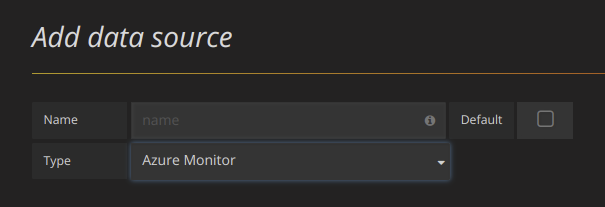
|
||||
3. In the name field, fill in a name for the data source. It can be anything. Some suggestions are Azure Monitor or App Insights.
|
||||
|
||||
4. If you are using Azure Monitor, then you need 4 pieces of information from the Azure portal (see link above for detailed instructions):
|
||||
- **Tenant Id** (Azure Active Directory -> Properties -> Directory ID)
|
||||
- **Subscription Id** (Subscriptions -> Choose subscription -> Overview -> Subscription ID)
|
||||
- **Client Id** (Azure Active Directory -> App Registrations -> Choose your app -> Application ID)
|
||||
- **Client Secret** ( Azure Active Directory -> App Registrations -> Choose your app -> Keys)
|
||||
|
||||
5. Paste these four items into the fields in the Azure Monitor API Details section:<br/>
|
||||
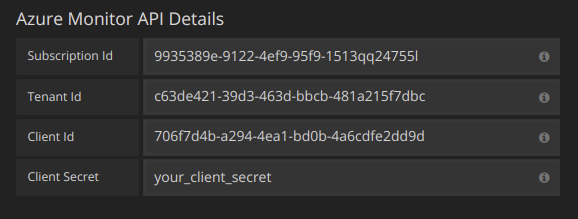
|
||||
|
||||
6. If you are also using the Azure Log Analytics service, then you need to specify these two config values (or you can reuse the Client Id and Secret from the previous step).
|
||||
- Client Id (Azure Active Directory -> App Registrations -> Choose your app -> Application ID)
|
||||
- Client Secret ( Azure Active Directory -> App Registrations -> Choose your app -> Keys -> Create a key -> Use client secret)
|
||||
|
||||
7. If you are are using Application Insights, then you need two pieces of information from the Azure Portal (see link above for detailed instructions):
|
||||
- Application ID
|
||||
- API Key
|
||||
|
||||
8. Paste these two items into the appropriate fields in the Application Insights API Details section:<br/>
|
||||
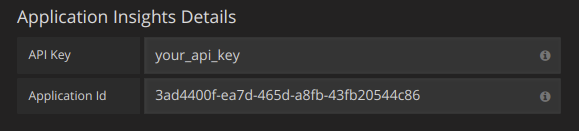
|
||||
|
||||
9. Test that the configuration details are correct by clicking on the "Save & Test" button:<br/>
|
||||
|
||||
|
||||
Alternatively on step 4 if creating a new Azure Active Directory App, use the [Azure CLI](https://docs.microsoft.com/en-us/cli/azure/?view=azure-cli-latest):
|
||||
|
||||
```bash
|
||||
az ad sp create-for-rbac -n "http://localhost:3000"
|
||||
```
|
||||
|
||||
## Choose a Service
|
||||
|
||||
In the query editor for a panel, after choosing your Azure Monitor datasource, the first option is to choose a service. There are three options here: Azure Monitor, Application Insights and Azure Log Analytics. The query editor will change depending on which one you pick. Azure Monitor is the default.
|
||||
|
||||
## Querying the Azure Monitor Service
|
||||
|
||||
The Azure Monitor service provides metrics for all the Azure services that you have running. It helps you understand how your applications on Azure are performing and to proactively find issues affecting your applications.
|
||||
|
||||
Examples of metrics that you can get from the service are:
|
||||
|
||||
- Microsoft.Compute/virtualMachines - Percentage CPU
|
||||
- Microsoft.Network/networkInterfaces - Bytes sent
|
||||
- Microsoft.Storage/storageAccounts - Used Capacity
|
||||
|
||||
{{< docs-imagebox img="/img/docs/v60/azuremonitor-service-query-editor.png" class="docs-image--no-shadow" caption="Azure Monitor Query Editor" >}}
|
||||
|
||||
### Formatting Legend Keys with Aliases for the Azure Monitor Service
|
||||
|
||||
The default legend formatting for the Azure Monitor API is:
|
||||
|
||||
`resourceName{dimensionValue=dimensionName}.metricName`
|
||||
|
||||
These can be quite long but this formatting can be changed using aliases. In the Legend Format field, the aliases which are defined below can be combined any way you want.
|
||||
|
||||
Azure Monitor Examples:
|
||||
|
||||
- `dimension: {{dimensionvalue}}`
|
||||
- `{{resourcegroup}} - {{resourcename}}`
|
||||
|
||||
### Alias Patterns for Azure Monitor
|
||||
|
||||
- `{{resourcegroup}}` = replaced with the value of the Resource Group
|
||||
- `{{namespace}}` = replaced with the value of the Namespace (e.g. Microsoft.Compute/virtualMachines)
|
||||
- `{{resourcename}}` = replaced with the value of the Resource Name
|
||||
- `{{metric}}` = replaced with metric name (e.g. Percentage CPU)
|
||||
- `{{dimensionname}}` = replaced with dimension key/label (e.g. blobtype)
|
||||
- `{{dimensionvalue}}` = replaced with dimension value (e.g. BlockBlob)
|
||||
|
||||
### Templating with Variables for the Azure Monitor Service
|
||||
|
||||
Instead of hard-coding things like server, application and sensor name in you metric queries you can use variables in their place. Variables are shown as dropdown select boxes at the top of the dashboard. These dropdowns makes it easy to change the data being displayed in your dashboard.
|
||||
|
||||
Note that the Azure Monitor service does not support multiple values yet. If you want to visualize multiple time series (for example, metrics for server1 and server2) then you have to add multiple queries to able to view them on the same graph or in the same table.
|
||||
|
||||
The Azure Monitor Datasource Plugin provides the following queries you can specify in the `Query` field in the Variable edit view. They allow you to fill a variable's options list.
|
||||
|
||||
| Name | Description |
|
||||
| -------------------------------------------------------- | -------------------------------------------------------------- |
|
||||
| *ResourceGroups()* | Returns a list of resource groups. |
|
||||
| *Namespaces(aResourceGroup)* | Returns a list of namespaces for the specified resource group. |
|
||||
| *ResourceNames(aResourceGroup, aNamespace)* | Returns a list of resource names. |
|
||||
| *MetricNames(aResourceGroup, aNamespace, aResourceName)* | Returns a list of metric names. |
|
||||
|
||||
Examples:
|
||||
|
||||
- Resource Groups query: `ResourceGroups()`
|
||||
- Passing in metric name variable: `Namespaces(cosmo)`
|
||||
- Chaining template variables: `ResourceNames($rg, $ns)`
|
||||
- Do not quote parameters: `MetricNames(hg, Microsoft.Network/publicIPAddresses, grafanaIP)`
|
||||
|
||||
{{< docs-imagebox img="/img/docs/v60/azuremonitor-service-variables.png" class="docs-image--no-shadow" caption="Nested Azure Monitor Template Variables" >}}
|
||||
|
||||
Checkout the [Templating]({{< relref "reference/templating.md" >}}) documentation for an introduction to the templating feature and the different
|
||||
types of template variables.
|
||||
|
||||
### Azure Monitor Metrics Whitelist
|
||||
|
||||
Not all metrics returned by the Azure Monitor API have values. The Grafana datasource has a whitelist to only return metric names if it is possible they might have values. This whitelist is updated regularly as new services and metrics are added to the Azure cloud. You can find the current whitelist [here](https://github.com/grafana/grafana/blob/master/public/app/plugins/datasource/grafana-azure-monitor-datasource/azure_monitor/supported_namespaces.ts).
|
||||
|
||||
### Azure Monitor Alerting
|
||||
|
||||
Grafana alerting is supported for the Azure Monitor service. This is not Azure Alerts support. Read more about how alerting in Grafana works [here]({{< relref "alerting/rules.md" >}}).
|
||||
|
||||
{{< docs-imagebox img="/img/docs/v60/azuremonitor-alerting.png" class="docs-image--no-shadow" caption="Azure Monitor Alerting" >}}
|
||||
|
||||
## Querying the Application Insights Service
|
||||
|
||||
{{< docs-imagebox img="/img/docs/v60/appinsights-service-query-editor.png" class="docs-image--no-shadow" caption="Application Insights Query Editor" >}}
|
||||
|
||||
### Formatting Legend Keys with Aliases for the Application Insights Service
|
||||
|
||||
The default legend formatting is:
|
||||
|
||||
`metric/name{group/by="groupbyvalue"}`
|
||||
|
||||
In the Legend Format field, the aliases which are defined below can be combined any way you want.
|
||||
|
||||
Application Insights Examples:
|
||||
|
||||
- `server: {{groupbyvalue}}`
|
||||
- `city: {{groupbyvalue}}`
|
||||
- `{{groupbyname}}: {{groupbyvalue}}`
|
||||
|
||||
### Alias Patterns for Application Insights
|
||||
|
||||
- `{{groupbyvalue}}` = replaced with the value of the group by
|
||||
- `{{groupbyname}}` = replaced with the name/label of the group by
|
||||
- `{{metric}}` = replaced with metric name (e.g. requests/count)
|
||||
|
||||
### Filter Expressions for Application Insights
|
||||
|
||||
The filter field takes an OData filter expression.
|
||||
|
||||
Examples:
|
||||
|
||||
- `client/city eq 'Boydton'`
|
||||
- `client/city ne 'Boydton'`
|
||||
- `client/city ne 'Boydton' and client/city ne 'Dublin'`
|
||||
- `client/city eq 'Boydton' or client/city eq 'Dublin'`
|
||||
|
||||
### Templating with Variables for Application Insights
|
||||
|
||||
Use the one of the following queries in the `Query` field in the Variable edit view.
|
||||
|
||||
Checkout the [Templating]({{< relref "reference/templating.md" >}}) documentation for an introduction to the templating feature and the different
|
||||
types of template variables.
|
||||
|
||||
| Name | Description |
|
||||
| ---------------------------------- | ---------------------------------------------------------- |
|
||||
| *AppInsightsMetricNames()* | Returns a list of metric names. |
|
||||
| *AppInsightsGroupBys(aMetricName)* | Returns a list of group bys for the specified metric name. |
|
||||
|
||||
Examples:
|
||||
|
||||
- Metric Names query: `AppInsightsMetricNames()`
|
||||
- Passing in metric name variable: `AppInsightsGroupBys(requests/count)`
|
||||
- Chaining template variables: `AppInsightsGroupBys($metricnames)`
|
||||
|
||||
{{< docs-imagebox img="/img/docs/v60/appinsights-service-variables.png" class="docs-image--no-shadow" caption="Nested Application Insights Template Variables" >}}
|
||||
|
||||
### Application Insights Alerting
|
||||
|
||||
Not implemented yet.
|
||||
|
||||
## Querying the Azure Log Analytics Service
|
||||
|
||||
Queries are written in the new [Azure Log Analytics (or KustoDB) Query Language](https://docs.loganalytics.io/index). A Log Analytics Query can be formatted as Time Series data or as Table data.
|
||||
|
||||
Time Series queries are for the Graph Panel (and other panels like the Single Stat panel) and must contain a datetime column, a metric name column and a value column. Here is an example query that returns the aggregated count grouped by the Category column and grouped by hour:
|
||||
|
||||
```
|
||||
AzureActivity
|
||||
| where $__timeFilter(TimeGenerated)
|
||||
| summarize count() by Category, bin(TimeGenerated, 1h)
|
||||
| order by TimeGenerated asc
|
||||
```
|
||||
|
||||
Table queries are mainly used in the Table panel and row a list of columns and rows. This example query returns rows with the 6 specified columns:
|
||||
|
||||
```
|
||||
AzureActivity
|
||||
| where $__timeFilter()
|
||||
| project TimeGenerated, ResourceGroup, Category, OperationName, ActivityStatus, Caller
|
||||
| order by TimeGenerated desc
|
||||
```
|
||||
|
||||
{{< docs-imagebox img="/img/docs/v60/azureloganalytics-service-query-editor.png" class="docs-image--no-shadow" caption="Azure Log Analytics Query Editor" >}}
|
||||
|
||||
### Azure Log Analytics Macros
|
||||
|
||||
To make writing queries easier there are several Grafana macros that can be used in the where clause of a query:
|
||||
|
||||
- `$__timeFilter()` - Expands to
|
||||
`TimeGenerated ≥ datetime(2018-06-05T18:09:58.907Z) and`
|
||||
`TimeGenerated ≤ datetime(2018-06-05T20:09:58.907Z)` where the from and to datetimes are from the Grafana time picker.
|
||||
|
||||
- `$__timeFilter(datetimeColumn)` - Expands to
|
||||
`datetimeColumn ≥ datetime(2018-06-05T18:09:58.907Z) and`
|
||||
`datetimeColumn ≤ datetime(2018-06-05T20:09:58.907Z)` where the from and to datetimes are from the Grafana time picker.
|
||||
|
||||
- `$__escapeMulti($myVar)` - is to be used with multi-value template variables that contains illegal characters. If $myVar has the value `'\\grafana-vm\Network(eth0)\Total','\\hello!'`, it expands to: `@'\\grafana-vm\Network(eth0)\Total', @'\\hello!'`. If using single value variables there no need for this macro, simply escape the variable inline instead - `@'\$myVar'`
|
||||
|
||||
- `$__contains(colName, $myVar)` - is to be used with multi-value template variables. If $myVar has the value `'value1','value2'`, it expands to: `colName in ('value1','value2')`.
|
||||
|
||||
If using the `All` option, then check the `Include All Option` checkbox and in the `Custom all value` field type in the following value: `all`. If $myVar has value `all` then the macro will instead expand to `1 == 1`. For template variables with a lot of options, this will increase the query performance by not building a large where..in clause.
|
||||
|
||||
### Azure Log Analytics Builtin Variables
|
||||
|
||||
There are also some Grafana variables that can be used in Azure Log Analytics queries:
|
||||
|
||||
- `$__from` - Returns the From datetime from the Grafana picker. Example: `datetime(2018-06-05T18:09:58.907Z)`.
|
||||
- `$__to` - Returns the From datetime from the Grafana picker. Example: `datetime(2018-06-05T20:09:58.907Z)`.
|
||||
- `$__interval` - Grafana calculates the minimum time grain that can be used to group by time in queries. More details on how it works [here]({{< relref "reference/templating.md#interval-variables" >}}). It returns a time grain like `5m` or `1h` that can be used in the bin function. E.g. `summarize count() by bin(TimeGenerated, $__interval)`
|
||||
|
||||
### Azure Log Analytics Alerting
|
||||
|
||||
Not implemented yet.
|
||||
|
||||
### Writing Analytics Queries For the Application Insights Service
|
||||
|
||||
If you change the service type to "Application Insights", the menu icon to the right adds another option, "Toggle Edit Mode". Once clicked, the query edit mode changes to give you a full text area in which to write log analytics queries. (This is identical to how the InfluxDB datasource lets you write raw queries.)
|
||||
|
||||
Once a query is written, the column names are automatically parsed out of the response data. You can then select them in the "X-axis", "Y-axis", and "Split On" dropdown menus, or just type them out.
|
||||
|
||||
There are some important caveats to remember:
|
||||
|
||||
- You'll want to order your y-axis in the query, eg. `order by timestamp asc`. The graph may come out looking bizarre otherwise. It's better to have Microsoft sort it on their side where it's faster, than to implement this in the plugin.
|
||||
|
||||
- If you copy a log analytics query, typically they'll end with a render instruction, like `render barchart`. This is unnecessary, but harmless.
|
||||
|
||||
- Currently, four default dashboard variables are supported: `$__timeFilter()`, `$__from`, `$__to`, and `$__interval`. If you're searching in timestamped data, replace the beginning of your where clause to `where $__timeFilter()`. Dashboard changes by time region are handled as you'd expect, as long as you leave the name of the `timestamp` column alone. Likewise, `$__interval` will automatically change based on the dashboard's time region _and_ the width of the chart being displayed. Use it in bins, so `bin(timestamp,$__interval)` changes into something like `bin(timestamp,1s)`. Use `$__from` and `$__to` if you just want the formatted dates to be inserted.
|
||||
|
||||
- Templated dashboard variables are not yet supported! They will come in a future version.
|
||||
@@ -8,7 +8,7 @@ aliases = ["/datasources/cloudwatch"]
|
||||
name = "AWS Cloudwatch"
|
||||
identifier = "cloudwatch"
|
||||
parent = "datasources"
|
||||
weight = 5
|
||||
weight = 10
|
||||
+++
|
||||
|
||||
# Using AWS CloudWatch in Grafana
|
||||
@@ -77,9 +77,9 @@ Here is a minimal policy example:
|
||||
},
|
||||
{
|
||||
"Sid": "AllowReadingResourcesForTags",
|
||||
"Effect" : "Allow",
|
||||
"Action" : "tag:GetResources",
|
||||
"Resource" : "*"
|
||||
"Effect" : "Allow",
|
||||
"Action" : "tag:GetResources",
|
||||
"Resource" : "*"
|
||||
}
|
||||
]
|
||||
}
|
||||
@@ -105,14 +105,6 @@ region = us-west-2
|
||||
|
||||
You need to specify a namespace, metric, at least one stat, and at least one dimension.
|
||||
|
||||
## Metric Math
|
||||
|
||||
You can now create new time series metrics by operating on top of Cloudwatch metrics using mathematical functions. Arithmetic operators, unary subtraction and other functions are supported to be applied on cloudwatch metrics. More details on the available functions can be found on [AWS Metric Math](https://docs.aws.amazon.com/AmazonCloudWatch/latest/monitoring/using-metric-math.html)
|
||||
|
||||
As an example, if you want to apply arithmetic operator on a metric, you can do it by giving an alias(a unique string) to the raw metric as shown below. Then you can use this alias and apply arithmetic operator to it in the Expression field of created metric.
|
||||
|
||||

|
||||
|
||||
## Templated queries
|
||||
|
||||
Instead of hard-coding things like server, application and sensor name in you metric queries you can use variables in their place.
|
||||
|
||||
@@ -13,6 +13,7 @@ weight = 5
|
||||
|
||||
Grafana supports many different storage backends for your time series data (Data Source). Each Data Source has a specific Query Editor that is customized for the features and capabilities that the particular Data Source exposes.
|
||||
|
||||
|
||||
## Querying
|
||||
|
||||
The query language and capabilities of each Data Source are obviously very different. You can combine data from multiple Data Sources onto a single Dashboard, but each Panel is tied to a specific Data Source that belongs to a particular Organization.
|
||||
@@ -22,18 +23,14 @@ The query language and capabilities of each Data Source are obviously very diffe
|
||||
The following datasources are officially supported:
|
||||
|
||||
* [Graphite]({{< relref "graphite.md" >}})
|
||||
* [Prometheus]({{< relref "prometheus.md" >}})
|
||||
* [InfluxDB]({{< relref "influxdb.md" >}})
|
||||
* [Elasticsearch]({{< relref "elasticsearch.md" >}})
|
||||
* [Google Stackdriver]({{< relref "stackdriver.md" >}})
|
||||
* [AWS CloudWatch]({{< relref "cloudwatch.md" >}})
|
||||
* [Azure Monitor]({{< relref "azuremonitor.md" >}})
|
||||
* [Loki]({{< relref "loki.md" >}})
|
||||
* [MySQL]({{< relref "mysql.md" >}})
|
||||
* [PostgreSQL]({{< relref "postgres.md" >}})
|
||||
* [Microsoft SQL Server (MSSQL)]({{< relref "mssql.md" >}})
|
||||
* [CloudWatch]({{< relref "cloudwatch.md" >}})
|
||||
* [InfluxDB]({{< relref "influxdb.md" >}})
|
||||
* [OpenTSDB]({{< relref "opentsdb.md" >}})
|
||||
* [Testdata]({{< relref "testdata.md" >}})
|
||||
* [Prometheus]({{< relref "prometheus.md" >}})
|
||||
* [MySQL]({{< relref "mysql.md" >}})
|
||||
* [Postgres]({{< relref "postgres.md" >}})
|
||||
* [Microsoft SQL Server (MSSQL)]({{< relref "mssql.md" >}})
|
||||
|
||||
## Data source plugins
|
||||
|
||||
|
||||
@@ -7,7 +7,7 @@ aliases = ["/datasources/influxdb"]
|
||||
[menu.docs]
|
||||
name = "InfluxDB"
|
||||
parent = "datasources"
|
||||
weight = 2
|
||||
weight = 3
|
||||
+++
|
||||
|
||||
# Using InfluxDB in Grafana
|
||||
|
||||
@@ -1,137 +0,0 @@
|
||||
+++
|
||||
title = "Using Loki in Grafana"
|
||||
description = "Guide for using Loki in Grafana"
|
||||
keywords = ["grafana", "loki", "logging", "guide"]
|
||||
type = "docs"
|
||||
aliases = ["/datasources/loki"]
|
||||
[menu.docs]
|
||||
name = "Loki"
|
||||
parent = "datasources"
|
||||
weight = 6
|
||||
+++
|
||||
|
||||
# Using Loki in Grafana
|
||||
|
||||
> BETA: Querying Loki data requires Grafana's Explore section.
|
||||
> Grafana v6.x comes with Explore enabled by default.
|
||||
> In Grafana v5.3.x and v5.4.x. you need to enable Explore manually.
|
||||
> Viewing Loki data in dashboard panels is not supported yet, but is being worked on.
|
||||
|
||||
Grafana ships with built-in support for Loki, Grafana's log aggregation system.
|
||||
Just add it as a datasource and you are ready to query your log data in [Explore](/features/explore).
|
||||
|
||||
## Adding the data source to Grafana
|
||||
|
||||
1. Open Grafana and make sure you are logged in.
|
||||
2. In the side menu under the `Configuration` link you should find a link named `Data Sources`.
|
||||
3. Click the `Add data source` button at the top.
|
||||
4. Select `Loki` from the list of data sources.
|
||||
|
||||
> NOTE: If you're not seeing the `Data Sources` link in your side menu it means that your current user does not have the `Admin` role for the current organization.
|
||||
|
||||
| Name | Description |
|
||||
| --------------- | --------------------------------------------------------------------------------------------------------------------------------------------- |
|
||||
| _Name_ | The datasource name. This is how you refer to the datasource in panels, queries, and Explore. |
|
||||
| _Default_ | Default datasource means that it will be pre-selected for new panels. |
|
||||
| _URL_ | The URL of the Loki instance, e.g., `http://localhost:3100` |
|
||||
| _Maximum lines_ | Upper limit for number of log lines returned by Loki (default is 1000). Decrease if your browser is sluggish when displaying logs in Explore. |
|
||||
|
||||
## Querying Logs
|
||||
|
||||
Querying and displaying log data from Loki is available via [Explore](/features/explore).
|
||||
Select the Loki data source, and then enter a log query to display your logs.
|
||||
|
||||
> Viewing Loki data in dashboard panels is not supported yet, but is being worked on.
|
||||
|
||||
### Log Queries
|
||||
|
||||
A log query consists of two parts: **log stream selector**, and a **search expression**. For performance reasons you need to start by choosing a log stream by selecting a log label.
|
||||
|
||||
The Logs Explorer (the `Log labels` button) next to the query field shows a list of labels of available log streams. An alternative way to write a query is to use the query field's autocomplete - you start by typing a left curly brace `{` and the autocomplete menu will suggest a list of labels. Press the `enter` key to execute the query.
|
||||
|
||||
Once the result is returned, the log panel shows a list of log rows and a bar chart where the x-axis shows the time and the y-axis shows the frequency/count.
|
||||
|
||||
<div class="medium-6 columns">
|
||||
<video width="800" height="500" controls>
|
||||
<source src="/assets/videos/explore_loki.mp4" type="video/mp4">
|
||||
Your browser does not support the video tag.
|
||||
</video>
|
||||
</div>
|
||||
|
||||
<br />
|
||||
|
||||
### Log Stream Selector
|
||||
|
||||
For the label part of the query expression, wrap it in curly braces `{}` and then use the key value syntax for selecting labels. Multiple label expressions are separated by a comma:
|
||||
|
||||
`{app="mysql",name="mysql-backup"}`
|
||||
|
||||
The following label matching operators are currently supported:
|
||||
|
||||
* `=` exactly equal.
|
||||
* `!=` not equal.
|
||||
* `=~` regex-match.
|
||||
* `!~` do not regex-match.
|
||||
|
||||
Examples:
|
||||
|
||||
* `{name=~"mysql.+"}`
|
||||
* `{name!~"mysql.+"}`
|
||||
|
||||
The [same rules that apply for Prometheus Label Selectors](https://prometheus.io/docs/prometheus/latest/querying/basics/#instant-vector-selectors) apply for Loki Log Stream Selectors.
|
||||
|
||||
Another way to add a label selector, is in the table section, clicking on the **Filter** button beside a label will add the label to the query expression. This even works for multiple queries and will the label selector to each query.
|
||||
|
||||
### Search Expression
|
||||
|
||||
After writing the Log Stream Selector, you can filter the results further by writing a search expression. The search expression can be just text or a regex expression.
|
||||
|
||||
Example queries:
|
||||
|
||||
* `{job="mysql"} error`
|
||||
* `{name="kafka"} tsdb-ops.*io:2003`
|
||||
* `{instance=~"kafka-[23]",name="kafka"} kafka.server:type=ReplicaManager`
|
||||
|
||||
## Templating
|
||||
|
||||
Template variables are not yet supported by Loki.
|
||||
|
||||
## Annotations
|
||||
|
||||
Annotations are not yet supported by Loki.
|
||||
|
||||
## Configure the Datasource with Provisioning
|
||||
|
||||
You can set up the datasource via config files with Grafana's provisioning system.
|
||||
You can read more about how it works and all the settings you can set for datasources on the [provisioning docs page](/administration/provisioning/#datasources)
|
||||
|
||||
Here is an example:
|
||||
|
||||
```yaml
|
||||
apiVersion: 1
|
||||
|
||||
datasources:
|
||||
- name: Loki
|
||||
type: loki
|
||||
access: proxy
|
||||
url: http://localhost:3100
|
||||
jsonData:
|
||||
maxLines: 1000
|
||||
```
|
||||
|
||||
Here's another with basic auth:
|
||||
|
||||
```yaml
|
||||
apiVersion: 1
|
||||
|
||||
datasources:
|
||||
- name: Loki
|
||||
type: loki
|
||||
access: proxy
|
||||
url: http://localhost:3100
|
||||
basicAuth: true
|
||||
basicAuthUser: my_user
|
||||
basicAuthPassword: test_password
|
||||
jsonData:
|
||||
maxLines: 1000
|
||||
```
|
||||
@@ -7,7 +7,7 @@ aliases = ["/datasources/opentsdb", "docs/features/opentsdb"]
|
||||
[menu.docs]
|
||||
name = "OpenTSDB"
|
||||
parent = "datasources"
|
||||
weight = 19
|
||||
weight = 5
|
||||
+++
|
||||
|
||||
# Using OpenTSDB in Grafana
|
||||
|
||||
@@ -7,7 +7,7 @@ aliases = ["/datasources/prometheus"]
|
||||
[menu.docs]
|
||||
name = "Prometheus"
|
||||
parent = "datasources"
|
||||
weight = 1
|
||||
weight = 2
|
||||
+++
|
||||
|
||||
# Using Prometheus in Grafana
|
||||
@@ -19,22 +19,22 @@ Grafana includes built-in support for Prometheus.
|
||||
1. Open the side menu by clicking the Grafana icon in the top header.
|
||||
2. In the side menu under the `Dashboards` link you should find a link named `Data Sources`.
|
||||
3. Click the `+ Add data source` button in the top header.
|
||||
4. Select `Prometheus` from the _Type_ dropdown.
|
||||
4. Select `Prometheus` from the *Type* dropdown.
|
||||
|
||||
> NOTE: If you're not seeing the `Data Sources` link in your side menu it means that your current user does not have the `Admin` role for the current organization.
|
||||
|
||||
## Data source options
|
||||
|
||||
| Name | Description |
|
||||
| ----------------- | ------------------------------------------------------------------------------------------------------------------------------------- |
|
||||
| _Name_ | The data source name. This is how you refer to the data source in panels & queries. |
|
||||
| _Default_ | Default data source means that it will be pre-selected for new panels. |
|
||||
| _Url_ | The http protocol, ip and port of you Prometheus server (default port is usually 9090) |
|
||||
| _Access_ | Server (default) = URL needs to be accessible from the Grafana backend/server, Browser = URL needs to be accessible from the browser. |
|
||||
| _Basic Auth_ | Enable basic authentication to the Prometheus data source. |
|
||||
| _User_ | Name of your Prometheus user |
|
||||
| _Password_ | Database user's password |
|
||||
| _Scrape interval_ | This will be used as a lower limit for the Prometheus step query parameter. Default value is 15s. |
|
||||
Name | Description
|
||||
------------ | -------------
|
||||
*Name* | The data source name. This is how you refer to the data source in panels & queries.
|
||||
*Default* | Default data source means that it will be pre-selected for new panels.
|
||||
*Url* | The http protocol, ip and port of you Prometheus server (default port is usually 9090)
|
||||
*Access* | Server (default) = URL needs to be accessible from the Grafana backend/server, Browser = URL needs to be accessible from the browser.
|
||||
*Basic Auth* | Enable basic authentication to the Prometheus data source.
|
||||
*User* | Name of your Prometheus user
|
||||
*Password* | Database user's password
|
||||
*Scrape interval* | This will be used as a lower limit for the Prometheus step query parameter. Default value is 15s.
|
||||
|
||||
## Query editor
|
||||
|
||||
@@ -43,17 +43,14 @@ Open a graph in edit mode by click the title > Edit (or by pressing `e` key whil
|
||||
{{< docs-imagebox img="/img/docs/v45/prometheus_query_editor_still.png"
|
||||
animated-gif="/img/docs/v45/prometheus_query_editor.gif" >}}
|
||||
|
||||
| Name | Description |
|
||||
| ------------------ | ----------------------------------------------------------------------------------------------------------------------------------------------------------------------------------------------------------------------------------------------------------------------------------------------------------------------------------- |
|
||||
| _Query expression_ | Prometheus query expression, check out the [Prometheus documentation](http://prometheus.io/docs/querying/basics/). |
|
||||
| _Legend format_ | Controls the name of the time series, using name or pattern. For example `{{hostname}}` will be replaced with label value for the label `hostname`. |
|
||||
| _Min step_ | Set a lower limit for the Prometheus step option. Step controls how big the jumps are when the Prometheus query engine performs range queries. Sadly there is no official prometheus documentation to link to for this very important option. |
|
||||
| _Resolution_ | Controls the step option. Small steps create high-resolution graphs but can be slow over larger time ranges, lowering the resolution can speed things up. `1/2` will try to set step option to generate 1 data point for every other pixel. A value of `1/10` will try to set step option so there is a data point every 10 pixels. |
|
||||
| _Metric lookup_ | Search for metric names in this input field. |
|
||||
| _Format as_ | Switch between Table, Time series or Heatmap. Table format will only work in the Table panel. Heatmap format is suitable for displaying metrics having histogram type on Heatmap panel. Under the hood, it converts cumulative histogram to regular and sorts series by the bucket bound. |
|
||||
|
||||
> NOTE: Grafana slightly modifies the request dates for queries to align them with the dynamically calculated step.
|
||||
> This ensures consistent display of metrics data but can result in a small gap of data at the right edge of a graph.
|
||||
Name | Description
|
||||
------- | --------
|
||||
*Query expression* | Prometheus query expression, check out the [Prometheus documentation](http://prometheus.io/docs/querying/basics/).
|
||||
*Legend format* | Controls the name of the time series, using name or pattern. For example `{{hostname}}` will be replaced with label value for the label `hostname`.
|
||||
*Min step* | Set a lower limit for the Prometheus step option. Step controls how big the jumps are when the Prometheus query engine performs range queries. Sadly there is no official prometheus documentation to link to for this very important option.
|
||||
*Resolution* | Controls the step option. Small steps create high-resolution graphs but can be slow over larger time ranges, lowering the resolution can speed things up. `1/2` will try to set step option to generate 1 data point for every other pixel. A value of `1/10` will try to set step option so there is a data point every 10 pixels.
|
||||
*Metric lookup* | Search for metric names in this input field.
|
||||
*Format as* | Switch between Table, Time series or Heatmap. Table format will only work in the Table panel. Heatmap format is suitable for displaying metrics having histogram type on Heatmap panel. Under the hood, it converts cumulative histogram to regular and sorts series by the bucket bound.
|
||||
|
||||
## Templating
|
||||
|
||||
@@ -66,18 +63,18 @@ types of template variables.
|
||||
|
||||
### Query variable
|
||||
|
||||
Variable of the type _Query_ allows you to query Prometheus for a list of metrics, labels or label values. The Prometheus data source plugin
|
||||
Variable of the type *Query* allows you to query Prometheus for a list of metrics, labels or label values. The Prometheus data source plugin
|
||||
provides the following functions you can use in the `Query` input field.
|
||||
|
||||
| Name | Description |
|
||||
| ----------------------------- | ----------------------------------------------------------------------- |
|
||||
| _label_names()_ | Returns a list of label names. |
|
||||
| _label_values(label)_ | Returns a list of label values for the `label` in every metric. |
|
||||
| _label_values(metric, label)_ | Returns a list of label values for the `label` in the specified metric. |
|
||||
| _metrics(metric)_ | Returns a list of metrics matching the specified `metric` regex. |
|
||||
| _query_result(query)_ | Returns a list of Prometheus query result for the `query`. |
|
||||
Name | Description
|
||||
---- | --------
|
||||
*label_values(label)* | Returns a list of label values for the `label` in every metric.
|
||||
*label_values(metric, label)* | Returns a list of label values for the `label` in the specified metric.
|
||||
*metrics(metric)* | Returns a list of metrics matching the specified `metric` regex.
|
||||
*query_result(query)* | Returns a list of Prometheus query result for the `query`.
|
||||
|
||||
For details of *metric names*, *label names* and *label values* are please refer to the [Prometheus documentation](http://prometheus.io/docs/concepts/data_model/#metric-names-and-labels).
|
||||
|
||||
For details of _metric names_, _label names_ and _label values_ are please refer to the [Prometheus documentation](http://prometheus.io/docs/concepts/data_model/#metric-names-and-labels).
|
||||
|
||||
#### Using interval and range variables
|
||||
|
||||
@@ -108,10 +105,10 @@ Regex:
|
||||
|
||||
There are two syntaxes:
|
||||
|
||||
- `$<varname>` Example: rate(http_requests_total{job=~"\$job"}[5m])
|
||||
- `$<varname>` Example: rate(http_requests_total{job=~"$job"}[5m])
|
||||
- `[[varname]]` Example: rate(http_requests_total{job=~"[[job]]"}[5m])
|
||||
|
||||
Why two ways? The first syntax is easier to read and write but does not allow you to use a variable in the middle of a word. When the _Multi-value_ or _Include all value_
|
||||
Why two ways? The first syntax is easier to read and write but does not allow you to use a variable in the middle of a word. When the *Multi-value* or *Include all value*
|
||||
options are enabled, Grafana converts the labels from plain text to a regex compatible string. Which means you have to use `=~` instead of `=`.
|
||||
|
||||
## Annotations
|
||||
|
||||
@@ -5,9 +5,9 @@ keywords = ["grafana", "stackdriver", "google", "guide"]
|
||||
type = "docs"
|
||||
aliases = ["/datasources/stackdriver"]
|
||||
[menu.docs]
|
||||
name = "Google Stackdriver"
|
||||
name = "Stackdriver"
|
||||
parent = "datasources"
|
||||
weight = 4
|
||||
weight = 11
|
||||
+++
|
||||
|
||||
# Using Google Stackdriver in Grafana
|
||||
@@ -66,7 +66,7 @@ Click on the links above and click the `Enable` button:
|
||||
4. Some new fields will appear. Fill in a name for the service account in the `Service account name` field and then choose the `Monitoring Viewer` role from the `Role` dropdown:
|
||||
|
||||
{{< docs-imagebox img="/img/docs/v53/stackdriver_service_account_choose_role.png" class="docs-image--no-shadow" caption="Choose role" >}}
|
||||
|
||||
|
||||
5. Click the Create button. A JSON key file will be created and downloaded to your computer. Store this file in a secure place as it allows access to your Stackdriver data.
|
||||
6. Upload it to Grafana on the datasource Configuration page. You can either upload the file or paste in the contents of the file.
|
||||
|
||||
@@ -156,7 +156,7 @@ Example Alias By: `{{metric.type}} - {{metric.labels.instance_name}}`
|
||||
|
||||
Example Result: `compute.googleapis.com/instance/cpu/usage_time - server1-prod`
|
||||
|
||||
It is also possible to resolve the name of the Monitored Resource Type.
|
||||
It is also possible to resolve the name of the Monitored Resource Type.
|
||||
|
||||
| Alias Pattern Format | Description | Example Result |
|
||||
| -------------------- | ----------------------------------------------- | -------------- |
|
||||
|
||||
@@ -67,9 +67,9 @@ The autocomplete menu can be trigger by pressing Ctrl + Space. The Autocomplete
|
||||
|
||||
Suggestions can appear under the query field - click on them to update your query with the suggested change.
|
||||
|
||||
* For counters (monotonously increasing metrics), a rate function will be suggested.
|
||||
* For buckets, a histogram function will be suggested.
|
||||
* For recording rules, possible to expand the rules.
|
||||
- For counters (monotonously increasing metrics), a rate function will be suggested.
|
||||
- For buckets, a histogram function will be suggested.
|
||||
- For recording rules, possible to expand the rules.
|
||||
|
||||
### Table Filters
|
||||
|
||||
@@ -79,8 +79,6 @@ Click on the filter button <span title="Filter for label" class="logs-label__ico
|
||||
|
||||
For Grafana 6.0, the first log integration is for the new open source log aggregation system from Grafana Labs - [Loki](https://github.com/grafana/loki). Loki is designed to be very cost effective, as it does not index the contents of the logs, but rather a set of labels for each log stream. The logs from Loki are queried in a similar way to querying with label selectors in Prometheus. It uses labels to group log streams which can be made to match up with your Prometheus labels. Read more about Grafana Loki [here](https://github.com/grafana/loki) or the Grafana Labs hosted variant: [Grafana Cloud Logs](https://grafana.com/loki).
|
||||
|
||||
See the [Loki's data source documentation](../datasources/loki) on how to query for log data.
|
||||
|
||||
### Switching from Metrics to Logs
|
||||
|
||||
If you switch from a Prometheus query to a logs query (you can do a split first to have your metrics and logs side by side) then it will keep the labels from your query that exist in the logs and use those to query the log streams. For example, the following Prometheus query:
|
||||
@@ -93,18 +91,67 @@ after switching to the Logs datasource, the query changes to:
|
||||
|
||||
This will return a chunk of logs in the selected time range that can be grepped/text searched.
|
||||
|
||||
### Log Queries
|
||||
|
||||
A log query consists of two parts: **log stream selector**, and a **search expression**. For performance reasons you need to start by choosing a log stream by selecting a log label.
|
||||
|
||||
The Logs Explorer (the `Log labels` button) next to the query field shows a list of labels of available log streams. An alternative way to write a query is to use the query field's autocomplete - you start by typing a left curly brace `{` and the autocomplete menu will suggest a list of labels. Press the `enter` key to execute the query.
|
||||
|
||||
Once the result is returned, the log panel shows a list of log rows and a bar chart where the x-axis shows the time and the y-axis shows the frequency/count.
|
||||
|
||||
<div class="medium-6 columns">
|
||||
<video width="800" height="500" controls>
|
||||
<source src="/assets/videos/explore_loki.mp4" type="video/mp4">
|
||||
Your browser does not support the video tag.
|
||||
</video>
|
||||
</div>
|
||||
|
||||
<br />
|
||||
|
||||
#### Log Stream Selector
|
||||
|
||||
For the label part of the query expression, wrap it in curly braces `{}` and then use the key value syntax for selecting labels. Multiple label expressions are separated by a comma:
|
||||
|
||||
`{app="mysql",name="mysql-backup"}`
|
||||
|
||||
The following label matching operators are currently supported:
|
||||
|
||||
- `=` exactly equal.
|
||||
- `!=` not equal.
|
||||
- `=~` regex-match.
|
||||
- `!~` do not regex-match.
|
||||
|
||||
Examples:
|
||||
|
||||
- `{name=~"mysql.+"}`
|
||||
- `{name!~"mysql.+"}`
|
||||
|
||||
The [same rules that apply for Prometheus Label Selectors](https://prometheus.io/docs/prometheus/latest/querying/basics/#instant-vector-selectors) apply for Loki Log Stream Selectors.
|
||||
|
||||
Another way to add a label selector, is in the table section, clicking on the **Filter** button beside a label will add the label to the query expression. This even works for multiple queries and will the label selector to each query.
|
||||
|
||||
#### Search Expression
|
||||
|
||||
After writing the Log Stream Selector, you can filter the results further by writing a search expression. The search expression can be just text or a regex expression.
|
||||
|
||||
Example queries:
|
||||
|
||||
- `{job="mysql"} error`
|
||||
- `{name="kafka"} tsdb-ops.*io:2003`
|
||||
- `{instance=~"kafka-[23]",name="kafka"} kafka.server:type=ReplicaManager`
|
||||
|
||||
### Deduping
|
||||
|
||||
Log data can be very repetitive and Explore can help by hiding duplicate log lines. There are a few different deduplication algorithms that you can use:
|
||||
|
||||
* `exact` Exact matches are done on the whole line, except for date fields.
|
||||
* `numbers` Matches on the line after stripping out numbers (durations, IP addresses etc.).
|
||||
* `signature` The most aggressive deduping - strips all letters and numbers, and matches on the remaining whitespace and punctuation.
|
||||
- `exact` Exact matches are done on the whole line, except for date fields.
|
||||
- `numbers` Matches on the line after stripping out numbers (durations, IP addresses etc.).
|
||||
- `signature` The most aggressive deduping - strips all letters and numbers, and matches on the remaining whitespace and punctuation.
|
||||
|
||||
### Timestamp, Local time and Labels
|
||||
|
||||
There are some other check boxes under the logging graph apart from the Deduping options.
|
||||
|
||||
* Timestamp: shows/hides the Timestamp column
|
||||
* Local time: shows/hides the Local time column
|
||||
* Labels: shows/hides the label filters column
|
||||
- Timestamp: shows/hides the Timestamp column
|
||||
- Local time: shows/hides the Local time column
|
||||
- Labels: shows/hides the label filters column
|
||||
|
||||
@@ -12,7 +12,9 @@ weight = -11
|
||||
|
||||
# What's New in Grafana v6.0
|
||||
|
||||
This update to Grafana introduces a new way of exploring your data, support for log data, and tons of other features.
|
||||
This update to Grafana introduces a new way of exploring your data, support for log data and tons of other features.
|
||||
|
||||
Grafana v6.0 is out in **Beta**, [Download Now!](https://grafana.com/grafana/download/beta)
|
||||
|
||||
The main highlights are:
|
||||
|
||||
@@ -25,24 +27,23 @@ The main highlights are:
|
||||
- [Azure Monitor]({{< relref "#azure-monitor-datasource" >}}) plugin is ported from being an external plugin to being a core datasource
|
||||
- [React Plugin]({{< relref "#react-panels-query-editors" >}}) support enables an easier way to build plugins.
|
||||
- [Named Colors]({{< relref "#named-colors" >}}) in our new improved color picker.
|
||||
- [Removal of user session storage]({{< relref "#easier-to-deploy-improved-security" >}}) makes Grafana easier to deploy and improves security.
|
||||
|
||||
## Explore
|
||||
|
||||
{{< docs-imagebox img="/img/docs/v60/explore_prometheus.png" max-width="800px" class="docs-image--right" caption="Screenshot of the new Explore option in the panel menu" >}}
|
||||
|
||||
Grafana's dashboard UI is all about building dashboards for visualization. **Explore** strips away all the dashboard and panel options so that you can focus on the query and metric exploration. Iterate until you have a working query and then think about building a dashboard. You can also jump from a dashboard panel into **Explore** and from there do some ad-hoc query exporation with the panel queries as a starting point.
|
||||
Grafana's dashboard UI is all about building dashboards for visualization. **Explore** strips away all the dashboard and panel options so that you can focus on the query & metric exploration. Iterate until you have a working query and then think about building a dashboard. You can also jump from a dashboard panel into **Explore** and from there do some ad-hoc query exporation with the panel queries as a starting point.
|
||||
|
||||
For infrastructure monitoring and incident response, you no longer need to switch to other tools to debug what went wrong. **Explore** allows you to dig deeper into your metrics and logs to find the cause. Grafana's new logging datasource, [Loki](https://github.com/grafana/loki) is tightly integrated into Explore and allows you to correlate metrics and logs by viewing them side-by-side.
|
||||
|
||||
**Explore** is a new paradigm for Grafana. It creates a new interactive debugging workflow that integrates two pillars
|
||||
of observability—metrics and logs. Explore works with every datasource but for Prometheus we have customized the
|
||||
of observability - metrics and logs. Explore works with every datasource but for Prometheus we have customized the
|
||||
query editor and the experience to provide the best possible exploration UX.
|
||||
|
||||
### Explore and Prometheus
|
||||
|
||||
Explore features a new [Prometheus query editor](/features/explore/#prometheus-specific-features). This new editor has improved autocomplete, metric tree selector,
|
||||
integrations with the Explore table view for easy label filtering, and useful query hints that can automatically apply
|
||||
integrations with the Explore table view for easy label filtering and useful query hints that can automatically apply
|
||||
functions to your query. There is also integration between Prometheus and Grafana Loki (see more about Loki below) that
|
||||
enabled jumping between metrics query and logs query with preserved label filters.
|
||||
|
||||
@@ -78,8 +79,8 @@ for other log sources to Explore and the next planned integration is Elasticsear
|
||||
## New Panel Editor
|
||||
|
||||
Grafana v6.0 has a completely redesigned UX around editing panels. You can now resize the visualization area if you want
|
||||
more space for queries/options and vice versa. You can now also change visualization (panel type) from within the new
|
||||
panel edit mode. No need to add a new panel to try out different visualizations! Check out the
|
||||
more space for queries & options and vice versa. You can now also change visualization (panel type) from within the new
|
||||
panel edit mode. No need to add a new panel to try out different visualizations! Checkout the
|
||||
video below to see the new Panel Editor in action.
|
||||
|
||||
<div class="medium-6 columns">
|
||||
@@ -94,7 +95,7 @@ video below to see the new Panel Editor in action.
|
||||
### Gauge Panel
|
||||
|
||||
We have created a new separate Gauge panel as we felt having this visualization be a hidden option in the Singlestat panel
|
||||
was not ideal. When it supports 100% of the Singlestat Gauge features, we plan to add a migration so all
|
||||
was not ideal. When it supports 100% of the Singlestat Gauge features we plan to add a migration so all
|
||||
singlestats that use it become Gauge panels instead. This new panel contains a new **Threshold** editor that we will
|
||||
continue to refine and start using in other panels.
|
||||
|
||||
@@ -105,72 +106,54 @@ continue to refine and start using in other panels.
|
||||
### React Panels & Query Editors
|
||||
|
||||
A major part of all the work that has gone into Grafana v6.0 has been on the migration to React. This investment
|
||||
is part of the future-proofing of Grafana's code base and ecosystem. Starting in v6.0 **Panels** and **Data
|
||||
is part of the future proofing of Grafana and it's code base and ecosystem. Starting in v6.0 **Panels** and **Data
|
||||
source** plugins can be written in React using our published `@grafana/ui` sdk library. More information on this
|
||||
will be shared soon.
|
||||
will be shared closer to or just after release.
|
||||
|
||||
{{< docs-imagebox img="/img/docs/v60/react_panels.png" max-width="600px" caption="React Panel" >}}
|
||||
<br />
|
||||
|
||||
## Google Stackdriver Datasource
|
||||
### Google Stackdriver Datasource
|
||||
|
||||
Built-in support for [Google Stackdriver](https://cloud.google.com/stackdriver/) is officially released in Grafana 6.0. Beta support was added in Grafana 5.3 and we have added lots of improvements since then.
|
||||
|
||||
To get started read the guide: [Using Google Stackdriver in Grafana](/features/datasources/stackdriver/).
|
||||
|
||||
## Azure Monitor Datasource
|
||||
### Azure Monitor Datasource
|
||||
|
||||
One of the goals of the Grafana v6.0 release is to add support for the three major clouds. Amazon CloudWatch has been a core datasource for years and Google Stackdriver is also now supported. We developed an external plugin for Azure Monitor last year and for this release the [plugin](https://grafana.com/plugins/grafana-azure-monitor-datasource) is being moved into Grafana to be one of the built-in datasources. For users of the external plugin, Grafana will automatically start using the built-in version. As a core datasource, the Azure Monitor datasource is able to get alerting support, in the 6.0 release alerting is supported for the Azure Monitor service, with the rest to follow.
|
||||
One of the goals of the Grafana v6.0 release is to add support for the three major clouds. Amazon Cloudwatch has been a core datasource for years and Google Stackdriver is also now supported. We developed an external plugin for Azure Monitor last year and for this release the [plugin](https://grafana.com/plugins/grafana-azure-monitor-datasource) is being moved into Grafana to be one of the built-in datasources. For users of the external plugin, Grafana will automatically start using the built-in version. As a core datasource, the Azure Monitor datasource will get alerting support for the official 6.0 release.
|
||||
|
||||
The Azure Monitor datasource integrates four Azure services with Grafana - Azure Monitor, Azure Log Analytics, Azure Application Insights and Azure Application Insights Analytics.
|
||||
|
||||
Please read [Using Azure Monitor in Grafana documentation](/features/datasources/azuremonitor/) for more detailed information on how to get started and use it.
|
||||
### Provisioning support for alert notifiers
|
||||
|
||||
## Provisioning support for alert notifiers
|
||||
Grafana now added support for provisioning alert notifiers from configuration files. Allowing operators to provision notifiers without using the UI or the API. A new field called `uid` has been introduced which is a string identifier that the administrator can set themselves. Same kind of identifier used for dashboards since v5.0. This feature makes it possible to use the same notifier configuration in multiple environments and refer to notifiers in dashboard json by a string identifier instead of the numeric id which depends on insert order and how many notifiers that exists in the instance.
|
||||
|
||||
Grafana now has support for provisioning alert notifiers from configuration files, allowing operators to provision notifiers without using the UI or the API. A new field called `uid` has been introduced which is a string identifier that the administrator can set themselves. This is the same kind of identifier used for dashboards since v5.0. This feature makes it possible to use the same notifier configuration in multiple environments and refer to notifiers in dashboard json by a string identifier instead of the numeric id which depends on insert order and how many notifiers exist in the instance.
|
||||
### Auth and session token improvements
|
||||
|
||||
## Easier to deploy & improved security
|
||||
The previous session storage implementation in Grafana was causing problems in larger HA setups due to too many write requests to the database. The remember me token also have several security issues which is why we decided to rewrite auth middleware in Grafana and remove the session storage since most operations using the session storage could be rewritten to use cookies or data already made available earlier in the request.
|
||||
If you are using `Auth proxy` for authentication the session storage will still be used but our goal is to remove this ASAP as well.
|
||||
|
||||
Grafana 6.0 removes the need to configure and set up additional storage for [user sessions](/tutorials/ha_setup/#user-sessions). This should make it easier to deploy and operate Grafana in a
|
||||
high availability setup and/or if you're using a stateless user session store like Redis, Memcache, Postgres or MySQL.
|
||||
This release will force all users to log in again since their previous token is not valid anymore.
|
||||
|
||||
Instead of user sessions, we've implemented a solution based on short-lived tokens that are rotated frequently. This also replaces the old "remember me cookie"
|
||||
solution, which allowed a user to be logged in between browser sessions and which have been subject to several security holes throughout the years.
|
||||
Read more about the short-lived token solution and how to configure it [here](/auth/overview/#login-and-short-lived-tokens).
|
||||
|
||||
> Please note that due to these changes, all users will be required to login upon next visit after upgrade.
|
||||
|
||||
Besides these changes we have also made security improvements regarding Cross-Site Request Forgery (CSRF) and Cross-site Scripting (XSS) vulnerabilities:
|
||||
|
||||
* Cookies are per default using the [SameSite](/installation/configuration/#cookie-samesite) attribute to protect against CSRF attacks
|
||||
* Script tags in text panels are per default [disabled](/installation/configuration/#disable-sanitize-html) to protect against XSS attacks
|
||||
|
||||
> If you're using [Auth Proxy Authentication](/auth/auth-proxy/) you still need to have user sessions set up and configured
|
||||
but our goal is to remove this requirement in the near future.
|
||||
|
||||
## Named Colors
|
||||
### Named Colors
|
||||
|
||||
{{< docs-imagebox img="/img/docs/v60/named_colors.png" max-width="400px" class="docs-image--right" caption="Named Colors" >}}
|
||||
|
||||
We have updated the color picker to show named colors and primary colors. We hope this will improve accessibility and
|
||||
helps making colors more consistent across dashboards. We hope to do more in this color picker in the future, like showing
|
||||
helps making colors more consistent across dashboards. We hope to do more in this color picker in the future, like show
|
||||
colors used in the dashboard.
|
||||
|
||||
Named colors also enables Grafana to adapt colors to the current theme.
|
||||
|
||||
<div class="clearfix"></div>
|
||||
|
||||
## Other features
|
||||
### Other features
|
||||
|
||||
- The ElasticSearch datasource now supports [bucket script pipeline aggregations](https://www.elastic.co/guide/en/elasticsearch/reference/current/search-aggregations-pipeline-bucket-script-aggregation.html). This gives the ability to do per-bucket computations like the difference or ratio between two metrics.
|
||||
- The ElasticSearch datasource now supports [bucket script pipeline aggregations](https://www.elastic.co/guide/en/elasticsearch/reference/current/search-aggregations-pipeline-bucket-script-aggregation.html). This gives the ability to do per bucket computations like the difference or ratio between two metrics.
|
||||
- Support for Google Hangouts Chat alert notifications
|
||||
- New built in template variables for the current time range in `$__from` and `$__to`
|
||||
|
||||
## Upgrading
|
||||
|
||||
See [upgrade notes](/installation/upgrading/#upgrading-to-v6-0).
|
||||
|
||||
## Changelog
|
||||
|
||||
Checkout the [CHANGELOG.md](https://github.com/grafana/grafana/blob/master/CHANGELOG.md) file for a complete list of new features, changes, and bug fixes.
|
||||
|
||||
@@ -1,55 +0,0 @@
|
||||
+++
|
||||
title = "What's New in Grafana v6.1"
|
||||
description = "Feature & improvement highlights for Grafana v6.1"
|
||||
keywords = ["grafana", "new", "documentation", "6.1"]
|
||||
type = "docs"
|
||||
[menu.docs]
|
||||
name = "Version 6.1"
|
||||
identifier = "v6.1"
|
||||
parent = "whatsnew"
|
||||
weight = -12
|
||||
+++
|
||||
|
||||
# What's New in Grafana v6.1
|
||||
|
||||
## Highlights
|
||||
|
||||
### Ad hoc Filtering for Prometheus
|
||||
|
||||
{{< imgbox max-width="30%" img="/img/docs/v61/prometheus-ad-hoc.gif" caption="Ad-hoc filters variable for Prometheus" >}}
|
||||
|
||||
The ad hoc filter feature allows you to create new key/value filters on the fly with autocomplete for both key and values. The filter condition is then automatically applied to all queries on the dashboard. This makes it easier to explore your data in a dashboard without changing queries and without having to add new template variables.
|
||||
|
||||
Other timeseries databases with label-based query languages have had this feature for a while. Recently Prometheus added support for fetching label names from their API and thanks to [Mitsuhiro Tanda](https://github.com/mtanda) implementing it in Grafana, the Prometheus datasource finally supports ad hoc filtering.
|
||||
|
||||
Support for fetching a list of label names was released in Prometheus v2.6.0 so that is a requirement for this feature to work in Grafana.
|
||||
|
||||
### Permissions: Editors can own dashboards, folders and teams they create
|
||||
|
||||
When the dashboard folders feature and permissions system was released in Grafana 5.0, users with the editor role were not allowed to administrate dashboards, folders or teams. In the 6.1 release, we have added a config option so that by default editors are admins for any Dashboard, Folder or Team they create.
|
||||
|
||||
This feature also adds a new Team permission that can be assigned to any user with the editor or viewer role and lets that user add other users to the Team.
|
||||
|
||||
We believe that this is more in line with the Grafana philosophy, as it will allow teams to be more self-organizing. This option will be made permanent if it gets positive feedback from the community so let us know what you think in the [issue on GitHub](https://github.com/grafana/grafana/issues/15590).
|
||||
|
||||
To turn this feature on add the following [config option](/installation/configuration/#editors-can-admin) to your Grafana ini file in the `users` section and then restart the Grafana server:
|
||||
|
||||
```ini
|
||||
[users]
|
||||
editors_can_admin = true
|
||||
```
|
||||
|
||||
### Minor Features and Fixes
|
||||
|
||||
This release contains a lot of small features and fixes:
|
||||
|
||||
- A new keyboard shortcut `d l` toggles all Graph legends in a dashboard.
|
||||
- A small bug fix for Elasticsearch - template variables in the alias field now work properly.
|
||||
- Some new capabilities have been added for datasource plugins that will be of interest to plugin authors:
|
||||
- a new oauth pass-through option.
|
||||
- it is now possible to add user details to requests sent to the dataproxy.
|
||||
- Heatmap and Explore fixes.
|
||||
|
||||
Checkout the [CHANGELOG.md](https://github.com/grafana/grafana/blob/master/CHANGELOG.md) file for a complete list of new features, changes, and bug fixes.
|
||||
|
||||
A huge thanks to our community for all the reported issues, bug fixes and feedback.
|
||||
@@ -319,7 +319,7 @@ Only works with Basic Authentication (username and password). See [introduction]
|
||||
|
||||
**Example Request**:
|
||||
|
||||
```http
|
||||
```json
|
||||
POST /api/admin/pause-all-alerts HTTP/1.1
|
||||
Accept: application/json
|
||||
Content-Type: application/json
|
||||
@@ -335,115 +335,9 @@ JSON Body schema:
|
||||
|
||||
**Example Response**:
|
||||
|
||||
|
||||
```json
|
||||
HTTP/1.1 200
|
||||
Content-Type: application/json
|
||||
|
||||
|
||||
`GET /api/admin/users/:id/auth-tokens`
|
||||
|
||||
Return a list of all auth tokens (devices) that the user currently have logged in from.
|
||||
|
||||
Only works with Basic Authentication (username and password). See [introduction](http://docs.grafana.org/http_api/admin/#admin-api) for an explanation.
|
||||
|
||||
**Example Request**:
|
||||
|
||||
```http
|
||||
GET /api/admin/users/1/auth-tokens HTTP/1.1
|
||||
Accept: application/json
|
||||
Content-Type: application/json
|
||||
```
|
||||
|
||||
**Example Response**:
|
||||
|
||||
```http
|
||||
HTTP/1.1 200
|
||||
Content-Type: application/json
|
||||
|
||||
```
|
||||
|
||||
## Revoke auth token for User
|
||||
|
||||
`POST /api/admin/users/:id/revoke-auth-token`
|
||||
|
||||
Revokes the given auth token (device) for the user. User of issued auth token (device) will no longer be logged in
|
||||
and will be required to authenticate again upon next activity.
|
||||
|
||||
Only works with Basic Authentication (username and password). See [introduction](http://docs.grafana.org/http_api/admin/#admin-api) for an explanation.
|
||||
|
||||
**Example Request**:
|
||||
|
||||
```http
|
||||
POST /api/admin/users/1/revoke-auth-token HTTP/1.1
|
||||
Accept: application/json
|
||||
Content-Type: application/json
|
||||
|
||||
```
|
||||
|
||||
**Example Response**:
|
||||
|
||||
```http
|
||||
HTTP/1.1 200
|
||||
Content-Type: application/json
|
||||
|
||||
```
|
||||
|
||||
## Logout User
|
||||
|
||||
`POST /api/admin/users/:id/logout`
|
||||
|
||||
Logout user revokes all auth tokens (devices) for the user. User of issued auth tokens (devices) will no longer be logged in
|
||||
and will be required to authenticate again upon next activity.
|
||||
|
||||
Only works with Basic Authentication (username and password). See [introduction](http://docs.grafana.org/http_api/admin/#admin-api) for an explanation.
|
||||
|
||||
**Example Request**:
|
||||
|
||||
```http
|
||||
POST /api/admin/users/1/logout HTTP/1.1
|
||||
Accept: application/json
|
||||
Content-Type: application/json
|
||||
```
|
||||
|
||||
**Example Response**:
|
||||
|
||||
```http
|
||||
HTTP/1.1 200
|
||||
Content-Type: application/json
|
||||
|
||||
```
|
||||
HTTP/1.1 200
|
||||
Content-Type: application/json
|
||||
|
||||
{
|
||||
"message": "User auth token revoked"
|
||||
}
|
||||
```
|
||||
|
||||
## Logout User
|
||||
|
||||
`POST /api/admin/users/:id/logout`
|
||||
|
||||
Logout user revokes all auth tokens (devices) for the user. User of issued auth tokens (devices) will no longer be logged in
|
||||
and will be required to authenticate again upon next activity.
|
||||
|
||||
Only works with Basic Authentication (username and password). See [introduction](http://docs.grafana.org/http_api/admin/#admin-api) for an explanation.
|
||||
|
||||
**Example Request**:
|
||||
|
||||
```http
|
||||
POST /api/admin/users/1/logout HTTP/1.1
|
||||
Accept: application/json
|
||||
Content-Type: application/json
|
||||
```
|
||||
|
||||
**Example Response**:
|
||||
|
||||
```http
|
||||
HTTP/1.1 200
|
||||
Content-Type: application/json
|
||||
|
||||
{
|
||||
"message": "User auth token revoked"
|
||||
}
|
||||
{"state": "new state", "message": "alerts pause/un paused", "alertsAffected": 100}
|
||||
```
|
||||
|
||||
@@ -1,7 +1,7 @@
|
||||
+++
|
||||
title = "Alerting HTTP API "
|
||||
description = "Grafana Alerts HTTP API"
|
||||
keywords = ["grafana", "http", "documentation", "api", "alerting", "alerts"]
|
||||
description = "Grafana Alerting HTTP API"
|
||||
keywords = ["grafana", "http", "documentation", "api", "alerting"]
|
||||
aliases = ["/http_api/alerting/"]
|
||||
type = "docs"
|
||||
[menu.docs]
|
||||
@@ -9,11 +9,14 @@ name = "Alerting"
|
||||
parent = "http_api"
|
||||
+++
|
||||
|
||||
|
||||
# Alerting API
|
||||
|
||||
You can use the Alerting API to get information about alerts and their states but this API cannot be used to modify the alert.
|
||||
To create new alerts or modify them you need to update the dashboard json that contains the alerts.
|
||||
|
||||
This API can also be used to create, update and delete alert notifications.
|
||||
|
||||
## Get alerts
|
||||
|
||||
`GET /api/alerts/`
|
||||
@@ -66,7 +69,7 @@ Content-Type: application/json
|
||||
**Example Response**:
|
||||
|
||||
```http
|
||||
HTTP/1.1 200
|
||||
HTTP/1.1 200
|
||||
Content-Type: application/json
|
||||
|
||||
```
|
||||
@@ -117,7 +120,7 @@ Content-Type: application/json
|
||||
```http
|
||||
POST /api/admin/pause-all-alerts HTTP/1.1
|
||||
Accept: application/json
|
||||
## Pause alert by id
|
||||
Content-Type: application/json
|
||||
|
||||
```
|
||||
|
||||
@@ -155,4 +158,187 @@ Content-Type: application/json
|
||||
|
||||
```
|
||||
|
||||
See [Admin API]({{< relref "http_api/admin.md#pause-all-alerts" >}}).
|
||||
## Create alert notification
|
||||
|
||||
You can find the full list of [supported notifiers](/alerting/notifications/#all-supported-notifier) at the alert notifiers page.
|
||||
|
||||
`POST /api/alert-notifications`
|
||||
|
||||
**Example Request**:
|
||||
|
||||
```http
|
||||
POST /api/alert-notifications HTTP/1.1
|
||||
Accept: application/json
|
||||
Content-Type: application/json
|
||||
Authorization: Bearer eyJrIjoiT0tTcG1pUlY2RnVKZTFVaDFsNFZXdE9ZWmNrMkZYbk
|
||||
|
||||
```
|
||||
|
||||
**Example Response**:
|
||||
|
||||
```http
|
||||
HTTP/1.1 200
|
||||
Content-Type: application/json
|
||||
|
||||
```
|
||||
|
||||
## Update alert notification
|
||||
|
||||
`PUT /api/alert-notifications/1`
|
||||
|
||||
**Example Request**:
|
||||
|
||||
```http
|
||||
PUT /api/alert-notifications/1 HTTP/1.1
|
||||
Accept: application/json
|
||||
Content-Type: application/json
|
||||
Authorization: Bearer eyJrIjoiT0tTcG1pUlY2RnVKZTFVaDFsNFZXdE9ZWmNrMkZYbk
|
||||
|
||||
```
|
||||
|
||||
**Example Response**:
|
||||
|
||||
```http
|
||||
HTTP/1.1 200
|
||||
Content-Type: application/json
|
||||
|
||||
```
|
||||
|
||||
## Delete alert notification
|
||||
|
||||
`DELETE /api/alert-notifications/:notificationId`
|
||||
|
||||
**Example Request**:
|
||||
|
||||
```http
|
||||
DELETE /api/alert-notifications/1 HTTP/1.1
|
||||
Accept: application/json
|
||||
Content-Type: application/json
|
||||
Authorization: Bearer eyJrIjoiT0tTcG1pUlY2RnVKZTFVaDFsNFZXdE9ZWmNrMkZYbk
|
||||
```
|
||||
|
||||
**Example Response**:
|
||||
|
||||
```http
|
||||
HTTP/1.1 200
|
||||
Content-Type: application/json
|
||||
|
||||
```
|
||||
]
|
||||
|
||||
```
|
||||
|
||||
## Create alert notification
|
||||
|
||||
You can find the full list of [supported notifiers](/alerting/notifications/#all-supported-notifier) at the alert notifiers page.
|
||||
|
||||
`POST /api/alert-notifications`
|
||||
|
||||
**Example Request**:
|
||||
|
||||
```http
|
||||
POST /api/alert-notifications HTTP/1.1
|
||||
Accept: application/json
|
||||
Content-Type: application/json
|
||||
Authorization: Bearer eyJrIjoiT0tTcG1pUlY2RnVKZTFVaDFsNFZXdE9ZWmNrMkZYbk
|
||||
|
||||
{
|
||||
"name": "new alert notification", //Required
|
||||
"type": "email", //Required
|
||||
"isDefault": false,
|
||||
"sendReminder": false,
|
||||
"settings": {
|
||||
"addresses": "carl@grafana.com;dev@grafana.com"
|
||||
}
|
||||
}
|
||||
```
|
||||
|
||||
**Example Response**:
|
||||
|
||||
```http
|
||||
HTTP/1.1 200
|
||||
Content-Type: application/json
|
||||
|
||||
{
|
||||
"id": 1,
|
||||
"name": "new alert notification",
|
||||
"type": "email",
|
||||
"isDefault": false,
|
||||
"sendReminder": false,
|
||||
"settings": {
|
||||
"addresses": "carl@grafana.com;dev@grafana.com"
|
||||
},
|
||||
"created": "2018-04-23T14:44:09+02:00",
|
||||
"updated": "2018-08-20T15:47:49+02:00"
|
||||
}
|
||||
```
|
||||
|
||||
## Update alert notification
|
||||
|
||||
`PUT /api/alert-notifications/1`
|
||||
|
||||
**Example Request**:
|
||||
|
||||
```http
|
||||
PUT /api/alert-notifications/1 HTTP/1.1
|
||||
Accept: application/json
|
||||
Content-Type: application/json
|
||||
Authorization: Bearer eyJrIjoiT0tTcG1pUlY2RnVKZTFVaDFsNFZXdE9ZWmNrMkZYbk
|
||||
|
||||
{
|
||||
"id": 1,
|
||||
"name": "new alert notification", //Required
|
||||
"type": "email", //Required
|
||||
"isDefault": false,
|
||||
"sendReminder": true,
|
||||
"frequency": "15m",
|
||||
"settings": {
|
||||
"addresses": "carl@grafana.com;dev@grafana.com"
|
||||
}
|
||||
}
|
||||
```
|
||||
|
||||
**Example Response**:
|
||||
|
||||
```http
|
||||
HTTP/1.1 200
|
||||
Content-Type: application/json
|
||||
|
||||
{
|
||||
"id": 1,
|
||||
"name": "new alert notification",
|
||||
"type": "email",
|
||||
"isDefault": false,
|
||||
"sendReminder": true,
|
||||
"frequency": "15m",
|
||||
"settings": {
|
||||
"addresses": "carl@grafana.com;dev@grafana.com"
|
||||
},
|
||||
"created": "2017-01-01 12:34",
|
||||
"updated": "2017-01-01 12:34"
|
||||
}
|
||||
```
|
||||
|
||||
## Delete alert notification
|
||||
|
||||
`DELETE /api/alert-notifications/:notificationId`
|
||||
|
||||
**Example Request**:
|
||||
|
||||
```http
|
||||
DELETE /api/alert-notifications/1 HTTP/1.1
|
||||
Accept: application/json
|
||||
Content-Type: application/json
|
||||
Authorization: Bearer eyJrIjoiT0tTcG1pUlY2RnVKZTFVaDFsNFZXdE9ZWmNrMkZYbk
|
||||
```
|
||||
|
||||
**Example Response**:
|
||||
|
||||
```http
|
||||
HTTP/1.1 200
|
||||
Content-Type: application/json
|
||||
|
||||
{
|
||||
"message": "Notification deleted"
|
||||
}
|
||||
```
|
||||
|
||||
@@ -1,371 +0,0 @@
|
||||
+++
|
||||
title = "Alerting Notification Channels HTTP API "
|
||||
description = "Grafana Alerting Notification Channel HTTP API"
|
||||
keywords = ["grafana", "http", "documentation", "api", "alerting", "alerts", "notifications"]
|
||||
aliases = []
|
||||
type = "docs"
|
||||
[menu.docs]
|
||||
name = "Alerting Notification Channels"
|
||||
parent = "http_api"
|
||||
+++
|
||||
|
||||
# Alerting Notification Channels API
|
||||
|
||||
## Identifier (id) vs unique identifier (uid)
|
||||
|
||||
The identifier (id) of a notification channel is an auto-incrementing numeric value and is only unique per Grafana install.
|
||||
|
||||
The unique identifier (uid) of a notification channel can be used for uniquely identify a notification channel between
|
||||
multiple Grafana installs. It's automatically generated if not provided when creating a notification channel. The uid
|
||||
allows having consistent URL's for accessing notification channels and when syncing notification channels between multiple
|
||||
Grafana installs, see [alert notification channel provisioning](/administration/provisioning/#alert-notification-channels)
|
||||
for more information.
|
||||
|
||||
The uid can have a maximum length of 40 characters.
|
||||
|
||||
## Get all notification channels
|
||||
|
||||
Returns all notification channels that the authenticated user has permission to view.
|
||||
|
||||
`GET /api/alert-notifications`
|
||||
|
||||
**Example Request**:
|
||||
|
||||
```http
|
||||
GET /api/alert-notifications HTTP/1.1
|
||||
Accept: application/json
|
||||
Content-Type: application/json
|
||||
Authorization: Bearer eyJrIjoiT0tTcG1pUlY2RnVKZTFVaDFsNFZXdE9ZWmNrMkZYbk
|
||||
```
|
||||
|
||||
**Example Response**:
|
||||
|
||||
```http
|
||||
HTTP/1.1 200
|
||||
Content-Type: application/json
|
||||
|
||||
```
|
||||
|
||||
## Get notification channel by uid
|
||||
|
||||
`GET /api/alert-notifications/uid/:uid`
|
||||
|
||||
Will return the notification channel given the notification channel uid.
|
||||
|
||||
**Example Request**:
|
||||
|
||||
```http
|
||||
GET /api/alert-notifications/uid/team-a-email-notifier HTTP/1.1
|
||||
Accept: application/json
|
||||
Content-Type: application/json
|
||||
Authorization: Bearer eyJrIjoiT0tTcG1pUlY2RnVKZTFVaDFsNFZXdE9ZWmNrMkZYbk
|
||||
```
|
||||
|
||||
**Example Response**:
|
||||
|
||||
```http
|
||||
HTTP/1.1 200
|
||||
Content-Type: application/json
|
||||
|
||||
```
|
||||
|
||||
## Get notification channel by id
|
||||
|
||||
`GET /api/alert-notifications/:id`
|
||||
|
||||
Will return the notification channel given the notification channel id.
|
||||
|
||||
**Example Request**:
|
||||
|
||||
```http
|
||||
GET /api/alert-notifications/1 HTTP/1.1
|
||||
Accept: application/json
|
||||
Content-Type: application/json
|
||||
Authorization: Bearer eyJrIjoiT0tTcG1pUlY2RnVKZTFVaDFsNFZXdE9ZWmNrMkZYbk
|
||||
```
|
||||
|
||||
**Example Response**:
|
||||
|
||||
```http
|
||||
HTTP/1.1 200
|
||||
Content-Type: application/json
|
||||
|
||||
```
|
||||
|
||||
## Create notification channel
|
||||
|
||||
You can find the full list of [supported notifiers](/alerting/notifications/#all-supported-notifier) at the alert notifiers page.
|
||||
|
||||
`POST /api/alert-notifications`
|
||||
|
||||
**Example Request**:
|
||||
|
||||
```http
|
||||
POST /api/alert-notifications HTTP/1.1
|
||||
Accept: application/json
|
||||
Content-Type: application/json
|
||||
Authorization: Bearer eyJrIjoiT0tTcG1pUlY2RnVKZTFVaDFsNFZXdE9ZWmNrMkZYbk
|
||||
|
||||
```
|
||||
|
||||
**Example Response**:
|
||||
|
||||
```http
|
||||
HTTP/1.1 200
|
||||
Content-Type: application/json
|
||||
|
||||
```
|
||||
|
||||
## Update notification channel by uid
|
||||
|
||||
`PUT /api/alert-notifications/uid/:uid`
|
||||
|
||||
Updates an existing notification channel identified by uid.
|
||||
|
||||
**Example Request**:
|
||||
|
||||
```http
|
||||
PUT /api/alert-notifications/uid/cIBgcSjkk HTTP/1.1
|
||||
Accept: application/json
|
||||
Content-Type: application/json
|
||||
Authorization: Bearer eyJrIjoiT0tTcG1pUlY2RnVKZTFVaDFsNFZXdE9ZWmNrMkZYbk
|
||||
|
||||
```
|
||||
|
||||
**Example Response**:
|
||||
|
||||
```http
|
||||
HTTP/1.1 200
|
||||
Content-Type: application/json
|
||||
|
||||
```
|
||||
|
||||
## Update notification channel by id
|
||||
|
||||
`PUT /api/alert-notifications/:id`
|
||||
|
||||
Updates an existing notification channel identified by id.
|
||||
|
||||
**Example Request**:
|
||||
|
||||
```http
|
||||
PUT /api/alert-notifications/1 HTTP/1.1
|
||||
Accept: application/json
|
||||
Content-Type: application/json
|
||||
Authorization: Bearer eyJrIjoiT0tTcG1pUlY2RnVKZTFVaDFsNFZXdE9ZWmNrMkZYbk
|
||||
|
||||
```
|
||||
|
||||
**Example Response**:
|
||||
|
||||
```http
|
||||
HTTP/1.1 200
|
||||
Content-Type: application/json
|
||||
|
||||
```
|
||||
|
||||
## Delete alert notification by uid
|
||||
|
||||
`DELETE /api/alert-notifications/uid/:uid`
|
||||
|
||||
Deletes an existing notification channel identified by uid.
|
||||
|
||||
**Example Request**:
|
||||
|
||||
```http
|
||||
DELETE /api/alert-notifications/uid/team-a-email-notifier HTTP/1.1
|
||||
Accept: application/json
|
||||
Content-Type: application/json
|
||||
Authorization: Bearer eyJrIjoiT0tTcG1pUlY2RnVKZTFVaDFsNFZXdE9ZWmNrMkZYbk
|
||||
```
|
||||
|
||||
**Example Response**:
|
||||
|
||||
```http
|
||||
HTTP/1.1 200
|
||||
Content-Type: application/json
|
||||
|
||||
```
|
||||
|
||||
## Delete alert notification by id
|
||||
|
||||
`DELETE /api/alert-notifications/:id`
|
||||
|
||||
Deletes an existing notification channel identified by id.
|
||||
|
||||
**Example Request**:
|
||||
|
||||
```http
|
||||
DELETE /api/alert-notifications/1 HTTP/1.1
|
||||
Accept: application/json
|
||||
Content-Type: application/json
|
||||
Authorization: Bearer eyJrIjoiT0tTcG1pUlY2RnVKZTFVaDFsNFZXdE9ZWmNrMkZYbk
|
||||
```
|
||||
|
||||
**Example Response**:
|
||||
|
||||
```http
|
||||
HTTP/1.1 200
|
||||
Content-Type: application/json
|
||||
|
||||
```
|
||||
|
||||
## Test notification channel
|
||||
|
||||
Sends a test notification message for the given notification channel type and settings.
|
||||
You can find the full list of [supported notifiers](/alerting/notifications/#all-supported-notifier) at the alert notifiers page.
|
||||
|
||||
`POST /api/alert-notifications/test`
|
||||
|
||||
**Example Request**:
|
||||
|
||||
```http
|
||||
POST /api/alert-notifications/test HTTP/1.1
|
||||
Accept: application/json
|
||||
Content-Type: application/json
|
||||
Authorization: Bearer eyJrIjoiT0tTcG1pUlY2RnVKZTFVaDFsNFZXdE9ZWmNrMkZYbk
|
||||
|
||||
```
|
||||
|
||||
**Example Response**:
|
||||
|
||||
```http
|
||||
HTTP/1.1 200
|
||||
Content-Type: application/json
|
||||
|
||||
```
|
||||
|
||||
`PUT /api/alert-notifications/:id`
|
||||
|
||||
Updates an existing notification channel identified by id.
|
||||
|
||||
**Example Request**:
|
||||
|
||||
```http
|
||||
PUT /api/alert-notifications/1 HTTP/1.1
|
||||
Accept: application/json
|
||||
Content-Type: application/json
|
||||
Authorization: Bearer eyJrIjoiT0tTcG1pUlY2RnVKZTFVaDFsNFZXdE9ZWmNrMkZYbk
|
||||
|
||||
{
|
||||
"id": 1,
|
||||
"uid": "new-alert-notification", // optional
|
||||
"name": "new alert notification", //Required
|
||||
"type": "email", //Required
|
||||
"isDefault": false,
|
||||
"sendReminder": true,
|
||||
"frequency": "15m",
|
||||
"settings": {
|
||||
"addresses": "carl@grafana.com;dev@grafana.com"
|
||||
}
|
||||
}
|
||||
```
|
||||
|
||||
**Example Response**:
|
||||
|
||||
```http
|
||||
HTTP/1.1 200
|
||||
Content-Type: application/json
|
||||
|
||||
{
|
||||
"id": 1,
|
||||
"uid": "new-alert-notification",
|
||||
"name": "new alert notification",
|
||||
"type": "email",
|
||||
"isDefault": false,
|
||||
"sendReminder": true,
|
||||
"frequency": "15m",
|
||||
"settings": {
|
||||
"addresses": "carl@grafana.com;dev@grafana.com"
|
||||
},
|
||||
"created": "2017-01-01 12:34",
|
||||
"updated": "2017-01-01 12:34"
|
||||
}
|
||||
```
|
||||
|
||||
## Delete alert notification by uid
|
||||
|
||||
`DELETE /api/alert-notifications/uid/:uid`
|
||||
|
||||
Deletes an existing notification channel identified by uid.
|
||||
|
||||
**Example Request**:
|
||||
|
||||
```http
|
||||
DELETE /api/alert-notifications/uid/team-a-email-notifier HTTP/1.1
|
||||
Accept: application/json
|
||||
Content-Type: application/json
|
||||
Authorization: Bearer eyJrIjoiT0tTcG1pUlY2RnVKZTFVaDFsNFZXdE9ZWmNrMkZYbk
|
||||
```
|
||||
|
||||
**Example Response**:
|
||||
|
||||
```http
|
||||
HTTP/1.1 200
|
||||
Content-Type: application/json
|
||||
|
||||
{
|
||||
"message": "Notification deleted"
|
||||
}
|
||||
```
|
||||
|
||||
## Delete alert notification by id
|
||||
|
||||
`DELETE /api/alert-notifications/:id`
|
||||
|
||||
Deletes an existing notification channel identified by id.
|
||||
|
||||
**Example Request**:
|
||||
|
||||
```http
|
||||
DELETE /api/alert-notifications/1 HTTP/1.1
|
||||
Accept: application/json
|
||||
Content-Type: application/json
|
||||
Authorization: Bearer eyJrIjoiT0tTcG1pUlY2RnVKZTFVaDFsNFZXdE9ZWmNrMkZYbk
|
||||
```
|
||||
|
||||
**Example Response**:
|
||||
|
||||
```http
|
||||
HTTP/1.1 200
|
||||
Content-Type: application/json
|
||||
|
||||
{
|
||||
"message": "Notification deleted"
|
||||
}
|
||||
```
|
||||
|
||||
## Test notification channel
|
||||
|
||||
Sends a test notification message for the given notification channel type and settings.
|
||||
You can find the full list of [supported notifiers](/alerting/notifications/#all-supported-notifier) at the alert notifiers page.
|
||||
|
||||
`POST /api/alert-notifications/test`
|
||||
|
||||
**Example Request**:
|
||||
|
||||
```http
|
||||
POST /api/alert-notifications/test HTTP/1.1
|
||||
Accept: application/json
|
||||
Content-Type: application/json
|
||||
Authorization: Bearer eyJrIjoiT0tTcG1pUlY2RnVKZTFVaDFsNFZXdE9ZWmNrMkZYbk
|
||||
|
||||
{
|
||||
"type": "email",
|
||||
"settings": {
|
||||
"addresses": "carl@grafana.com;dev@grafana.com"
|
||||
}
|
||||
}
|
||||
```
|
||||
|
||||
**Example Response**:
|
||||
|
||||
```http
|
||||
HTTP/1.1 200
|
||||
Content-Type: application/json
|
||||
|
||||
{
|
||||
"message": "Test notification sent"
|
||||
}
|
||||
```
|
||||
|
||||
@@ -30,7 +30,6 @@ dashboards, creating users and updating data sources.
|
||||
* [Snapshot API]({{< relref "http_api/snapshot.md" >}})
|
||||
* [Annotations API]({{< relref "http_api/annotations.md" >}})
|
||||
* [Alerting API]({{< relref "http_api/alerting.md" >}})
|
||||
* [Alert Notification Channels API]({{< relref "http_api/alert_notification_channels.md" >}})
|
||||
* [User API]({{< relref "http_api/user.md" >}})
|
||||
* [Team API]({{< relref "http_api/team.md" >}})
|
||||
* [Admin API]({{< relref "http_api/admin.md" >}})
|
||||
|
||||
@@ -156,7 +156,6 @@ HTTP/1.1 200
|
||||
|
||||
```http
|
||||
HTTP/1.1 200
|
||||
Content-Type: application/json
|
||||
Content-Type: application/json
|
||||
|
||||
```
|
||||
@@ -478,75 +477,3 @@ Content-Type: application/json
|
||||
|
||||
{"message":"Dashboard unstarred"}
|
||||
```
|
||||
|
||||
## Auth tokens of the actual User
|
||||
|
||||
`GET /api/user/auth-tokens`
|
||||
|
||||
Return a list of all auth tokens (devices) that the actual user currently have logged in from.
|
||||
|
||||
**Example Request**:
|
||||
|
||||
```http
|
||||
GET /api/user/auth-tokens HTTP/1.1
|
||||
Accept: application/json
|
||||
Content-Type: application/json
|
||||
Authorization: Bearer eyJrIjoiT0tTcG1pUlY2RnVKZTFVaDFsNFZXdE9ZWmNrMkZYbk
|
||||
```
|
||||
|
||||
**Example Response**:
|
||||
|
||||
```http
|
||||
HTTP/1.1 200
|
||||
Content-Type: application/json
|
||||
|
||||
[
|
||||
{
|
||||
"id": 361,
|
||||
"isActive": true,
|
||||
"clientIp": "127.0.0.1",
|
||||
"userAgent": "Mozilla/5.0 (X11; Linux x86_64) AppleWebKit/537.36 (KHTML, like Gecko) Chrome/72.0.3626.119 Safari/537.36",
|
||||
"createdAt": "2019-03-05T21:22:54+01:00",
|
||||
"seenAt": "2019-03-06T19:41:06+01:00"
|
||||
},
|
||||
{
|
||||
"id": 364,
|
||||
"isActive": false,
|
||||
"clientIp": "127.0.0.1",
|
||||
"userAgent": "Mozilla/5.0 (iPhone; CPU iPhone OS 11_0 like Mac OS X) AppleWebKit/604.1.38 (KHTML, like Gecko) Version/11.0 Mobile/15A372 Safari/604.1",
|
||||
"createdAt": "2019-03-06T19:41:19+01:00",
|
||||
"seenAt": "2019-03-06T19:41:21+01:00"
|
||||
}
|
||||
]
|
||||
```
|
||||
|
||||
## Revoke an auth token of the actual User
|
||||
|
||||
`POST /api/user/revoke-auth-token`
|
||||
|
||||
Revokes the given auth token (device) for the actual user. User of issued auth token (device) will no longer be logged in
|
||||
and will be required to authenticate again upon next activity.
|
||||
|
||||
**Example Request**:
|
||||
|
||||
```http
|
||||
POST /api/user/revoke-auth-token HTTP/1.1
|
||||
Accept: application/json
|
||||
Content-Type: application/json
|
||||
Authorization: Bearer eyJrIjoiT0tTcG1pUlY2RnVKZTFVaDFsNFZXdE9ZWmNrMkZYbk
|
||||
|
||||
{
|
||||
"authTokenId": 364
|
||||
}
|
||||
```
|
||||
|
||||
**Example Response**:
|
||||
|
||||
```http
|
||||
HTTP/1.1 200
|
||||
Content-Type: application/json
|
||||
|
||||
{
|
||||
"message": "User auth token revoked"
|
||||
}
|
||||
```
|
||||
|
||||
@@ -60,9 +60,9 @@ aliases = ["v1.1", "guides/reference/admin"]
|
||||
<h4>Provisioning</h4>
|
||||
<p>A guide to help you automate your Grafana setup & configuration.</p>
|
||||
</a>
|
||||
<a href="{{< relref "guides/whats-new-in-v6-0.md" >}}" class="nav-cards__item nav-cards__item--guide">
|
||||
<h4>What's new in v6.0</h4>
|
||||
<p>Article on all the new cool features and enhancements in v6.0</p>
|
||||
<a href="{{< relref "guides/whats-new-in-v5-4.md" >}}" class="nav-cards__item nav-cards__item--guide">
|
||||
<h4>What's new in v5.4</h4>
|
||||
<p>Article on all the new cool features and enhancements in v5.4</p>
|
||||
</a>
|
||||
<a href="{{< relref "tutorials/screencasts.md" >}}" class="nav-cards__item nav-cards__item--guide">
|
||||
<h4>Screencasts</h4>
|
||||
@@ -89,20 +89,12 @@ aliases = ["v1.1", "guides/reference/admin"]
|
||||
<h5>Prometheus</h5>
|
||||
</a>
|
||||
<a href="{{< relref "features/datasources/stackdriver.md" >}}" class="nav-cards__item nav-cards__item--ds">
|
||||
<img src="/img/docs/logos/icon_stackdriver.svg">
|
||||
<img src="/img/docs/logos/stackdriver_logo.png">
|
||||
<h5>Google Stackdriver</h5>
|
||||
</a>
|
||||
<a href="{{< relref "features/datasources/cloudwatch.md" >}}" class="nav-cards__item nav-cards__item--ds">
|
||||
<img src="/img/docs/logos/icon_cloudwatch.svg">
|
||||
<h5>AWS CloudWatch</h5>
|
||||
</a>
|
||||
<a href="{{< relref "features/datasources/azuremonitor.md" >}}" class="nav-cards__item nav-cards__item--ds">
|
||||
<img src="/img/docs/logos/icon_azure_monitor.jpg">
|
||||
<h5>Azure Monitor</h5>
|
||||
</a>
|
||||
<a href="{{< relref "features/datasources/loki.md" >}}" class="nav-cards__item nav-cards__item--ds">
|
||||
<img src="/img/docs/logos/icon_loki.svg">
|
||||
<h5>Loki</h5>
|
||||
<h5>Cloudwatch</h5>
|
||||
</a>
|
||||
<a href="{{< relref "features/datasources/mysql.md" >}}" class="nav-cards__item nav-cards__item--ds">
|
||||
<img src="/img/docs/logos/icon_mysql.png" >
|
||||
|
||||
@@ -160,13 +160,6 @@ The path to the directory where the front end files (HTML, JS, and CSS
|
||||
files). Default to `public` which is why the Grafana binary needs to be
|
||||
executed with working directory set to the installation path.
|
||||
|
||||
### enable_gzip
|
||||
|
||||
Set this option to `true` to enable HTTP compression, this can improve
|
||||
transfer speed and bandwidth utilization. It is recommended that most
|
||||
users set it to `true`. By default it is set to `false` for compatibility
|
||||
reasons.
|
||||
|
||||
### cert_file
|
||||
|
||||
Path to the certificate file (if `protocol` is set to `https`).
|
||||
@@ -179,6 +172,7 @@ Path to the certificate key file (if `protocol` is set to `https`).
|
||||
|
||||
Set to true for Grafana to log all HTTP requests (not just errors). These are logged as Info level events
|
||||
to grafana log.
|
||||
<hr />
|
||||
|
||||
<hr />
|
||||
|
||||
@@ -261,19 +255,6 @@ Set to `true` to log the sql calls and execution times.
|
||||
For "sqlite3" only. [Shared cache](https://www.sqlite.org/sharedcache.html) setting used for connecting to the database. (private, shared)
|
||||
Defaults to private.
|
||||
|
||||
<hr />
|
||||
|
||||
## [remote_cache]
|
||||
|
||||
### type
|
||||
|
||||
Either `redis`, `memcached` or `database` default is `database`
|
||||
|
||||
### connstr
|
||||
|
||||
The remote cache connection string. Leave empty when using `database` since it will use the primary database.
|
||||
Redis example config: `addr=127.0.0.1:6379,pool_size=100,db=grafana`
|
||||
Memcache example: `127.0.0.1:11211`
|
||||
|
||||
<hr />
|
||||
|
||||
@@ -354,19 +335,6 @@ options are `Admin` and `Editor`. e.g. :
|
||||
Viewers can edit/inspect dashboard settings in the browser. But not save the dashboard.
|
||||
Defaults to `false`.
|
||||
|
||||
### editors_can_admin
|
||||
|
||||
Editors can administrate dashboards, folders and teams they create.
|
||||
Defaults to `false`.
|
||||
|
||||
### login_hint
|
||||
|
||||
Text used as placeholder text on login page for login/username input.
|
||||
|
||||
### password_hint
|
||||
|
||||
Text used as placeholder text on login page for password input.
|
||||
|
||||
<hr>
|
||||
|
||||
## [auth]
|
||||
@@ -416,22 +384,6 @@ How long sessions lasts in seconds. Defaults to `86400` (24 hours).
|
||||
|
||||
<hr />
|
||||
|
||||
## [dataproxy]
|
||||
|
||||
### logging
|
||||
|
||||
This enables data proxy logging, default is false.
|
||||
|
||||
### timeout
|
||||
|
||||
How long the data proxy should wait before timing out default is 30 (seconds)
|
||||
|
||||
### send_user_header
|
||||
|
||||
If enabled and user is not anonymous, data proxy will add X-Grafana-User header with username into the request, default is false.
|
||||
|
||||
<hr />
|
||||
|
||||
## [analytics]
|
||||
|
||||
### reporting_enabled
|
||||
@@ -642,7 +594,7 @@ Default setting for new alert rules. Defaults to categorize error and timeouts a
|
||||
|
||||
Default setting for how Grafana handles nodata or null values in alerting. (alerting, no_data, keep_state, ok)
|
||||
|
||||
### concurrent_render_limit
|
||||
# concurrent_render_limit
|
||||
|
||||
> Available in 5.3 and above
|
||||
|
||||
|
||||
@@ -117,34 +117,3 @@ One of the database migrations included in this release will update all annotati
|
||||
We've got one report where using systemd, PostgreSQL and a large amount of annotations (table size 1645mb) took 8-20 minutes for the database migration to complete. However, the grafana-server process was killed after 90 seconds by systemd. Any database migration queries in progress when systemd kills the grafana-server process continues to execute in database until finished.
|
||||
|
||||
If you're using systemd and have a large amount of annotations consider temporary adjusting the systemd `TimeoutStartSec` setting to something high like `30m` before upgrading.
|
||||
|
||||
## Upgrading to v6.0
|
||||
|
||||
If you have text panels with script tags they will no longer work due to a new setting that per default disallow unsanitized HTML.
|
||||
Read more [here](/installation/configuration/#disable-sanitize-html) about this new setting.
|
||||
|
||||
### Authentication and security
|
||||
|
||||
If your using Grafana's builtin, LDAP (without Auth Proxy) or OAuth authentication all users will be required to login upon the next visit after the upgrade.
|
||||
|
||||
If you have `cookie_secure` set to `true` in the `session` section you probably want to change the `cookie_secure` to `true` in the `security` section as well. Ending up with a configuration like this:
|
||||
|
||||
```ini
|
||||
[session]
|
||||
cookie_secure = true
|
||||
|
||||
[security]
|
||||
cookie_secure = true
|
||||
```
|
||||
|
||||
The `login_remember_days`, `cookie_username` and `cookie_remember_name` settings in the `security` section are no longer being used so they're safe to remove.
|
||||
|
||||
If you have `login_remember_days` configured to 0 (zero) you should change your configuration to this to accomplish similar behavior, i.e. a logged in user will maximum be logged in for 1 day until being forced to login again:
|
||||
|
||||
```ini
|
||||
[auth]
|
||||
login_maximum_inactive_lifetime_days = 1
|
||||
login_maximum_lifetime_days = 1
|
||||
```
|
||||
|
||||
The default cookie name for storing the auth token is `grafana_session`. you can configure this with `login_cookie_name` in `[auth]` settings.
|
||||
|
||||
@@ -28,9 +28,6 @@ Can do everything scoped to the organization. For example:
|
||||
- Can create and modify dashboards & alert rules. This can be disabled on specific folders and dashboards.
|
||||
- **Cannot** create or edit data sources nor invite new users.
|
||||
|
||||
This role can be tweaked via Grafana server setting [editors_can_admin]({{< relref "installation/configuration.md#editors_can_admin" >}}). If you set this to true users
|
||||
with **Editor** can also administrate dashboards, folders and teams they create. Useful for enabling self organizing teams.
|
||||
|
||||
## Viewer Role
|
||||
|
||||
- View any dashboard. This can be disabled on specific folders and dashboards.
|
||||
|
||||
@@ -163,7 +163,7 @@ Expected result from datasource.annotationQuery:
|
||||
"title": "Cluster outage",
|
||||
"time": 1457075272576,
|
||||
"text": "Joe causes brain split",
|
||||
"tags": ["joe", "cluster", "failure"]
|
||||
"tags": "joe, cluster, failure"
|
||||
}
|
||||
]
|
||||
```
|
||||
|
||||
@@ -57,7 +57,7 @@ For this you need nodejs (v.6+).
|
||||
```bash
|
||||
npm install -g yarn
|
||||
yarn install --pure-lockfile
|
||||
yarn start
|
||||
yarn watch
|
||||
```
|
||||
|
||||
## Running Grafana Locally
|
||||
@@ -83,7 +83,7 @@ go get github.com/Unknwon/bra
|
||||
bra run
|
||||
```
|
||||
|
||||
You'll also need to run `yarn start` to watch for changes to the front-end (typescript, html, sass)
|
||||
You'll also need to run `yarn watch` to watch for changes to the front-end (typescript, html, sass)
|
||||
|
||||
### Running tests
|
||||
|
||||
@@ -96,12 +96,6 @@ Writing & watching frontend tests
|
||||
- Jest will run all test files that end with the name ".test.ts"
|
||||
|
||||
|
||||
### Datasource and dashboard provisioning
|
||||
|
||||
[Here](https://github.com/grafana/grafana/tree/master/devenv) you can find helpful scripts and docker-compose setup
|
||||
that will populate your dev environment for quicker testing end experimenting.
|
||||
|
||||
|
||||
## Creating optimized release packages
|
||||
|
||||
This step builds linux packages and requires that fpm is installed. Install fpm via `gem install fpm`.
|
||||
@@ -151,4 +145,4 @@ Please contribute to the Grafana project and submit a pull request! Build new fe
|
||||
## Logging in for the first time
|
||||
|
||||
To run Grafana open your browser and go to the default port http://localhost:3000 or the port you have configured.
|
||||
Then follow the instructions [here](/guides/getting_started/).
|
||||
Then follow the instructions [here](/guides/getting_started/).
|
||||
@@ -38,81 +38,22 @@ documentation article for details on value escaping during interpolation.
|
||||
|
||||
### Advanced Formatting Options
|
||||
|
||||
> Only available in Grafana v5.1+.
|
||||
|
||||
The formatting of the variable interpolation depends on the data source but there are some situations where you might want to change the default formatting. For example, the default for the MySql datasource is to join multiple values as comma-separated with quotes: `'server01','server02'`. In some cases you might want to have a comma-separated string without quotes: `server01,server02`. This is now possible with the advanced formatting options.
|
||||
|
||||
Syntax: `${var_name:option}`
|
||||
|
||||
#### Glob
|
||||
Formats multi-value variable into a glob (for Graphite queries).
|
||||
|
||||
```bash
|
||||
servers = ['test1', 'test2']
|
||||
String to interpolate: '${servers:glob}'
|
||||
Interpolation result: '{test1,test2}'
|
||||
```
|
||||
|
||||
### Regex
|
||||
Formats multi-value variable into a regex string.
|
||||
|
||||
```bash
|
||||
servers = ['test1.', 'test2']
|
||||
String to interpolate: '${servers:regex}'
|
||||
Interpolation result: '(test\.|test2)'
|
||||
```
|
||||
|
||||
### Pipe
|
||||
Formats multi-value variable into a pipe-separated string.
|
||||
|
||||
```bash
|
||||
servers = ['test1.', 'test2']
|
||||
String to interpolate: '${servers:pipe}'
|
||||
Interpolation result: 'test.|test2'
|
||||
```
|
||||
|
||||
### Csv
|
||||
Formats multi-value variable as a comma-separated string.
|
||||
|
||||
```bash
|
||||
servers = ['test1', 'test2']
|
||||
String to interpolate: '${servers:csv}'
|
||||
Interpolation result: 'test,test2'
|
||||
```
|
||||
|
||||
### Json
|
||||
Formats multi-value variable as a comma-separated string.
|
||||
|
||||
```bash
|
||||
servers = ['test1', 'test2']
|
||||
String to interpolate: '${servers:json}'
|
||||
Interpolation result: '["test1", "test2"]'
|
||||
```
|
||||
|
||||
### Distributed
|
||||
Formats multi-value variable in custom format for OpenTSDB.
|
||||
|
||||
```bash
|
||||
servers = ['test1', 'test2']
|
||||
String to interpolate: '${servers:distributed}'
|
||||
Interpolation result: 'test1,servers=test2'
|
||||
```
|
||||
|
||||
### Lucene
|
||||
Formats multi-value variable in lucene format for Elasticsearch.
|
||||
|
||||
```bash
|
||||
servers = ['test1', 'test2']
|
||||
String to interpolate: '${servers:lucene}'
|
||||
Interpolation result: '("test1" OR "test2")'
|
||||
```
|
||||
|
||||
### Percentencode
|
||||
Formats single & multi valued variables for use in URL parameters.
|
||||
|
||||
```bash
|
||||
servers = ['foo()bar BAZ', 'test2']
|
||||
String to interpolate: '${servers:percentencode}'
|
||||
Interpolation result: 'foo%28%29bar%20BAZ%2Ctest2'
|
||||
```
|
||||
Filter Option | Example | Raw | Interpolated | Description
|
||||
------------ | ------------- | ------------- | ------------- | -------------
|
||||
`glob` | ${servers:glob} | `'test1', 'test2'` | `{test1,test2}` | (Default) Formats multi-value variable into a glob (for Graphite queries)
|
||||
`regex` | ${servers:regex} | `'test.', 'test2'` | <code>(test\.|test2)</code> | Formats multi-value variable into a regex string
|
||||
`pipe` | ${servers:pipe} | `'test.', 'test2'` | <code>test.|test2</code> | Formats multi-value variable into a pipe-separated string
|
||||
`csv`| ${servers:csv} | `'test1', 'test2'` | `test1,test2` | Formats multi-value variable as a comma-separated string
|
||||
`json`| ${servers:json} | `'test1', 'test2'` | `["test1","test2"]` | Formats multi-value variable as a JSON string
|
||||
`distributed`| ${servers:distributed} | `'test1', 'test2'` | `test1,servers=test2` | Formats multi-value variable in custom format for OpenTSDB.
|
||||
`lucene`| ${servers:lucene} | `'test', 'test2'` | `("test" OR "test2")` | Formats multi-value variable as a lucene expression.
|
||||
`percentencode` | ${servers:percentencode} | `'foo()bar BAZ', 'test2'` | `{foo%28%29bar%20BAZ%2Ctest2}` | Formats multi-value variable into a glob, percent-encoded.
|
||||
|
||||
Test the formatting options on the [Grafana Play site](http://play.grafana.org/d/cJtIfcWiz/template-variable-formatting-options?orgId=1).
|
||||
|
||||
|
||||
@@ -15,7 +15,7 @@ Setting up Grafana for high availability is fairly simple. It comes down to two
|
||||
2. Decide how to store session data.
|
||||
|
||||
<div class="text-center">
|
||||
<img src="/img/docs/tutorials/grafana-high-availability.png" max-width= "800px" class="center" />
|
||||
<img src="/img/docs/tutorials/grafana-high-availability.png" max-width= "800px" class="center"></img>
|
||||
</div>
|
||||
|
||||
## Configure multiple servers to use the same database
|
||||
@@ -24,14 +24,8 @@ First, you need to do is to setup MySQL or Postgres on another server and config
|
||||
You can find the configuration for doing that in the [[database]]({{< relref "configuration.md" >}}#database) section in the grafana config.
|
||||
Grafana will now persist all long term data in the database. How to configure the database for high availability is out of scope for this guide. We recommend finding an expert on for the database you're using.
|
||||
|
||||
## Alerting
|
||||
|
||||
Currently alerting supports a limited form of high availability. Since v4.2.0, alert notifications are deduped when running multiple servers. This means all alerts are executed on every server but alert notifications are only sent once per alert. Grafana does not support load distribution between servers.
|
||||
|
||||
## User sessions
|
||||
|
||||
> Beginning with Grafana v6.0 and above the following only applies when using [Auth Proxy Authentication](/auth/auth-proxy/).
|
||||
|
||||
The second thing to consider is how to deal with user sessions and how to configure your load balancer in front of Grafana.
|
||||
Grafana supports two ways of storing session data: locally on disk or in a database/cache-server.
|
||||
If you want to store sessions on disk you can use `sticky sessions` in your load balancer. If you prefer to store session data in a database/cache-server
|
||||
@@ -47,4 +41,6 @@ If you use MySQL/Postgres for session storage, you first need a table to store t
|
||||
|
||||
For Grafana itself it doesn't really matter if you store the session data on disk or database/redis/memcache. But we recommend using a database/redis/memcache since it makes it easier manage the grafana servers.
|
||||
|
||||
## Alerting
|
||||
|
||||
Currently alerting supports a limited form of high availability. Since v4.2.0, alert notifications are deduped when running multiple servers. This means all alerts are executed on every server but alert notifications are only sent once per alert. Grafana does not support distributing the alert rule execution between servers. That might be added in the future but right now prefer to keep it simple.
|
||||
|
||||
@@ -1,6 +1,5 @@
|
||||
[
|
||||
{ "version": "v6.0", "path": "/", "archived": false, "current": true },
|
||||
{ "version": "v5.4", "path": "/v5.4", "archived": true },
|
||||
{ "version": "v5.4", "path": "/", "archived": false, "current": true },
|
||||
{ "version": "v5.3", "path": "/v5.3", "archived": true },
|
||||
{ "version": "v5.2", "path": "/v5.2", "archived": true },
|
||||
{ "version": "v5.1", "path": "/v5.1", "archived": true },
|
||||
|
||||
@@ -91,8 +91,8 @@
|
||||
[[if ne .ImageLink "" ]]
|
||||
<img src="[[.ImageLink]]" alt="Alerting Panel"/>
|
||||
[[end]]
|
||||
[[if ne .EmbeddedImage "" ]]
|
||||
<img src="cid:[[.EmbeddedImage]]" alt="Alerting Panel"/>
|
||||
[[if ne .EmbededImage "" ]]
|
||||
<img src="cid:[[.EmbededImage]]" alt="Alerting Panel"/>
|
||||
[[end]]
|
||||
</td>
|
||||
</tr>
|
||||
|
||||
@@ -1,4 +1,4 @@
|
||||
{
|
||||
"stable": "6.0.2",
|
||||
"testing": "6.0.2"
|
||||
"stable": "5.4.3",
|
||||
"testing": "5.4.3"
|
||||
}
|
||||
|
||||
138
package.json
138
package.json
@@ -5,59 +5,50 @@
|
||||
"company": "Grafana Labs"
|
||||
},
|
||||
"name": "grafana",
|
||||
"version": "6.1.3",
|
||||
"version": "6.0.0-beta3",
|
||||
"repository": {
|
||||
"type": "git",
|
||||
"url": "http://github.com/grafana/grafana.git"
|
||||
},
|
||||
"devDependencies": {
|
||||
"@babel/core": "^7.3.4",
|
||||
"@babel/core": "^7.1.2",
|
||||
"@babel/plugin-syntax-dynamic-import": "^7.0.0",
|
||||
"@babel/preset-env": "^7.3.4",
|
||||
"@babel/preset-env": "^7.1.0",
|
||||
"@babel/preset-react": "^7.0.0",
|
||||
"@babel/preset-typescript": "^7.3.3",
|
||||
"@babel/preset-typescript": "^7.1.0",
|
||||
"@rtsao/plugin-proposal-class-properties": "^7.0.1-patch.1",
|
||||
"@types/angular": "^1.6.6",
|
||||
"@types/chalk": "^2.2.0",
|
||||
"@types/classnames": "^2.2.6",
|
||||
"@types/clipboard": "^2.0.1",
|
||||
"@types/commander": "^2.12.2",
|
||||
"@types/d3": "^4.10.1",
|
||||
"@types/enzyme": "^3.1.13",
|
||||
"@types/inquirer": "^0.0.43",
|
||||
"@types/jest": "^24.0.11",
|
||||
"@types/jest": "^23.3.2",
|
||||
"@types/jquery": "^1.10.35",
|
||||
"@types/node": "^8.0.31",
|
||||
"@types/papaparse": "^4.5.9",
|
||||
"@types/react": "^16.8.8",
|
||||
"@types/react-dom": "^16.8.2",
|
||||
"@types/react": "^16.7.6",
|
||||
"@types/react-dom": "^16.0.9",
|
||||
"@types/react-grid-layout": "^0.16.6",
|
||||
"@types/react-select": "^2.0.4",
|
||||
"@types/react-transition-group": "^2.0.15",
|
||||
"@types/react-virtualized": "^9.18.12",
|
||||
"angular-mocks": "1.6.6",
|
||||
"autoprefixer": "^9.4.10",
|
||||
"axios": "^0.18.0",
|
||||
"autoprefixer": "^6.4.0",
|
||||
"axios": "^0.17.1",
|
||||
"babel-core": "^7.0.0-bridge",
|
||||
"babel-jest": "^24.5.0",
|
||||
"babel-jest": "^23.6.0",
|
||||
"babel-loader": "^8.0.4",
|
||||
"babel-plugin-angularjs-annotate": "^0.10.0",
|
||||
"chalk": "^2.4.2",
|
||||
"clean-webpack-plugin": "^2.0.0",
|
||||
"concurrently": "^4.1.0",
|
||||
"css-loader": "^2.1.1",
|
||||
"babel-plugin-angularjs-annotate": "^0.9.0",
|
||||
"clean-webpack-plugin": "^0.1.19",
|
||||
"css-loader": "^0.28.7",
|
||||
"enzyme": "^3.6.0",
|
||||
"enzyme-adapter-react-16": "^1.5.0",
|
||||
"enzyme-to-json": "^3.3.4",
|
||||
"es6-promise": "^3.0.2",
|
||||
"es6-shim": "^0.35.3",
|
||||
"execa": "^1.0.0",
|
||||
"expect.js": "~0.2.0",
|
||||
"expose-loader": "0.7.5",
|
||||
"file-loader": "^3.0.1",
|
||||
"fork-ts-checker-webpack-plugin": "^1.0.0",
|
||||
"expose-loader": "^0.7.3",
|
||||
"file-loader": "^1.1.11",
|
||||
"fork-ts-checker-webpack-plugin": "^0.4.9",
|
||||
"gaze": "^1.1.2",
|
||||
"glob": "~7.1.3",
|
||||
"glob": "~7.0.0",
|
||||
"grunt": "1.0.1",
|
||||
"grunt-angular-templates": "^1.1.0",
|
||||
"grunt-cli": "~1.2.0",
|
||||
@@ -71,66 +62,58 @@
|
||||
"grunt-sass-lint": "^0.2.4",
|
||||
"grunt-usemin": "3.1.1",
|
||||
"grunt-webpack": "^3.0.2",
|
||||
"html-loader": "0.5.5",
|
||||
"html-webpack-harddisk-plugin": "^1.0.1",
|
||||
"html-loader": "^0.5.1",
|
||||
"html-webpack-harddisk-plugin": "^0.2.0",
|
||||
"html-webpack-plugin": "^3.2.0",
|
||||
"husky": "^1.3.1",
|
||||
"inquirer": "^6.2.2",
|
||||
"jest": "^24.5.0",
|
||||
"jest": "^23.6.0",
|
||||
"jest-date-mock": "^1.0.6",
|
||||
"lint-staged": "^8.1.3",
|
||||
"load-grunt-tasks": "3.5.2",
|
||||
"mini-css-extract-plugin": "^0.5.0",
|
||||
"mini-css-extract-plugin": "^0.4.0",
|
||||
"mocha": "^4.0.1",
|
||||
"monaco-editor": "^0.15.6",
|
||||
"ng-annotate-loader": "^0.6.1",
|
||||
"ng-annotate-webpack-plugin": "^0.3.0",
|
||||
"ngtemplate-loader": "^2.0.1",
|
||||
"node-sass": "^4.11.0",
|
||||
"npm": "^6.9.0",
|
||||
"optimize-css-assets-webpack-plugin": "^5.0.1",
|
||||
"ora": "^3.2.0",
|
||||
"npm": "^5.4.2",
|
||||
"optimize-css-assets-webpack-plugin": "^4.0.2",
|
||||
"phantomjs-prebuilt": "^2.1.15",
|
||||
"postcss-browser-reporter": "^0.5.0",
|
||||
"postcss-loader": "^3.0.0",
|
||||
"postcss-reporter": "^6.0.1",
|
||||
"prettier": "1.16.4",
|
||||
"react-hooks-testing-library": "^0.3.7",
|
||||
"postcss-loader": "^2.0.6",
|
||||
"postcss-reporter": "^5.0.0",
|
||||
"prettier": "1.9.2",
|
||||
"react-hot-loader": "^4.3.6",
|
||||
"react-test-renderer": "^16.5.0",
|
||||
"redux-mock-store": "^1.5.3",
|
||||
"regexp-replace-loader": "^1.0.1",
|
||||
"rimraf": "^2.6.3",
|
||||
"sass-lint": "^1.10.2",
|
||||
"sass-loader": "7.1.0",
|
||||
"semver": "^5.6.0",
|
||||
"sass-loader": "^7.0.1",
|
||||
"sinon": "1.17.6",
|
||||
"style-loader": "0.23.1",
|
||||
"style-loader": "^0.21.0",
|
||||
"systemjs": "0.20.19",
|
||||
"systemjs-plugin-css": "^0.1.36",
|
||||
"terser-webpack-plugin": "^1.2.3",
|
||||
"ts-jest": "^24.0.0",
|
||||
"ts-loader": "5.3.3",
|
||||
"ts-node": "8.0.2",
|
||||
"tslib": "1.9.3",
|
||||
"tslint": "5.14.0",
|
||||
"ts-jest": "^23.10.4",
|
||||
"ts-loader": "^5.1.0",
|
||||
"tslib": "^1.9.3",
|
||||
"tslint": "^5.8.0",
|
||||
"tslint-loader": "^3.5.3",
|
||||
"tslint-react": "^3.6.0",
|
||||
"typescript": "3.3.3333",
|
||||
"webpack": "4.29.6",
|
||||
"webpack-bundle-analyzer": "3.1.0",
|
||||
"typescript": "^3.0.3",
|
||||
"uglifyjs-webpack-plugin": "^1.2.7",
|
||||
"webpack": "4.19.1",
|
||||
"webpack-bundle-analyzer": "^2.9.0",
|
||||
"webpack-cleanup-plugin": "^0.5.1",
|
||||
"webpack-cli": "3.2.3",
|
||||
"webpack-dev-server": "3.2.1",
|
||||
"webpack-merge": "4.2.1",
|
||||
"webpack-cli": "^2.1.4",
|
||||
"webpack-dev-server": "^3.1.0",
|
||||
"webpack-merge": "^4.1.0",
|
||||
"zone.js": "^0.7.2"
|
||||
},
|
||||
"scripts": {
|
||||
"dev": "webpack --progress --colors --mode development --config scripts/webpack/webpack.dev.js",
|
||||
"start": "ts-node --project ./scripts/cli/tsconfig.json ./scripts/cli/index.ts core:start --watchTheme",
|
||||
"start:hot": "ts-node --project ./scripts/cli/tsconfig.json ./scripts/cli/index.ts core:start --hot --watchTheme",
|
||||
"start:ignoreTheme": "ts-node --project ./scripts/cli/tsconfig.json ./scripts/cli/index.ts core:start --hot",
|
||||
"watch": "yarn start -d watch,start core:start --watchTheme ",
|
||||
"start": "webpack-dev-server --progress --colors --mode development --config scripts/webpack/webpack.hot.js",
|
||||
"watch": "webpack --progress --colors --watch --mode development --config scripts/webpack/webpack.dev.js",
|
||||
"build": "grunt build",
|
||||
"test": "grunt test",
|
||||
"tslint": "tslint -c tslint.json --project tsconfig.json",
|
||||
@@ -138,13 +121,7 @@
|
||||
"jest": "jest --notify --watch",
|
||||
"api-tests": "jest --notify --watch --config=tests/api/jest.js",
|
||||
"storybook": "cd packages/grafana-ui && yarn storybook",
|
||||
"themes:generate": "ts-node --project ./scripts/cli/tsconfig.json ./scripts/cli/generateSassVariableFiles.ts",
|
||||
"prettier:check": "prettier --list-different \"**/*.{ts,tsx,scss}\"",
|
||||
"gui:build": "ts-node --project ./scripts/cli/tsconfig.json ./scripts/cli/index.ts gui:build",
|
||||
"gui:releasePrepare": "ts-node --project ./scripts/cli/tsconfig.json ./scripts/cli/index.ts gui:release",
|
||||
"gui:publish": "cd packages/grafana-ui/dist && npm publish --access public",
|
||||
"gui:release": "ts-node --project ./scripts/cli/tsconfig.json ./scripts/cli/index.ts gui:release -p --createVersionCommit",
|
||||
"cli": "ts-node --project ./scripts/cli/tsconfig.json ./scripts/cli/index.ts"
|
||||
"prettier:check": "prettier --list-different \"**/*.{ts,tsx,scss}\""
|
||||
},
|
||||
"husky": {
|
||||
"hooks": {
|
||||
@@ -152,14 +129,8 @@
|
||||
}
|
||||
},
|
||||
"lint-staged": {
|
||||
"*.{ts,tsx,json,scss}": [
|
||||
"prettier --write",
|
||||
"git add"
|
||||
],
|
||||
"*pkg/**/*.go": [
|
||||
"gofmt -w -s",
|
||||
"git add"
|
||||
]
|
||||
"*.{ts,tsx,json,scss}": ["prettier --write", "git add"],
|
||||
"*pkg/**/*.go": ["gofmt -w -s", "git add"]
|
||||
},
|
||||
"prettier": {
|
||||
"trailingComma": "es5",
|
||||
@@ -169,7 +140,7 @@
|
||||
"license": "Apache-2.0",
|
||||
"dependencies": {
|
||||
"@babel/polyfill": "^7.0.0",
|
||||
"@torkelo/react-select": "2.4.1",
|
||||
"@torkelo/react-select": "2.1.1",
|
||||
"@types/reselect": "^2.2.0",
|
||||
"angular": "1.6.6",
|
||||
"angular-bindonce": "0.3.1",
|
||||
@@ -179,7 +150,7 @@
|
||||
"baron": "^3.0.3",
|
||||
"brace": "^0.10.0",
|
||||
"classnames": "^2.2.6",
|
||||
"clipboard": "^2.0.4",
|
||||
"clipboard": "^1.7.1",
|
||||
"d3": "^4.11.0",
|
||||
"d3-scale-chromatic": "^1.3.0",
|
||||
"eventemitter3": "^2.0.3",
|
||||
@@ -190,13 +161,11 @@
|
||||
"moment": "^2.22.2",
|
||||
"mousetrap": "^1.6.0",
|
||||
"mousetrap-global-bind": "^1.1.0",
|
||||
"nodemon": "^1.18.10",
|
||||
"papaparse": "^4.6.3",
|
||||
"prismjs": "^1.6.0",
|
||||
"prop-types": "^15.6.2",
|
||||
"rc-cascader": "^0.14.0",
|
||||
"react": "^16.8.4",
|
||||
"react-dom": "^16.8.4",
|
||||
"react": "^16.6.3",
|
||||
"react-dom": "^16.6.3",
|
||||
"react-grid-layout": "0.16.6",
|
||||
"react-highlight-words": "0.11.0",
|
||||
"react-popper": "^1.3.0",
|
||||
@@ -223,15 +192,10 @@
|
||||
},
|
||||
"resolutions": {
|
||||
"caniuse-db": "1.0.30000772",
|
||||
"**/@types/react": "16.8.8"
|
||||
"**/@types/react": "16.7.6"
|
||||
},
|
||||
"workspaces": {
|
||||
"packages": [
|
||||
"packages/*"
|
||||
],
|
||||
"nohoist": [
|
||||
"**/@types/*",
|
||||
"**/@types/*/**"
|
||||
]
|
||||
"packages": ["packages/*"],
|
||||
"nohoist": ["**/@types/*", "**/@types/*/**"]
|
||||
}
|
||||
}
|
||||
|
||||
@@ -2,25 +2,13 @@ import { configure, addDecorator } from '@storybook/react';
|
||||
import { withKnobs } from '@storybook/addon-knobs';
|
||||
import { withTheme } from '../src/utils/storybook/withTheme';
|
||||
|
||||
// @ts-ignore
|
||||
import lightTheme from '../../../public/sass/grafana.light.scss';
|
||||
// @ts-ignore
|
||||
import darkTheme from '../../../public/sass/grafana.dark.scss';
|
||||
import '../../../public/sass/grafana.light.scss';
|
||||
|
||||
const handleThemeChange = (theme: string) => {
|
||||
if (theme !== 'light') {
|
||||
lightTheme.unuse();
|
||||
darkTheme.use();
|
||||
} else {
|
||||
darkTheme.unuse();
|
||||
lightTheme.use();
|
||||
}
|
||||
};
|
||||
// automatically import all files ending in *.stories.tsx
|
||||
const req = require.context('../src/components', true, /.story.tsx$/);
|
||||
|
||||
addDecorator(withKnobs);
|
||||
addDecorator(withTheme(handleThemeChange));
|
||||
addDecorator(withTheme);
|
||||
|
||||
function loadStories() {
|
||||
req.keys().forEach(req);
|
||||
|
||||
@@ -14,15 +14,15 @@ module.exports = (baseConfig, env, config) => {
|
||||
test: /\.scss$/,
|
||||
use: [
|
||||
{
|
||||
loader: 'style-loader/useable',
|
||||
loader: 'style-loader',
|
||||
},
|
||||
{
|
||||
loader: 'css-loader',
|
||||
options: {
|
||||
importLoaders: 2,
|
||||
// url: false,
|
||||
// sourceMap: false,
|
||||
// minimize: false,
|
||||
url: false,
|
||||
sourceMap: false,
|
||||
minimize: false,
|
||||
},
|
||||
},
|
||||
{
|
||||
@@ -35,7 +35,7 @@ module.exports = (baseConfig, env, config) => {
|
||||
{
|
||||
loader: 'sass-loader',
|
||||
options: {
|
||||
sourceMap: false,
|
||||
sourceMap: false
|
||||
},
|
||||
},
|
||||
],
|
||||
|
||||
@@ -1,6 +0,0 @@
|
||||
# 6.0.0-alpha.0 (2019-02-22)
|
||||
Version update to 6.0.0 to keep @grafana/ui version in sync with [Grafana](https://github.com/grafana/grafana)
|
||||
|
||||
# 1.0.0-alpha.0 (2019-02-21)
|
||||
First public release
|
||||
|
||||
@@ -1,47 +1,3 @@
|
||||
# Grafana UI components library
|
||||
|
||||
@grafana/ui is a collection of components used by [Grafana](https://github.com/grafana/grafana)
|
||||
|
||||
Our goal is to deliver Grafana's common UI elements for plugins developers and contributors.
|
||||
|
||||
See [package source](https://github.com/grafana/grafana/tree/master/packages/grafana-ui) for more details.
|
||||
|
||||
## Installation
|
||||
|
||||
`yarn add @grafana/ui`
|
||||
|
||||
`npm install @grafana/ui`
|
||||
|
||||
## Development
|
||||
|
||||
For development purposes we suggest using `yarn link` that will create symlink to @grafana/ui lib. To do so navigate to `packages/grafana-ui` and run `yarn link`. Then, navigate to your project and run `yarn link @grafana/ui` to use the linked version of the lib. To unlink follow the same procedure, but use `yarn unlink` instead.
|
||||
|
||||
## Building @grafana/ui
|
||||
To build @grafana/ui run `npm run gui:build` script *from Grafana repository root*. The build will be created in `packages/grafana-ui/dist` directory. Following steps from [Development](#development) you can test built package.
|
||||
|
||||
## Releasing new version
|
||||
To release new version run `npm run gui:release` script *from Grafana repository root*. The script will prepare the distribution package as well as prompt you to bump library version and publish it to the NPM registry.
|
||||
|
||||
### Automatic version bump
|
||||
When running `npm run gui:release` package.json file will be automatically updated. Also, package.json file will be commited and pushed to upstream branch.
|
||||
|
||||
### Manual version bump
|
||||
To use `package.json` defined version run `npm run gui:release --usePackageJsonVersion` *from Grafana repository root*.
|
||||
|
||||
### Preparing release package without publishing to NPM registry
|
||||
For testing purposes there is `npm run gui:releasePrepare` task that prepares distribution package without publishing it to the NPM registry.
|
||||
|
||||
### V1 release process overview
|
||||
1. Package is compiled with TSC. Typings are created in `/dist` directory, and the compiled js lands in `/compiled` dir
|
||||
2. Rollup creates a CommonJS package based on compiled sources, and outputs it to `/dist` directory
|
||||
3. Readme, changelog and index.js files are moved to `/dist` directory
|
||||
4. Package version is bumped in both `@grafana/ui` package dir and in dist directory.
|
||||
5. Version commit is created and pushed to master branch
|
||||
5. Package is published to npm
|
||||
|
||||
|
||||
## Versioning
|
||||
To limit the confusion related to @grafana/ui and Grafana versioning we decided to keep the major version in sync between those two.
|
||||
This means, that first version of @grafana/ui is taged with 6.0.0-alpha.0 to keep version in sync with Grafana 6.0 release.
|
||||
|
||||
# Grafana (WIP) shared component library
|
||||
|
||||
Used by internal & external plugins.
|
||||
|
||||
@@ -1,7 +0,0 @@
|
||||
'use strict'
|
||||
|
||||
if (process.env.NODE_ENV === 'production') {
|
||||
module.exports = require('./index.production.js');
|
||||
} else {
|
||||
module.exports = require('./index.development.js');
|
||||
}
|
||||
@@ -1,19 +1,12 @@
|
||||
{
|
||||
"name": "@grafana/ui",
|
||||
"version": "6.0.1-alpha.0",
|
||||
"description": "Grafana Components Library",
|
||||
"keywords": [
|
||||
"typescript",
|
||||
"react",
|
||||
"react-component"
|
||||
],
|
||||
"version": "1.0.0",
|
||||
"description": "",
|
||||
"main": "src/index.ts",
|
||||
"scripts": {
|
||||
"tslint": "tslint -c tslint.json --project tsconfig.json",
|
||||
"typecheck": "tsc --noEmit",
|
||||
"storybook": "start-storybook -p 9001 -c .storybook -s ../../public",
|
||||
"clean": "rimraf ./dist ./compiled",
|
||||
"build": "rollup -c rollup.config.ts"
|
||||
"storybook": "start-storybook -p 9001 -c .storybook -s ../../public"
|
||||
},
|
||||
"author": "Grafana Labs",
|
||||
"license": "Apache-2.0",
|
||||
@@ -21,15 +14,13 @@
|
||||
"@torkelo/react-select": "2.1.1",
|
||||
"@types/react-color": "^2.14.0",
|
||||
"classnames": "^2.2.5",
|
||||
"d3": "^5.7.0",
|
||||
"jquery": "^3.2.1",
|
||||
"lodash": "^4.17.10",
|
||||
"moment": "^2.22.2",
|
||||
"papaparse": "^4.6.3",
|
||||
"react": "^16.8.4",
|
||||
"react": "^16.6.3",
|
||||
"react-color": "^2.17.0",
|
||||
"react-custom-scrollbars": "^4.2.1",
|
||||
"react-dom": "^16.8.4",
|
||||
"react-dom": "^16.6.3",
|
||||
"react-highlight-words": "0.11.0",
|
||||
"react-popper": "^1.3.0",
|
||||
"react-transition-group": "^2.2.1",
|
||||
@@ -44,13 +35,11 @@
|
||||
"@storybook/addon-knobs": "^4.1.7",
|
||||
"@storybook/react": "^4.1.4",
|
||||
"@types/classnames": "^2.2.6",
|
||||
"@types/d3": "^5.7.0",
|
||||
"@types/jest": "^23.3.2",
|
||||
"@types/jquery": "^1.10.35",
|
||||
"@types/lodash": "^4.14.119",
|
||||
"@types/node": "^10.12.18",
|
||||
"@types/papaparse": "^4.5.9",
|
||||
"@types/react": "^16.8.8",
|
||||
"@types/react": "^16.7.6",
|
||||
"@types/react-custom-scrollbars": "^4.0.5",
|
||||
"@types/react-test-renderer": "^16.0.3",
|
||||
"@types/react-transition-group": "^2.0.15",
|
||||
@@ -64,13 +53,6 @@
|
||||
"react-docgen-typescript-loader": "^3.0.0",
|
||||
"react-docgen-typescript-webpack-plugin": "^1.1.0",
|
||||
"react-test-renderer": "^16.7.0",
|
||||
"rollup": "^1.1.2",
|
||||
"rollup-plugin-commonjs": "^9.2.0",
|
||||
"rollup-plugin-node-resolve": "^4.0.0",
|
||||
"rollup-plugin-sourcemaps": "^0.4.2",
|
||||
"rollup-plugin-terser": "^4.0.4",
|
||||
"rollup-plugin-typescript2": "^0.19.2",
|
||||
"rollup-plugin-visualizer": "^0.9.2",
|
||||
"typescript": "^3.2.2"
|
||||
},
|
||||
"resolutions": {
|
||||
|
||||
@@ -1,54 +0,0 @@
|
||||
import resolve from 'rollup-plugin-node-resolve';
|
||||
import commonjs from 'rollup-plugin-commonjs';
|
||||
import sourceMaps from 'rollup-plugin-sourcemaps';
|
||||
import { terser } from 'rollup-plugin-terser';
|
||||
|
||||
const pkg = require('./package.json');
|
||||
|
||||
const libraryName = pkg.name;
|
||||
|
||||
const buildCjsPackage = ({ env }) => {
|
||||
return {
|
||||
input: `compiled/index.js`,
|
||||
output: [
|
||||
{
|
||||
file: `dist/index.${env}.js`,
|
||||
name: libraryName,
|
||||
format: 'cjs',
|
||||
sourcemap: true,
|
||||
exports: 'named',
|
||||
globals: {
|
||||
react: 'React',
|
||||
'prop-types': 'PropTypes',
|
||||
},
|
||||
},
|
||||
],
|
||||
external: ['react', 'react-dom'],
|
||||
plugins: [
|
||||
commonjs({
|
||||
include: /node_modules/,
|
||||
namedExports: {
|
||||
'../../node_modules/lodash/lodash.js': [
|
||||
'flatten',
|
||||
'find',
|
||||
'upperFirst',
|
||||
'debounce',
|
||||
'isNil',
|
||||
'isNumber',
|
||||
'flattenDeep',
|
||||
'map',
|
||||
'chunk',
|
||||
'sortBy',
|
||||
'uniqueId',
|
||||
'zip',
|
||||
],
|
||||
'../../node_modules/react-color/lib/components/common': ['Saturation', 'Hue', 'Alpha'],
|
||||
},
|
||||
}),
|
||||
resolve(),
|
||||
sourceMaps(),
|
||||
env === 'production' && terser(),
|
||||
],
|
||||
};
|
||||
};
|
||||
export default [buildCjsPackage({ env: 'development' }), buildCjsPackage({ env: 'production' })];
|
||||
@@ -1,61 +0,0 @@
|
||||
import { storiesOf } from '@storybook/react';
|
||||
import { number, text, boolean } from '@storybook/addon-knobs';
|
||||
import { BarGauge } from './BarGauge';
|
||||
import { VizOrientation } from '../../types';
|
||||
import { withCenteredStory } from '../../utils/storybook/withCenteredStory';
|
||||
import { renderComponentWithTheme } from '../../utils/storybook/withTheme';
|
||||
|
||||
const getKnobs = () => {
|
||||
return {
|
||||
value: number('value', 70),
|
||||
minValue: number('minValue', 0),
|
||||
maxValue: number('maxValue', 100),
|
||||
threshold1Value: number('threshold1Value', 40),
|
||||
threshold1Color: text('threshold1Color', 'orange'),
|
||||
threshold2Value: number('threshold2Value', 60),
|
||||
threshold2Color: text('threshold2Color', 'red'),
|
||||
unit: text('unit', 'ms'),
|
||||
decimals: number('decimals', 1),
|
||||
horizontal: boolean('horizontal', false),
|
||||
lcd: boolean('lcd', false),
|
||||
};
|
||||
};
|
||||
|
||||
const BarGaugeStories = storiesOf('UI/BarGauge/BarGauge', module);
|
||||
|
||||
BarGaugeStories.addDecorator(withCenteredStory);
|
||||
|
||||
BarGaugeStories.add('Simple with basic thresholds', () => {
|
||||
const {
|
||||
value,
|
||||
minValue,
|
||||
maxValue,
|
||||
threshold1Color,
|
||||
threshold2Color,
|
||||
threshold1Value,
|
||||
threshold2Value,
|
||||
unit,
|
||||
decimals,
|
||||
horizontal,
|
||||
lcd,
|
||||
} = getKnobs();
|
||||
|
||||
return renderComponentWithTheme(BarGauge, {
|
||||
width: 700,
|
||||
height: 700,
|
||||
value: value,
|
||||
minValue: minValue,
|
||||
maxValue: maxValue,
|
||||
unit: unit,
|
||||
prefix: '',
|
||||
postfix: '',
|
||||
decimals: decimals,
|
||||
orientation: horizontal ? VizOrientation.Horizontal : VizOrientation.Vertical,
|
||||
displayMode: lcd ? 'lcd' : 'simple',
|
||||
thresholds: [
|
||||
{ index: 0, value: -Infinity, color: 'green' },
|
||||
{ index: 1, value: threshold1Value, color: threshold1Color },
|
||||
{ index: 1, value: threshold2Value, color: threshold2Color },
|
||||
],
|
||||
});
|
||||
});
|
||||
@@ -1,63 +0,0 @@
|
||||
import React from 'react';
|
||||
import { shallow } from 'enzyme';
|
||||
import { BarGauge, Props } from './BarGauge';
|
||||
import { VizOrientation } from '../../types';
|
||||
import { getTheme } from '../../themes';
|
||||
|
||||
jest.mock('jquery', () => ({
|
||||
plot: jest.fn(),
|
||||
}));
|
||||
|
||||
const setup = (propOverrides?: object) => {
|
||||
const props: Props = {
|
||||
maxValue: 100,
|
||||
minValue: 0,
|
||||
displayMode: 'basic',
|
||||
thresholds: [{ index: 0, value: -Infinity, color: '#7EB26D' }],
|
||||
height: 300,
|
||||
width: 300,
|
||||
value: {
|
||||
text: '25',
|
||||
numeric: 25,
|
||||
},
|
||||
theme: getTheme(),
|
||||
orientation: VizOrientation.Horizontal,
|
||||
};
|
||||
|
||||
Object.assign(props, propOverrides);
|
||||
|
||||
const wrapper = shallow(<BarGauge {...props} />);
|
||||
const instance = wrapper.instance() as BarGauge;
|
||||
|
||||
return {
|
||||
instance,
|
||||
wrapper,
|
||||
};
|
||||
};
|
||||
|
||||
describe('Get font color', () => {
|
||||
it('should get first threshold color when only one threshold', () => {
|
||||
const { instance } = setup({ thresholds: [{ index: 0, value: -Infinity, color: '#7EB26D' }] });
|
||||
|
||||
expect(instance.getValueColors().value).toEqual('#7EB26D');
|
||||
});
|
||||
|
||||
it('should get the threshold color if value is same as a threshold', () => {
|
||||
const { instance } = setup({
|
||||
thresholds: [
|
||||
{ index: 2, value: 75, color: '#6ED0E0' },
|
||||
{ index: 1, value: 10, color: '#EAB839' },
|
||||
{ index: 0, value: -Infinity, color: '#7EB26D' },
|
||||
],
|
||||
});
|
||||
|
||||
expect(instance.getValueColors().value).toEqual('#EAB839');
|
||||
});
|
||||
});
|
||||
|
||||
describe('Render BarGauge with basic options', () => {
|
||||
it('should render', () => {
|
||||
const { wrapper } = setup();
|
||||
expect(wrapper).toMatchSnapshot();
|
||||
});
|
||||
});
|
||||
@@ -1,306 +0,0 @@
|
||||
// Library
|
||||
import React, { PureComponent, CSSProperties, ReactNode } from 'react';
|
||||
import tinycolor from 'tinycolor2';
|
||||
|
||||
// Utils
|
||||
import { getColorFromHexRgbOrName, getThresholdForValue } from '../../utils';
|
||||
|
||||
// Types
|
||||
import { DisplayValue, Themeable, TimeSeriesValue, Threshold, VizOrientation } from '../../types';
|
||||
|
||||
const BAR_SIZE_RATIO = 0.8;
|
||||
|
||||
export interface Props extends Themeable {
|
||||
height: number;
|
||||
width: number;
|
||||
thresholds: Threshold[];
|
||||
value: DisplayValue;
|
||||
maxValue: number;
|
||||
minValue: number;
|
||||
orientation: VizOrientation;
|
||||
displayMode: 'basic' | 'lcd' | 'gradient';
|
||||
}
|
||||
|
||||
export class BarGauge extends PureComponent<Props> {
|
||||
static defaultProps: Partial<Props> = {
|
||||
maxValue: 100,
|
||||
minValue: 0,
|
||||
value: {
|
||||
text: '100',
|
||||
numeric: 100,
|
||||
},
|
||||
displayMode: 'lcd',
|
||||
orientation: VizOrientation.Horizontal,
|
||||
thresholds: [],
|
||||
};
|
||||
|
||||
render() {
|
||||
switch (this.props.displayMode) {
|
||||
case 'lcd':
|
||||
return this.renderRetroBars();
|
||||
case 'basic':
|
||||
case 'gradient':
|
||||
default:
|
||||
return this.renderBasicAndGradientBars();
|
||||
}
|
||||
}
|
||||
|
||||
getValueColors(): BarColors {
|
||||
const { thresholds, theme, value } = this.props;
|
||||
|
||||
const activeThreshold = getThresholdForValue(thresholds, value.numeric);
|
||||
|
||||
if (activeThreshold !== null) {
|
||||
const color = getColorFromHexRgbOrName(activeThreshold.color, theme.type);
|
||||
|
||||
return {
|
||||
value: color,
|
||||
border: color,
|
||||
background: tinycolor(color)
|
||||
.setAlpha(0.15)
|
||||
.toRgbString(),
|
||||
};
|
||||
}
|
||||
|
||||
return {
|
||||
value: getColorFromHexRgbOrName('gray', theme.type),
|
||||
background: getColorFromHexRgbOrName('gray', theme.type),
|
||||
border: getColorFromHexRgbOrName('gray', theme.type),
|
||||
};
|
||||
}
|
||||
|
||||
getValueStyles(value: string, color: string, width: number): CSSProperties {
|
||||
const guess = width / (value.length * 1.1);
|
||||
const fontSize = Math.min(Math.max(guess, 14), 40);
|
||||
|
||||
return {
|
||||
color: color,
|
||||
fontSize: fontSize + 'px',
|
||||
};
|
||||
}
|
||||
|
||||
/*
|
||||
* Return width or height depending on viz orientation
|
||||
* */
|
||||
get size() {
|
||||
const { height, width } = this.props;
|
||||
return this.isVertical ? height : width;
|
||||
}
|
||||
|
||||
get isVertical() {
|
||||
return this.props.orientation === VizOrientation.Vertical;
|
||||
}
|
||||
|
||||
getBarGradient(maxSize: number): string {
|
||||
const { minValue, maxValue, thresholds, value } = this.props;
|
||||
const cssDirection = this.isVertical ? '0deg' : '90deg';
|
||||
|
||||
let gradient = '';
|
||||
let lastpos = 0;
|
||||
|
||||
for (let i = 0; i < thresholds.length; i++) {
|
||||
const threshold = thresholds[i];
|
||||
const color = getColorFromHexRgbOrName(threshold.color);
|
||||
const valuePercent = Math.min(threshold.value / (maxValue - minValue), 1);
|
||||
const pos = valuePercent * maxSize;
|
||||
const offset = Math.round(pos - (pos - lastpos) / 2);
|
||||
|
||||
if (gradient === '') {
|
||||
gradient = `linear-gradient(${cssDirection}, ${color}, ${color}`;
|
||||
} else if (value.numeric < threshold.value) {
|
||||
break;
|
||||
} else {
|
||||
lastpos = pos;
|
||||
gradient += ` ${offset}px, ${color}`;
|
||||
}
|
||||
}
|
||||
|
||||
return gradient + ')';
|
||||
}
|
||||
|
||||
renderBasicAndGradientBars(): ReactNode {
|
||||
const { height, width, displayMode, maxValue, minValue, value } = this.props;
|
||||
|
||||
const valuePercent = Math.min(value.numeric / (maxValue - minValue), 1);
|
||||
const maxSize = this.size * BAR_SIZE_RATIO;
|
||||
const barSize = Math.max(valuePercent * maxSize, 0);
|
||||
const colors = this.getValueColors();
|
||||
const spaceForText = this.isVertical ? width : Math.min(this.size - maxSize, height);
|
||||
const valueStyles = this.getValueStyles(value.text, colors.value, spaceForText);
|
||||
const isBasic = displayMode === 'basic';
|
||||
|
||||
const containerStyles: CSSProperties = {
|
||||
width: `${width}px`,
|
||||
height: `${height}px`,
|
||||
display: 'flex',
|
||||
};
|
||||
|
||||
const barStyles: CSSProperties = {
|
||||
borderRadius: '3px',
|
||||
};
|
||||
|
||||
if (this.isVertical) {
|
||||
// Custom styles for vertical orientation
|
||||
containerStyles.flexDirection = 'column';
|
||||
containerStyles.justifyContent = 'flex-end';
|
||||
barStyles.transition = 'height 1s';
|
||||
barStyles.height = `${barSize}px`;
|
||||
barStyles.width = `${width}px`;
|
||||
if (isBasic) {
|
||||
// Basic styles
|
||||
barStyles.background = `${colors.background}`;
|
||||
barStyles.border = `1px solid ${colors.border}`;
|
||||
barStyles.boxShadow = `0 0 4px ${colors.border}`;
|
||||
} else {
|
||||
// Gradient styles
|
||||
barStyles.background = this.getBarGradient(maxSize);
|
||||
}
|
||||
} else {
|
||||
// Custom styles for horizontal orientation
|
||||
containerStyles.flexDirection = 'row-reverse';
|
||||
containerStyles.justifyContent = 'flex-end';
|
||||
containerStyles.alignItems = 'center';
|
||||
barStyles.transition = 'width 1s';
|
||||
barStyles.height = `${height}px`;
|
||||
barStyles.width = `${barSize}px`;
|
||||
barStyles.marginRight = '10px';
|
||||
|
||||
if (isBasic) {
|
||||
// Basic styles
|
||||
barStyles.background = `${colors.background}`;
|
||||
barStyles.border = `1px solid ${colors.border}`;
|
||||
barStyles.boxShadow = `0 0 4px ${colors.border}`;
|
||||
} else {
|
||||
// Gradient styles
|
||||
barStyles.background = this.getBarGradient(maxSize);
|
||||
}
|
||||
}
|
||||
|
||||
return (
|
||||
<div style={containerStyles}>
|
||||
<div className="bar-gauge__value" style={valueStyles}>
|
||||
{value.text}
|
||||
</div>
|
||||
<div style={barStyles} />
|
||||
</div>
|
||||
);
|
||||
}
|
||||
|
||||
getCellColor(positionValue: TimeSeriesValue): CellColors {
|
||||
const { thresholds, theme, value } = this.props;
|
||||
const activeThreshold = getThresholdForValue(thresholds, positionValue);
|
||||
|
||||
if (activeThreshold !== null) {
|
||||
const color = getColorFromHexRgbOrName(activeThreshold.color, theme.type);
|
||||
|
||||
// if we are past real value the cell is not "on"
|
||||
if (value === null || (positionValue !== null && positionValue > value.numeric)) {
|
||||
return {
|
||||
background: tinycolor(color)
|
||||
.setAlpha(0.15)
|
||||
.toRgbString(),
|
||||
border: 'transparent',
|
||||
isLit: false,
|
||||
};
|
||||
} else {
|
||||
return {
|
||||
background: tinycolor(color)
|
||||
.setAlpha(0.85)
|
||||
.toRgbString(),
|
||||
backgroundShade: tinycolor(color)
|
||||
.setAlpha(0.55)
|
||||
.toRgbString(),
|
||||
border: tinycolor(color)
|
||||
.setAlpha(0.9)
|
||||
.toRgbString(),
|
||||
isLit: true,
|
||||
};
|
||||
}
|
||||
}
|
||||
|
||||
return {
|
||||
background: 'gray',
|
||||
border: 'gray',
|
||||
};
|
||||
}
|
||||
|
||||
renderRetroBars(): ReactNode {
|
||||
const { height, width, maxValue, minValue, value } = this.props;
|
||||
|
||||
const valueRange = maxValue - minValue;
|
||||
const maxSize = this.size * BAR_SIZE_RATIO;
|
||||
const cellSpacing = 5;
|
||||
const cellCount = maxSize / 20;
|
||||
const cellSize = (maxSize - cellSpacing * cellCount) / cellCount;
|
||||
const colors = this.getValueColors();
|
||||
const spaceForText = this.isVertical ? width : Math.min(this.size - maxSize, height);
|
||||
const valueStyles = this.getValueStyles(value.text, colors.value, spaceForText);
|
||||
|
||||
const containerStyles: CSSProperties = {
|
||||
width: `${width}px`,
|
||||
height: `${height}px`,
|
||||
display: 'flex',
|
||||
};
|
||||
|
||||
if (this.isVertical) {
|
||||
containerStyles.flexDirection = 'column-reverse';
|
||||
containerStyles.alignItems = 'center';
|
||||
valueStyles.marginBottom = '20px';
|
||||
} else {
|
||||
containerStyles.flexDirection = 'row';
|
||||
containerStyles.alignItems = 'center';
|
||||
valueStyles.marginLeft = '20px';
|
||||
}
|
||||
|
||||
const cells: JSX.Element[] = [];
|
||||
|
||||
for (let i = 0; i < cellCount; i++) {
|
||||
const currentValue = (valueRange / cellCount) * i;
|
||||
const cellColor = this.getCellColor(currentValue);
|
||||
const cellStyles: CSSProperties = {
|
||||
borderRadius: '2px',
|
||||
};
|
||||
|
||||
if (cellColor.isLit) {
|
||||
cellStyles.boxShadow = `0 0 4px ${cellColor.border}`;
|
||||
cellStyles.backgroundImage = `radial-gradient(${cellColor.background} 10%, ${cellColor.backgroundShade})`;
|
||||
} else {
|
||||
cellStyles.backgroundColor = cellColor.background;
|
||||
}
|
||||
|
||||
if (this.isVertical) {
|
||||
cellStyles.height = `${cellSize}px`;
|
||||
cellStyles.width = `${width}px`;
|
||||
cellStyles.marginTop = `${cellSpacing}px`;
|
||||
} else {
|
||||
cellStyles.width = `${cellSize}px`;
|
||||
cellStyles.height = `${height}px`;
|
||||
cellStyles.marginRight = `${cellSpacing}px`;
|
||||
}
|
||||
|
||||
cells.push(<div style={cellStyles} />);
|
||||
}
|
||||
|
||||
return (
|
||||
<div style={containerStyles}>
|
||||
{cells}
|
||||
<div className="bar-gauge__value" style={valueStyles}>
|
||||
{value.text}
|
||||
</div>
|
||||
</div>
|
||||
);
|
||||
}
|
||||
}
|
||||
|
||||
interface BarColors {
|
||||
value: string;
|
||||
background: string;
|
||||
border: string;
|
||||
}
|
||||
|
||||
interface CellColors {
|
||||
background: string;
|
||||
backgroundShade?: string;
|
||||
border: string;
|
||||
isLit?: boolean;
|
||||
}
|
||||
@@ -1,9 +0,0 @@
|
||||
.bar-gauge {
|
||||
display: flex;
|
||||
flex-direction: column;
|
||||
justify-content: flex-end;
|
||||
}
|
||||
|
||||
.bar-gauge__value {
|
||||
text-align: center;
|
||||
}
|
||||
@@ -1,42 +0,0 @@
|
||||
// Jest Snapshot v1, https://goo.gl/fbAQLP
|
||||
|
||||
exports[`Render BarGauge with basic options should render 1`] = `
|
||||
<div
|
||||
style={
|
||||
Object {
|
||||
"alignItems": "center",
|
||||
"display": "flex",
|
||||
"flexDirection": "row-reverse",
|
||||
"height": "300px",
|
||||
"justifyContent": "flex-end",
|
||||
"width": "300px",
|
||||
}
|
||||
}
|
||||
>
|
||||
<div
|
||||
className="bar-gauge__value"
|
||||
style={
|
||||
Object {
|
||||
"color": "#7EB26D",
|
||||
"fontSize": "27.27272727272727px",
|
||||
}
|
||||
}
|
||||
>
|
||||
25
|
||||
</div>
|
||||
<div
|
||||
style={
|
||||
Object {
|
||||
"background": "rgba(126, 178, 109, 0.15)",
|
||||
"border": "1px solid #7EB26D",
|
||||
"borderRadius": "3px",
|
||||
"boxShadow": "0 0 4px #7EB26D",
|
||||
"height": "300px",
|
||||
"marginRight": "10px",
|
||||
"transition": "width 1s",
|
||||
"width": "60px",
|
||||
}
|
||||
}
|
||||
/>
|
||||
</div>
|
||||
`;
|
||||
@@ -1,9 +1,7 @@
|
||||
import React from 'react';
|
||||
import { ColorPickerProps } from './ColorPicker';
|
||||
import tinycolor from 'tinycolor2';
|
||||
import debounce from 'lodash/debounce';
|
||||
|
||||
import { ColorPickerProps } from './ColorPickerPopover';
|
||||
import { Input } from '../Input/Input';
|
||||
import { debounce } from 'lodash';
|
||||
|
||||
interface ColorInputState {
|
||||
previousColor: string;
|
||||
@@ -41,7 +39,7 @@ class ColorInput extends React.PureComponent<ColorInputProps, ColorInputState> {
|
||||
this.props.onChange(color);
|
||||
};
|
||||
|
||||
onChange = (event: React.SyntheticEvent<HTMLInputElement>) => {
|
||||
handleChange = (event: React.SyntheticEvent<HTMLInputElement>) => {
|
||||
const newColor = tinycolor(event.currentTarget.value);
|
||||
|
||||
this.setState({
|
||||
@@ -53,7 +51,7 @@ class ColorInput extends React.PureComponent<ColorInputProps, ColorInputState> {
|
||||
}
|
||||
};
|
||||
|
||||
onBlur = () => {
|
||||
handleBlur = () => {
|
||||
const newColor = tinycolor(this.state.value);
|
||||
|
||||
if (!newColor.isValid()) {
|
||||
@@ -86,7 +84,7 @@ class ColorInput extends React.PureComponent<ColorInputProps, ColorInputState> {
|
||||
flexGrow: 1,
|
||||
}}
|
||||
>
|
||||
<Input className="gf-form-input" value={value} onChange={this.onChange} onBlur={this.onBlur} />
|
||||
<input className="gf-form-input" value={value} onChange={this.handleChange} onBlur={this.handleBlur} />
|
||||
</div>
|
||||
</div>
|
||||
);
|
||||
|
||||
@@ -50,16 +50,7 @@ ColorPickerStories.add('Series color picker', () => {
|
||||
color={selectedColor}
|
||||
onChange={color => updateSelectedColor(color)}
|
||||
>
|
||||
{({ ref, showColorPicker, hideColorPicker }) => (
|
||||
<div
|
||||
ref={ref}
|
||||
onMouseLeave={hideColorPicker}
|
||||
onClick={showColorPicker}
|
||||
style={{ color: selectedColor, cursor: 'pointer' }}
|
||||
>
|
||||
Open color picker
|
||||
</div>
|
||||
)}
|
||||
<div style={{ color: selectedColor, cursor: 'pointer' }}>Open color picker</div>
|
||||
</SeriesColorPicker>
|
||||
);
|
||||
}}
|
||||
|
||||
@@ -1,23 +0,0 @@
|
||||
import React from 'react';
|
||||
import renderer from 'react-test-renderer';
|
||||
import { ColorPicker } from './ColorPicker';
|
||||
import { ColorPickerTrigger } from './ColorPickerTrigger';
|
||||
|
||||
describe('ColorPicker', () => {
|
||||
it('renders ColorPickerTrigger component by default', () => {
|
||||
expect(
|
||||
renderer.create(<ColorPicker color="#EAB839" onChange={() => {}} />).root.findByType(ColorPickerTrigger)
|
||||
).toBeTruthy();
|
||||
});
|
||||
|
||||
it('renders custom trigger when supplied', () => {
|
||||
const div = renderer
|
||||
.create(
|
||||
<ColorPicker color="#EAB839" onChange={() => {}}>
|
||||
{() => <div>Custom trigger</div>}
|
||||
</ColorPicker>
|
||||
)
|
||||
.root.findByType('div');
|
||||
expect(div.children[0]).toBe('Custom trigger');
|
||||
});
|
||||
});
|
||||
@@ -1,37 +1,42 @@
|
||||
import React, { Component, createRef } from 'react';
|
||||
import { omit } from 'lodash';
|
||||
import { PopperController } from '../Tooltip/PopperController';
|
||||
import { Popper } from '../Tooltip/Popper';
|
||||
import { ColorPickerPopover, ColorPickerProps, ColorPickerChangeHandler } from './ColorPickerPopover';
|
||||
import PopperController from '../Tooltip/PopperController';
|
||||
import Popper from '../Tooltip/Popper';
|
||||
import { ColorPickerPopover } from './ColorPickerPopover';
|
||||
import { Themeable } from '../../types';
|
||||
import { getColorFromHexRgbOrName } from '../../utils/namedColorsPalette';
|
||||
import { SeriesColorPickerPopover } from './SeriesColorPickerPopover';
|
||||
|
||||
import propDeprecationWarning from '../../utils/propDeprecationWarning';
|
||||
import { withTheme } from '../../themes/ThemeContext';
|
||||
import { ColorPickerTrigger } from './ColorPickerTrigger';
|
||||
type ColorPickerChangeHandler = (color: string) => void;
|
||||
|
||||
/**
|
||||
* If you need custom trigger for the color picker you can do that with a render prop pattern and supply a function
|
||||
* as a child. You will get show/hide function which you can map to desired interaction (like onClick or onMouseLeave)
|
||||
* and a ref which needs to be passed to an HTMLElement for correct positioning. If you want to use class or functional
|
||||
* component as a custom trigger you will need to forward the reference to first HTMLElement child.
|
||||
*/
|
||||
type ColorPickerTriggerRenderer = (props: {
|
||||
// This should be a React.RefObject<HTMLElement> but due to how object refs are defined you cannot downcast from that
|
||||
// to a specific type like React.RefObject<HTMLDivElement> even though it would be fine in runtime.
|
||||
ref: React.RefObject<any>;
|
||||
showColorPicker: () => void;
|
||||
hideColorPicker: () => void;
|
||||
}) => React.ReactNode;
|
||||
export interface ColorPickerProps extends Themeable {
|
||||
color: string;
|
||||
onChange: ColorPickerChangeHandler;
|
||||
|
||||
/**
|
||||
* @deprecated Use onChange instead
|
||||
*/
|
||||
onColorChange?: ColorPickerChangeHandler;
|
||||
enableNamedColors?: boolean;
|
||||
children?: JSX.Element;
|
||||
}
|
||||
|
||||
export const warnAboutColorPickerPropsDeprecation = (componentName: string, props: ColorPickerProps) => {
|
||||
const { onColorChange } = props;
|
||||
if (onColorChange) {
|
||||
propDeprecationWarning(componentName, 'onColorChange', 'onChange');
|
||||
}
|
||||
};
|
||||
|
||||
export const colorPickerFactory = <T extends ColorPickerProps>(
|
||||
popover: React.ComponentType<T>,
|
||||
displayName = 'ColorPicker'
|
||||
) => {
|
||||
return class ColorPicker extends Component<T & { children?: ColorPickerTriggerRenderer }, any> {
|
||||
return class ColorPicker extends Component<T, any> {
|
||||
static displayName = displayName;
|
||||
pickerTriggerRef = createRef<any>();
|
||||
pickerTriggerRef = createRef<HTMLDivElement>();
|
||||
|
||||
onColorChange = (color: string) => {
|
||||
handleColorChange = (color: string) => {
|
||||
const { onColorChange, onChange } = this.props;
|
||||
const changeHandler = (onColorChange || onChange) as ColorPickerChangeHandler;
|
||||
|
||||
@@ -39,11 +44,11 @@ export const colorPickerFactory = <T extends ColorPickerProps>(
|
||||
};
|
||||
|
||||
render() {
|
||||
const { theme, children } = this.props;
|
||||
const popoverElement = React.createElement(popover, {
|
||||
...omit(this.props, 'children'),
|
||||
onChange: this.onColorChange,
|
||||
...this.props,
|
||||
onChange: this.handleColorChange,
|
||||
});
|
||||
const { theme, children } = this.props;
|
||||
|
||||
return (
|
||||
<PopperController content={popoverElement} hideAfter={300}>
|
||||
@@ -61,21 +66,27 @@ export const colorPickerFactory = <T extends ColorPickerProps>(
|
||||
)}
|
||||
|
||||
{children ? (
|
||||
// Children have a bit weird type due to intersection used in the definition so we need to cast here,
|
||||
// but the definition is correct and should not allow to pass a children that does not conform to
|
||||
// ColorPickerTriggerRenderer type.
|
||||
(children as ColorPickerTriggerRenderer)({
|
||||
React.cloneElement(children as JSX.Element, {
|
||||
ref: this.pickerTriggerRef,
|
||||
showColorPicker: showPopper,
|
||||
hideColorPicker: hidePopper,
|
||||
onClick: showPopper,
|
||||
onMouseLeave: hidePopper,
|
||||
})
|
||||
) : (
|
||||
<ColorPickerTrigger
|
||||
<div
|
||||
ref={this.pickerTriggerRef}
|
||||
onClick={showPopper}
|
||||
onMouseLeave={hidePopper}
|
||||
color={getColorFromHexRgbOrName(this.props.color || '#000000', theme.type)}
|
||||
/>
|
||||
className="sp-replacer sp-light"
|
||||
>
|
||||
<div className="sp-preview">
|
||||
<div
|
||||
className="sp-preview-inner"
|
||||
style={{
|
||||
backgroundColor: getColorFromHexRgbOrName(this.props.color || '#000000', theme.type),
|
||||
}}
|
||||
/>
|
||||
</div>
|
||||
</div>
|
||||
)}
|
||||
</>
|
||||
);
|
||||
|
||||
@@ -3,7 +3,7 @@ import { mount, ReactWrapper } from 'enzyme';
|
||||
import { ColorPickerPopover } from './ColorPickerPopover';
|
||||
import { getColorDefinitionByName, getNamedColorPalette } from '../../utils/namedColorsPalette';
|
||||
import { ColorSwatch } from './NamedColorsGroup';
|
||||
import flatten from 'lodash/flatten';
|
||||
import { flatten } from 'lodash';
|
||||
import { GrafanaThemeType } from '../../types';
|
||||
import { getTheme } from '../../themes';
|
||||
|
||||
|
||||
@@ -1,23 +1,10 @@
|
||||
import React from 'react';
|
||||
import { NamedColorsPalette } from './NamedColorsPalette';
|
||||
import { getColorName, getColorFromHexRgbOrName } from '../../utils/namedColorsPalette';
|
||||
import { ColorPickerProps, warnAboutColorPickerPropsDeprecation } from './ColorPicker';
|
||||
import { PopperContentProps } from '../Tooltip/PopperController';
|
||||
import SpectrumPalette from './SpectrumPalette';
|
||||
import { GrafanaThemeType, Themeable } from '../../types/theme';
|
||||
import { warnAboutColorPickerPropsDeprecation } from './warnAboutColorPickerPropsDeprecation';
|
||||
|
||||
export type ColorPickerChangeHandler = (color: string) => void;
|
||||
|
||||
export interface ColorPickerProps extends Themeable {
|
||||
color: string;
|
||||
onChange: ColorPickerChangeHandler;
|
||||
|
||||
/**
|
||||
* @deprecated Use onChange instead
|
||||
*/
|
||||
onColorChange?: ColorPickerChangeHandler;
|
||||
enableNamedColors?: boolean;
|
||||
}
|
||||
import { GrafanaThemeType } from '@grafana/ui';
|
||||
|
||||
export interface Props<T> extends ColorPickerProps, PopperContentProps {
|
||||
customPickers?: T;
|
||||
@@ -25,13 +12,12 @@ export interface Props<T> extends ColorPickerProps, PopperContentProps {
|
||||
|
||||
type PickerType = 'palette' | 'spectrum';
|
||||
|
||||
export interface CustomPickersDescriptor {
|
||||
interface CustomPickersDescriptor {
|
||||
[key: string]: {
|
||||
tabComponent: React.ComponentType<ColorPickerProps>;
|
||||
name: string;
|
||||
};
|
||||
}
|
||||
|
||||
interface State<T> {
|
||||
activePicker: PickerType | keyof T;
|
||||
}
|
||||
@@ -60,7 +46,7 @@ export class ColorPickerPopover<T extends CustomPickersDescriptor> extends React
|
||||
changeHandler(getColorFromHexRgbOrName(color, theme.type));
|
||||
};
|
||||
|
||||
onTabChange = (tab: PickerType | keyof T) => {
|
||||
handleTabChange = (tab: PickerType | keyof T) => {
|
||||
return () => this.setState({ activePicker: tab });
|
||||
};
|
||||
|
||||
@@ -104,7 +90,7 @@ export class ColorPickerPopover<T extends CustomPickersDescriptor> extends React
|
||||
<>
|
||||
{Object.keys(customPickers).map(key => {
|
||||
return (
|
||||
<div className={this.getTabClassName(key)} onClick={this.onTabChange(key)} key={key}>
|
||||
<div className={this.getTabClassName(key)} onClick={this.handleTabChange(key)} key={key}>
|
||||
{customPickers[key].name}
|
||||
</div>
|
||||
);
|
||||
@@ -119,10 +105,10 @@ export class ColorPickerPopover<T extends CustomPickersDescriptor> extends React
|
||||
return (
|
||||
<div className={`ColorPickerPopover ColorPickerPopover--${colorPickerTheme}`}>
|
||||
<div className="ColorPickerPopover__tabs">
|
||||
<div className={this.getTabClassName('palette')} onClick={this.onTabChange('palette')}>
|
||||
<div className={this.getTabClassName('palette')} onClick={this.handleTabChange('palette')}>
|
||||
Colors
|
||||
</div>
|
||||
<div className={this.getTabClassName('spectrum')} onClick={this.onTabChange('spectrum')}>
|
||||
<div className={this.getTabClassName('spectrum')} onClick={this.handleTabChange('spectrum')}>
|
||||
Custom
|
||||
</div>
|
||||
{this.renderCustomPickerTabs()}
|
||||
|
||||
@@ -1,56 +0,0 @@
|
||||
import React, { forwardRef } from 'react';
|
||||
|
||||
interface ColorPickerTriggerProps {
|
||||
onClick: () => void;
|
||||
onMouseLeave: () => void;
|
||||
color: string;
|
||||
}
|
||||
|
||||
export const ColorPickerTrigger = forwardRef(function ColorPickerTrigger(
|
||||
props: ColorPickerTriggerProps,
|
||||
ref: React.Ref<HTMLDivElement>
|
||||
) {
|
||||
return (
|
||||
<div
|
||||
ref={ref}
|
||||
onClick={props.onClick}
|
||||
onMouseLeave={props.onMouseLeave}
|
||||
style={{
|
||||
overflow: 'hidden',
|
||||
background: 'inherit',
|
||||
border: 'none',
|
||||
color: 'inherit',
|
||||
padding: 0,
|
||||
borderRadius: 10,
|
||||
cursor: 'pointer',
|
||||
}}
|
||||
>
|
||||
<div
|
||||
style={{
|
||||
position: 'relative',
|
||||
width: 15,
|
||||
height: 15,
|
||||
border: 'none',
|
||||
margin: 0,
|
||||
float: 'left',
|
||||
zIndex: 0,
|
||||
backgroundImage:
|
||||
// tslint:disable-next-line:max-line-length
|
||||
'url(data:image/png,base64,iVBORw0KGgoAAAANSUhEUgAAAAwAAAAMCAIAAADZF8uwAAAAGUlEQVQYV2M4gwH+YwCGIasIUwhT25BVBADtzYNYrHvv4gAAAABJRU5ErkJggg==)',
|
||||
}}
|
||||
>
|
||||
<div
|
||||
style={{
|
||||
backgroundColor: props.color,
|
||||
display: 'block',
|
||||
position: 'absolute',
|
||||
top: 0,
|
||||
left: 0,
|
||||
bottom: 0,
|
||||
right: 0,
|
||||
}}
|
||||
/>
|
||||
</div>
|
||||
</div>
|
||||
);
|
||||
});
|
||||
@@ -2,8 +2,7 @@ import React, { FunctionComponent } from 'react';
|
||||
import { Themeable } from '../../types';
|
||||
import { ColorDefinition, getColorForTheme } from '../../utils/namedColorsPalette';
|
||||
import { Color } from 'csstype';
|
||||
import upperFirst from 'lodash/upperFirst';
|
||||
import find from 'lodash/find';
|
||||
import { find, upperFirst } from 'lodash';
|
||||
import { selectThemeVariant } from '../../themes/selectThemeVariant';
|
||||
|
||||
type ColorChangeHandler = (color: ColorDefinition) => void;
|
||||
|
||||
@@ -8,7 +8,7 @@ import { renderComponentWithTheme } from '../../utils/storybook/withTheme';
|
||||
import { UseState } from '../../utils/storybook/UseState';
|
||||
|
||||
const BasicGreen = getColorDefinitionByName('green');
|
||||
const BasicRed = getColorDefinitionByName('red');
|
||||
const BasicBlue = getColorDefinitionByName('blue');
|
||||
const LightBlue = getColorDefinitionByName('light-blue');
|
||||
|
||||
const NamedColorsPaletteStories = storiesOf('UI/ColorPicker/Palettes/NamedColorsPalette', module);
|
||||
@@ -41,7 +41,7 @@ NamedColorsPaletteStories.add('Named colors swatch - support for named colors',
|
||||
'Selected color',
|
||||
{
|
||||
Green: BasicGreen.variants.dark,
|
||||
Red: BasicRed.variants.dark,
|
||||
Red: BasicBlue.variants.dark,
|
||||
'Light blue': LightBlue.variants.dark,
|
||||
},
|
||||
'red'
|
||||
|
||||
@@ -1,6 +1,7 @@
|
||||
import React, { FunctionComponent } from 'react';
|
||||
|
||||
import { ColorPickerPopover, ColorPickerProps } from './ColorPickerPopover';
|
||||
import { ColorPickerPopover } from './ColorPickerPopover';
|
||||
import { ColorPickerProps } from './ColorPicker';
|
||||
import { PopperContentProps } from '../Tooltip/PopperController';
|
||||
import { Switch } from '../Switch/Switch';
|
||||
import { withTheme } from '../../themes/ThemeContext';
|
||||
|
||||
@@ -45,7 +45,7 @@ $arrowSize: 15px;
|
||||
border-right-color: transparent;
|
||||
border-top-color: transparent;
|
||||
top: 0;
|
||||
left: calc(100%-#{$arrowSize});
|
||||
left: calc(100% -$arrowSize);
|
||||
}
|
||||
|
||||
&[data-placement^='right'] {
|
||||
@@ -161,6 +161,59 @@ $arrowSize: 15px;
|
||||
flex-grow: 1;
|
||||
}
|
||||
|
||||
.sp-replacer {
|
||||
background: inherit;
|
||||
border: none;
|
||||
color: inherit;
|
||||
padding: 0;
|
||||
border-radius: 10px;
|
||||
cursor: pointer;
|
||||
}
|
||||
|
||||
.sp-replacer:hover,
|
||||
.sp-replacer.sp-active {
|
||||
border-color: inherit;
|
||||
color: inherit;
|
||||
}
|
||||
|
||||
.sp-container {
|
||||
border-radius: 0;
|
||||
background-color: $dropdownBackground;
|
||||
border: none;
|
||||
padding: 0;
|
||||
}
|
||||
|
||||
.sp-palette-container,
|
||||
.sp-picker-container {
|
||||
border: none;
|
||||
}
|
||||
|
||||
.sp-dd {
|
||||
display: none;
|
||||
}
|
||||
|
||||
.sp-preview {
|
||||
position: relative;
|
||||
width: 15px;
|
||||
height: 15px;
|
||||
border: none;
|
||||
margin: 0;
|
||||
float: left;
|
||||
z-index: 0;
|
||||
background-image: url(data:image/png;base64,iVBORw0KGgoAAAANSUhEUgAAAAwAAAAMCAIAAADZF8uwAAAAGUlEQVQYV2M4gwH+YwCGIasIUwhT25BVBADtzYNYrHvv4gAAAABJRU5ErkJggg==);
|
||||
}
|
||||
|
||||
.sp-preview-inner,
|
||||
.sp-alpha-inner,
|
||||
.sp-thumb-inner {
|
||||
display: block;
|
||||
position: absolute;
|
||||
top: 0;
|
||||
left: 0;
|
||||
bottom: 0;
|
||||
right: 0;
|
||||
}
|
||||
|
||||
.gf-color-picker__body {
|
||||
padding-bottom: $arrowSize;
|
||||
padding-left: 6px;
|
||||
|
||||
@@ -1,9 +0,0 @@
|
||||
import deprecationWarning from '../../utils/deprecationWarning';
|
||||
import { ColorPickerProps } from './ColorPickerPopover';
|
||||
|
||||
export const warnAboutColorPickerPropsDeprecation = (componentName: string, props: ColorPickerProps) => {
|
||||
const { onColorChange } = props;
|
||||
if (onColorChange) {
|
||||
deprecationWarning(componentName, 'onColorChange', 'onChange');
|
||||
}
|
||||
};
|
||||
@@ -1,10 +1,9 @@
|
||||
import React, { Component } from 'react';
|
||||
import isNil from 'lodash/isNil';
|
||||
import classNames from 'classnames';
|
||||
import React, { PureComponent } from 'react';
|
||||
import _ from 'lodash';
|
||||
import Scrollbars from 'react-custom-scrollbars';
|
||||
|
||||
interface Props {
|
||||
className?: string;
|
||||
customClassName?: string;
|
||||
autoHide?: boolean;
|
||||
autoHideTimeout?: number;
|
||||
autoHideDuration?: number;
|
||||
@@ -15,14 +14,14 @@ interface Props {
|
||||
scrollTop?: number;
|
||||
setScrollTop: (event: any) => void;
|
||||
autoHeightMin?: number | string;
|
||||
updateAfterMountMs?: number;
|
||||
}
|
||||
|
||||
/**
|
||||
* Wraps component into <Scrollbars> component from `react-custom-scrollbars`
|
||||
*/
|
||||
export class CustomScrollbar extends Component<Props> {
|
||||
export class CustomScrollbar extends PureComponent<Props> {
|
||||
static defaultProps: Partial<Props> = {
|
||||
customClassName: 'custom-scrollbars',
|
||||
autoHide: false,
|
||||
autoHideTimeout: 200,
|
||||
autoHideDuration: 200,
|
||||
@@ -42,27 +41,17 @@ export class CustomScrollbar extends Component<Props> {
|
||||
updateScroll() {
|
||||
const ref = this.ref.current;
|
||||
|
||||
if (ref && !isNil(this.props.scrollTop)) {
|
||||
ref.scrollTop(this.props.scrollTop);
|
||||
if (ref && !_.isNil(this.props.scrollTop)) {
|
||||
if (this.props.scrollTop > 10000) {
|
||||
ref.scrollToBottom();
|
||||
} else {
|
||||
ref.scrollTop(this.props.scrollTop);
|
||||
}
|
||||
}
|
||||
}
|
||||
|
||||
componentDidMount() {
|
||||
this.updateScroll();
|
||||
|
||||
// this logic is to make scrollbar visible when content is added body after mount
|
||||
if (this.props.updateAfterMountMs) {
|
||||
setTimeout(() => this.updateAfterMount(), this.props.updateAfterMountMs);
|
||||
}
|
||||
}
|
||||
|
||||
updateAfterMount() {
|
||||
if (this.ref && this.ref.current) {
|
||||
const scrollbar = this.ref.current as any;
|
||||
if (scrollbar.update) {
|
||||
scrollbar.update();
|
||||
}
|
||||
}
|
||||
}
|
||||
|
||||
componentDidUpdate() {
|
||||
@@ -71,7 +60,7 @@ export class CustomScrollbar extends Component<Props> {
|
||||
|
||||
render() {
|
||||
const {
|
||||
className,
|
||||
customClassName,
|
||||
children,
|
||||
autoHeightMax,
|
||||
autoHeightMin,
|
||||
@@ -86,7 +75,7 @@ export class CustomScrollbar extends Component<Props> {
|
||||
return (
|
||||
<Scrollbars
|
||||
ref={this.ref}
|
||||
className={classNames('custom-scrollbar', className)}
|
||||
className={customClassName}
|
||||
onScroll={setScrollTop}
|
||||
autoHeight={true}
|
||||
autoHide={autoHide}
|
||||
|
||||
@@ -1,4 +1,4 @@
|
||||
.custom-scrollbar {
|
||||
.custom-scrollbars {
|
||||
// Fix for Firefox. For some reason sometimes .view container gets a height of its content, but in order to
|
||||
// make scroll working it should fit outer container size (scroll appears only when inner container size is
|
||||
// greater than outer one).
|
||||
@@ -37,11 +37,4 @@
|
||||
@include gradient-horizontal($scrollbarBackground, $scrollbarBackground2);
|
||||
border-radius: 6px;
|
||||
}
|
||||
|
||||
// page scrollbar should stick to left side to aid hitting it
|
||||
&--page {
|
||||
.track-vertical {
|
||||
right: 0;
|
||||
}
|
||||
}
|
||||
}
|
||||
|
||||
@@ -2,7 +2,7 @@
|
||||
|
||||
exports[`CustomScrollbar renders correctly 1`] = `
|
||||
<div
|
||||
className="custom-scrollbar"
|
||||
className="custom-scrollbars"
|
||||
style={
|
||||
Object {
|
||||
"height": "auto",
|
||||
|
||||
@@ -1,17 +1,24 @@
|
||||
import React from 'react';
|
||||
import React, { FunctionComponent } from 'react';
|
||||
import { storiesOf } from '@storybook/react';
|
||||
import { DeleteButton } from './DeleteButton';
|
||||
import { withCenteredStory } from '../../utils/storybook/withCenteredStory';
|
||||
import { action } from '@storybook/addon-actions';
|
||||
import { DeleteButton } from '@grafana/ui';
|
||||
|
||||
const CenteredStory: FunctionComponent<{}> = ({ children }) => {
|
||||
return (
|
||||
<div
|
||||
style={{
|
||||
height: '100vh ',
|
||||
display: 'flex',
|
||||
alignItems: 'center',
|
||||
justifyContent: 'center',
|
||||
}}
|
||||
>
|
||||
{children}
|
||||
</div>
|
||||
);
|
||||
};
|
||||
|
||||
storiesOf('UI/DeleteButton', module)
|
||||
.addDecorator(withCenteredStory)
|
||||
.addDecorator(story => <CenteredStory>{story()}</CenteredStory>)
|
||||
.add('default', () => {
|
||||
return (
|
||||
<DeleteButton
|
||||
onConfirm={() => {
|
||||
action('Delete Confirmed')('delete!');
|
||||
}}
|
||||
/>
|
||||
);
|
||||
return <DeleteButton onConfirm={() => {}} />;
|
||||
});
|
||||
|
||||
@@ -2,7 +2,6 @@ import React, { PureComponent, SyntheticEvent } from 'react';
|
||||
|
||||
interface Props {
|
||||
onConfirm(): void;
|
||||
disabled?: boolean;
|
||||
}
|
||||
|
||||
interface State {
|
||||
@@ -34,22 +33,25 @@ export class DeleteButton extends PureComponent<Props, State> {
|
||||
};
|
||||
|
||||
render() {
|
||||
const { onConfirm, disabled } = this.props;
|
||||
const showConfirmClass = this.state.showConfirm ? 'show' : 'hide';
|
||||
const showDeleteButtonClass = this.state.showConfirm ? 'hide' : 'show';
|
||||
const disabledClass = disabled ? 'disabled btn-inverse' : '';
|
||||
const onClick = disabled ? () => {} : this.onClickDelete;
|
||||
const { onConfirm } = this.props;
|
||||
let showConfirm;
|
||||
let showDeleteButton;
|
||||
|
||||
if (this.state.showConfirm) {
|
||||
showConfirm = 'show';
|
||||
showDeleteButton = 'hide';
|
||||
} else {
|
||||
showConfirm = 'hide';
|
||||
showDeleteButton = 'show';
|
||||
}
|
||||
|
||||
return (
|
||||
<span className="delete-button-container">
|
||||
<a
|
||||
className={`delete-button ${showDeleteButtonClass} btn btn-danger btn-small ${disabledClass}`}
|
||||
onClick={onClick}
|
||||
>
|
||||
<a className={'delete-button ' + showDeleteButton + ' btn btn-danger btn-small'} onClick={this.onClickDelete}>
|
||||
<i className="fa fa-remove" />
|
||||
</a>
|
||||
<span className="confirm-delete-container">
|
||||
<span className={`confirm-delete ${showConfirmClass}`}>
|
||||
<span className={'confirm-delete ' + showConfirm}>
|
||||
<a className="btn btn-small" onClick={this.onClickCancel}>
|
||||
Cancel
|
||||
</a>
|
||||
|
||||
@@ -1,11 +0,0 @@
|
||||
import React, { FC } from 'react';
|
||||
|
||||
export interface Props {
|
||||
children: JSX.Element | string;
|
||||
}
|
||||
|
||||
const EmptySearchResult: FC<Props> = ({ children }) => {
|
||||
return <div className="empty-search-result">{children}</div>;
|
||||
};
|
||||
|
||||
export { EmptySearchResult };
|
||||
@@ -1,8 +0,0 @@
|
||||
.empty-search-result {
|
||||
border-left: 3px solid $info-box-border-color;
|
||||
background-color: $empty-list-cta-bg;
|
||||
padding: $spacer;
|
||||
min-width: 350px;
|
||||
border-radius: $border-radius;
|
||||
margin-bottom: $spacer * 2;
|
||||
}
|
||||
@@ -2,7 +2,7 @@ import React from 'react';
|
||||
import { shallow } from 'enzyme';
|
||||
import { FormField, Props } from './FormField';
|
||||
|
||||
const setup = (propOverrides?: Partial<Props>) => {
|
||||
const setup = (propOverrides?: object) => {
|
||||
const props: Props = {
|
||||
label: 'Test',
|
||||
labelWidth: 11,
|
||||
@@ -15,23 +15,10 @@ const setup = (propOverrides?: Partial<Props>) => {
|
||||
return shallow(<FormField {...props} />);
|
||||
};
|
||||
|
||||
describe('FormField', () => {
|
||||
it('should render component with default inputEl', () => {
|
||||
describe('Render', () => {
|
||||
it('should render component', () => {
|
||||
const wrapper = setup();
|
||||
|
||||
expect(wrapper).toMatchSnapshot();
|
||||
});
|
||||
|
||||
it('should render component with custom inputEl', () => {
|
||||
const wrapper = setup({
|
||||
inputEl: (
|
||||
<>
|
||||
<span>Input</span>
|
||||
<button>Ok</button>
|
||||
</>
|
||||
),
|
||||
});
|
||||
|
||||
expect(wrapper).toMatchSnapshot();
|
||||
});
|
||||
});
|
||||
|
||||
@@ -1,11 +1,10 @@
|
||||
import React, { InputHTMLAttributes, FunctionComponent } from 'react';
|
||||
import { FormLabel } from '../FormLabel/FormLabel';
|
||||
import { FormLabel } from '..';
|
||||
|
||||
export interface Props extends InputHTMLAttributes<HTMLInputElement> {
|
||||
label: string;
|
||||
labelWidth?: number;
|
||||
inputWidth?: number;
|
||||
inputEl?: React.ReactNode;
|
||||
}
|
||||
|
||||
const defaultProps = {
|
||||
@@ -13,18 +12,14 @@ const defaultProps = {
|
||||
inputWidth: 12,
|
||||
};
|
||||
|
||||
/**
|
||||
* Default form field including label used in Grafana UI. Default input element is simple <input />. You can also pass
|
||||
* custom inputEl if required in which case inputWidth and inputProps are ignored.
|
||||
*/
|
||||
export const FormField: FunctionComponent<Props> = ({ label, labelWidth, inputWidth, inputEl, ...inputProps }) => {
|
||||
const FormField: FunctionComponent<Props> = ({ label, labelWidth, inputWidth, ...inputProps }) => {
|
||||
return (
|
||||
<div className="form-field">
|
||||
<FormLabel width={labelWidth}>{label}</FormLabel>
|
||||
{inputEl || <input type="text" className={`gf-form-input width-${inputWidth}`} {...inputProps} />}
|
||||
<input type="text" className={`gf-form-input width-${inputWidth}`} {...inputProps} />
|
||||
</div>
|
||||
);
|
||||
};
|
||||
|
||||
FormField.displayName = 'FormField';
|
||||
FormField.defaultProps = defaultProps;
|
||||
export { FormField };
|
||||
|
||||
@@ -1,5 +1,5 @@
|
||||
.form-field {
|
||||
margin-bottom: $space-xxs;
|
||||
margin-bottom: $gf-form-margin;
|
||||
display: flex;
|
||||
flex-direction: row;
|
||||
align-items: center;
|
||||
|
||||
Some files were not shown because too many files have changed in this diff Show More
Reference in New Issue
Block a user